
Most small business owners do not need another article telling them AI will change everything. They need to know which hour of their week it can give back, which tool to pay for, what to type into it, what not to type into it, and how to tell whether it is actually working. This guide is written for that owner. It is a complete, step-by-step plan for using AI for small business work in 2026, from a 30-minute first session to a 90-day rollout, built on government data, vendor documentation, regulators’ guidance, and the hands-on reviews we have published on 19 AI tools.
You can read it top to bottom as a course, or jump to the step you need. It includes a readiness check and an ROI calculator you can use right on this page, a prompt library you can copy, and an AI use policy template you can adapt for your team. Everything here is kept current: the status card below shows when the guide was last reviewed and when the next review is scheduled.
In this guide
- How to Use This Guide
- The 30-Minute Quick Start
- What AI Can and Cannot Do for a Small Business in 2026
- Step 1: Run a One-Week Time Audit
- Step 2: Check Your AI Readiness
- Step 3: Choose Your First Three Use Cases
- Step 4: Pick Your Tools Without Overspending
- Step 5: Set Up Your AI Workspace Safely
- Step 6: Learn a Prompting Method Your Whole Team Can Use
- The Small Business Prompt Library
- Step 7: Use AI for Marketing
- Step 8: Use AI for Sales and Your CRM
- Step 9: Use AI for Customer Service
- Step 10: Use AI for Operations, Admin, and Finance
- Step 11: Use AI for Images, Video, and Presentations
- Step 12: Automate Repeat Work
- Step 13: Write a Simple AI Use Policy
- Step 14: Understand the Data, Privacy, and Legal Basics
- Step 15: Train Your Team
- When to Bring in Outside Help
- Step 16: Measure ROI
- Your 30/60/90-Day AI Rollout Plan
- Industry Playbooks
- Common Mistakes to Avoid
- Run a Fair One-Week Tool Trial
- A Plain-English Glossary of AI Terms
- Frequently Asked Questions
- How We Keep This Guide Current
- Final Word
- Sources and References

Photo by Ali Mkumbwa on Unsplash.
How to Use This Guide
Last reviewed
October 10, 2026
Next review
November 2026
Tools covered
19 reviewed
Sources
Government, regulators, vendors
This guide is organized as sixteen steps, grouped into four stages. You do not need to finish every step before you see results. Most businesses get their first real time savings by the end of Step 6, and the later steps are about making those savings reliable, safe, and measurable.
| Stage | Steps | What you will have at the end |
|---|---|---|
| Foundation | 1 to 3 | A time audit, a readiness score, and your first three AI use cases chosen and ranked |
| Setup | 4 to 6 | The right tools on the right plans, data controls switched on, and a prompting method your team can repeat |
| Application | 7 to 12 | Working AI workflows for marketing, sales, service, operations, creative work, and automation |
| Governance and results | 13 to 16 | A written AI use policy, a privacy and legal checklist, a trained team, and an ROI number you can defend |
If you only have half an hour today, start with the quick start below. If you are deciding whether AI is worth the effort at all, read the reality check that follows it, because the honest answer depends on the kind of work your business does.
A few principles run through every step, and they are worth stating up front:
- Start with a task, not a tool. The businesses that get value from AI begin with a specific, repeated task that costs them time. The ones that waste money begin with a subscription and go looking for a use.
- A person stays responsible for the output. AI drafts, sorts, summarizes, and suggests. A human checks anything that goes to a customer, a regulator, or a bank.
- Protect customer data first. The cheapest mistake to prevent is pasting private information into a consumer AI account that may use it for training.
- Measure before and after. If you cannot say how long a task took before AI, you cannot prove AI saved anything.
- Small and boring beats ambitious and fragile. Three dependable workflows are worth more than one impressive demo that breaks when the person who built it goes on vacation.
The 30-Minute Quick Start
If you have never used AI for business work, or you have tried it a few times and were not impressed, this session will give you a fair first result. You need a laptop, one free AI assistant account, and one real piece of work from this week.
Before you start
Use a business account if your company already has one (for example, Microsoft 365 or Google Workspace with AI features included). If you sign up for a personal account, do not paste in customer names, contact details, financial records, or anything confidential during this session. Use a task where the input is safe to share, or replace real names with placeholders like “Customer A”.
Minutes 0 to 5: pick one task. Choose something you did this week that involved writing or reorganizing words, and that you will need to do again. Good first tasks include replying to a common customer question, writing a job post, turning messy notes into a clean summary, drafting a social media post for a product, or writing a polite follow-up to an unpaid invoice. Avoid tasks that depend on facts the AI cannot know, like your exact stock levels, unless you are going to give it those facts.
Minutes 5 to 15: write one good prompt. Most disappointing first experiences come from one-line prompts. Instead, give the assistant four things: who it is helping, what you want, the details it needs, and what a good result looks like. Here is a template you can copy:
PromptYour first business prompt
Minutes 15 to 25: improve it twice. Read the first draft as if a customer will see it. Then tell the assistant exactly what to change: “Shorter.” “Remove the exclamation marks.” “We do not offer refunds after 30 days, fix that.” “Sound more like a local shop and less like a bank.” Two rounds of specific feedback usually turn an average draft into something you would send. This back-and-forth is the core skill, and it is a skill: it gets faster every time you do it.
Minutes 25 to 30: write down the result. Note how long the task normally takes you, how long it took with AI including your edits, and whether the result was good enough to use. Save the prompt that worked in a document called “Prompts that work”. That document becomes your team’s prompt library, which Step 6 shows you how to build properly.
If the result was useful, you have found your first use case. If it was not, try a different kind of task before you judge the technology. AI is strong at drafting, rewriting, summarizing, classifying, and brainstorming. It is weak at anything that requires current facts it was not given, exact arithmetic over many numbers without a spreadsheet, or judgment about your specific customers that you have not described.
What AI Can and Cannot Do for a Small Business in 2026
Before you invest time and money, it helps to know where small businesses actually stand. The data is more mixed than the headlines suggest, and understanding why will help you avoid both overspending and missing out.
How many small businesses actually use AI?
The answer depends heavily on who is asking and how the question is worded. Three credible sources, all published in 2026, give very different numbers:
| Source | What it measured | Headline finding |
|---|---|---|
| U.S. Census Bureau, Business Trends and Outlook Survey (May 2026) | Whether a business used AI to produce goods or services in the last two weeks, across all U.S. employer businesses | 19.8% of businesses reported using AI as of May 3, 2026, in a range of 17% to 20% since December 2025 |
| Federal Reserve Board, FEDS Note (April 2026) | Firm-level adoption and worker-level use of generative AI | About 18% of firms had adopted AI by the end of 2025, while about 41% of workers reported using generative AI for work |
| Homebase, Main Street AI Gap Report (September 2026) | 750 decision-makers at businesses with 5 to 499 employees, surveyed online | 74% said they were using or piloting AI, up from 64% the year before |
These numbers are not contradicting each other as much as it looks. The Census survey asks a narrow question about using AI in producing the business’s goods or services, and it covers every kind of employer, including many very small firms in industries where AI has fewer uses. The Federal Reserve note found the same pattern and then pointed out the gap: far more individual workers use AI than firms officially report adopting it. In other words, a lot of AI use in small businesses is happening informally, with employees using their own accounts for drafting and research, without the business having a plan or a policy. Homebase surveyed businesses with at least five employees, asked a broader question that includes piloting, and fielded its survey through an online panel, all of which push the number up.
The practical takeaway: your competitors are probably using AI more than they would report on a government form, but much of that use is unmanaged. A small business that uses AI deliberately, with chosen tools, a policy, and measurement, is still ahead of most of the market.
Size and industry matter
The Census Bureau’s data shows adoption rising with company size. About 37% of firms with 250 or more employees reported using AI, compared with 32% of firms with 100 to 249 employees and under 20% of firms with four or fewer employees. The Census analysis also found no significant change in adoption among firms with fewer than 20 employees over the period studied, while larger firms kept moving.
Homebase found a similar split by revenue: 54% of businesses under $500,000 in annual revenue were using or piloting AI, compared with 81% of businesses with $5 million or more.
Industry matters even more. In the Census data, the information sector led at 39.7% and finance and insurance followed at 33.9%, while retail trade sat around 14%. The Federal Reserve note put accommodation and food services at roughly 8%. That does not mean restaurants and shops cannot benefit. It means their biggest time costs (serving customers, handling inventory, scheduling shifts) are less about writing and analysis, so the right uses are narrower and need more deliberate choice. The industry playbooks later in this guide cover those businesses specifically.
Where owners say AI is helping
Homebase asked businesses that use AI what they use it for. The most common answers were data analysis (47%), payroll and timekeeping (45%), inventory management (44%), and administrative paperwork (43%). That list is a useful corrective to the idea that AI is mainly a marketing tool. For many small businesses the first real value shows up in back-office work.
Among adopters in that survey, 87% said AI saved them time, and businesses using AI for scheduling and payroll reported saving an average of 7.7 hours and $343 a month. Treat those figures as self-reported estimates from one survey, not guarantees. They are still a reasonable benchmark: if your first use case is saving you far less than a few hours a month, it is probably the wrong use case.
Homebase also asked what businesses spend. The most common monthly AI budget was $41 to $150, and 13% paid nothing extra, relying on free tools or AI features included in software they already had. You do not need a large budget to start, and Step 4 shows you how to avoid paying twice for the same capability.
What holds owners back
The same survey asked non-adopters why they had not started. Data privacy and security concerns topped the list at 38%, followed by fear of mistakes at 31% and general distrust of AI at 27%. All three concerns are reasonable, and all three are manageable. This guide deals with privacy in Step 5 and Step 14, with mistakes through the review rules in Step 6 and the policy in Step 13, and with trust by teaching you to measure results instead of taking a vendor’s word for it.
Owners also have mixed expectations about what AI will mean for their workforce. In the Homebase survey, 49% expected AI to help their business grow, while 22% expected to need fewer staff. For most small businesses the realistic near-term effect is neither dramatic growth nor layoffs. It is time recovered from administrative work that the owner and staff can put back into customers, sales, and quality.
What AI does well
Across our reviews and the research above, today’s AI tools are reliably good at:
- Drafting: first versions of emails, posts, product descriptions, job ads, policies, and proposals.
- Rewriting: changing the tone, length, reading level, or language of something you already wrote.
- Summarizing: turning long emails, meeting recordings, documents, and reviews into short, usable summaries.
- Sorting and tagging: classifying incoming emails, support tickets, or survey answers into categories.
- Extracting: pulling names, dates, amounts, and line items out of messy text or documents into a table.
- Brainstorming: generating many options quickly, such as headline ideas, promotion concepts, or interview questions.
- Explaining: walking you through a spreadsheet formula, a contract clause, or a technical concept in plain language.
- Answering routine questions: responding to common customer questions from your own approved information.
What AI still does badly
- Knowing your facts. AI tools do not know your prices, hours, policies, or stock unless you tell them or connect them to that information. When they do not know, they can produce confident, wrong answers.
- Being current. Unless the tool searches the web or your files, it may not know recent changes in laws, prices, or products.
- Exact math over large data. Many assistants can now run calculations with built-in analysis tools, but you should still check totals in a spreadsheet before you rely on them.
- Judgment and accountability. AI cannot decide whether to give a loyal customer a discount, whether a contract risk is acceptable, or whether a social post fits your community. Those calls stay with you.
- Original expertise. AI can organize what you know. It cannot replace the hands-on experience that makes your business worth choosing. The more your marketing depends on that experience, the more your own input matters.
Keep both lists in mind as you work through Step 1. The goal is to find work that sits squarely in the first list.
Step 1: Run a One-Week Time Audit
Every useful AI plan starts with an honest picture of where your time goes. Owners almost always guess wrong. They underestimate how long email, quoting, scheduling, and admin take, because those tasks happen in small pieces throughout the day. A one-week audit fixes that, and it gives you the “before” numbers you will need in Step 16 to prove AI is working.

A simple paper or spreadsheet log for one week is enough for a useful time audit.
How to run the audit
For five working days, keep a simple log. You can use a notebook, a spreadsheet, or a note on your phone. Every time you finish a task that took more than about ten minutes, write down four things:
- What the task was, described specifically. “Email” is too broad. “Replied to five quote requests” or “chased two late invoices” is useful.
- How long it took, rounded to the nearest ten minutes.
- Whether it repeats, and roughly how often: daily, weekly, monthly.
- What kind of work it was: writing, reading and summarizing, data entry, scheduling, research, talking to people, or physical work.
Ask anyone on your team who handles admin, sales, or customer service to do the same. You are not checking on anyone’s productivity. Make that clear, because people who think they are being judged will log what they think you want to see, and the audit will be useless.
Worksheet
Copy this table into a spreadsheet and fill one row for each repeated task at the end of the week.
| Task | Minutes per week | Repeats | Type of work | Needs private data? | AI candidate? |
|---|---|---|---|---|---|
| Example: replying to quote requests | 240 | Daily | Writing | Customer names and job details | Yes, strong |
| Example: chasing unpaid invoices | 90 | Weekly | Writing | Names and amounts | Yes, with a business account |
| Example: posting on social media | 120 | 3 times a week | Writing and images | No | Yes, strong |
| Example: on-site job estimates | 600 | Daily | Physical work and judgment | No | Only the paperwork after |
What to look for
When the week is over, sort the list by minutes per week, largest first. Then mark each task using these questions:
- Is it mostly words? Writing, reading, summarizing, and reorganizing text are AI’s strongest areas.
- Does it repeat? A task you do once a year is rarely worth setting up an AI workflow for. A task you do every day almost always is.
- Is there a pattern? If you could explain to a new hire how to do the task in a page of instructions, AI can probably help. If every instance requires fresh judgment, AI can help less.
- What would a mistake cost? A clumsy social post costs little. A wrong number on a tax form or a wrong promise to a customer can cost a lot. High-cost tasks are still candidates, but they need stronger human review.
- Does it need private data? If yes, the task needs a business-grade account with training turned off, which Step 5 covers. Flag it now.
Most businesses find three to eight tasks that are clearly mostly words, clearly repeated, and clearly patterned. Those are your candidates for Step 3. Keep the worksheet; you will reuse the minutes per week column to calculate ROI.
Common surprises from a time audit
Owners who run this audit often discover that:
- Email is not one task but five or six different ones, and two of them (answering the same questions, and following up) take most of the time.
- Quoting and proposals take far longer than they thought, especially rewriting the same scope descriptions.
- Social media is done in bursts, often late at night, which makes it feel smaller than it is.
- Bookkeeping prep (finding receipts, categorizing expenses, chasing missing information) eats more time than the bookkeeping itself.
- Meetings generate a hidden second job: writing up what was agreed and sending it to people.
Each of these has a well-established AI workflow, and later steps cover all of them.
Step 2: Check Your AI Readiness
AI tools are easy to sign up for and harder to get value from. Before you choose tools, take two minutes to check whether your business has the basics in place. Readiness is not about technical skill. It is about having your information organized enough that AI has something to work with, and having a person who owns the project.
Answer the eight questions below honestly. The check runs entirely in your browser; nothing you select is saved or sent anywhere.
Interactive tool
AI readiness check
Eight questions, about two minutes. Pick the answer closest to where your business is today.
What your score means
0 to 7: Get organized first. You can still use AI today for low-risk writing tasks, and you should. But before you pay for tools or connect AI to your systems, spend a few weeks on the basics: write down your prices, policies, and common answers in one shared document, choose who will lead the effort, and decide what information must never go into an AI tool. Those steps will make every later step easier.
8 to 12: Ready to pilot. You have enough in place to run a focused pilot with one to three use cases. Follow Steps 3 through 6 closely, and resist the urge to roll AI out to everyone at once.
13 to 16: Ready to scale. Your information is organized and someone owns the project. You can move faster through the setup steps, connect AI to your existing software, and start thinking about automation in Step 12. The risk at this level is usually overconfidence, so do not skip the policy and measurement steps.
The one readiness factor that matters most
If you only fix one thing, fix this: write down what your business knows. AI produces generic output when it gets generic input. The single most valuable document you can create is a plain “business facts” file that contains your services and prices, opening hours, service area, policies (refunds, cancellations, warranties, payment terms), the twenty questions customers ask most often with your approved answers, and a short description of how you want to sound. You will paste from it, attach it, or connect it to almost every AI workflow in this guide. It also turns out to be useful for training new staff, which makes it worth doing even if you never use AI.
TemplateBusiness facts file outline
Step 3: Choose Your First Three Use Cases
Starting with three use cases is a deliberate limit. One is too fragile; if it disappoints, people conclude AI does not work. Ten is too many; nothing gets the attention it needs to stick. Three gives you a portfolio: one quick win to build confidence, one meaningful time saver, and one that tests a harder area.
Score your candidates
Take the tasks you flagged in Step 1 and score each one from 1 to 5 on five factors. Multiply the risk score by negative one, so higher risk lowers the total.
| Factor | 1 means | 5 means |
|---|---|---|
| Time saved | Under 1 hour a month | 10 or more hours a month |
| Frequency | Monthly or less | Daily |
| Pattern | Every case is different | Every case follows the same steps |
| Ease of checking | Hard to tell if the output is right | Obviously right or wrong at a glance |
| Risk if wrong (subtract) | Embarrassing at worst | Legal, financial, or safety consequences |
Add up the first four and subtract the risk. The highest totals are your best starting points. Here is how a typical home services business might score its list:
| Task | Time | Frequency | Pattern | Checkable | Risk | Total |
|---|---|---|---|---|---|---|
| Replying to quote requests | 5 | 5 | 4 | 4 | 2 | 16 |
| Writing social posts about finished jobs | 3 | 4 | 5 | 5 | 1 | 16 |
| Summarizing customer calls into job notes | 4 | 5 | 4 | 4 | 2 | 15 |
| Chasing unpaid invoices | 2 | 3 | 5 | 5 | 2 | 13 |
| Drafting warranty terms | 1 | 1 | 2 | 2 | 5 | 1 |
In this example, the business would start with quote replies, social posts, and call summaries. Warranty terms score poorly: they are rare, hard to check, and risky. AI can still help draft them later, but a lawyer should review the result.
A balanced first portfolio
Most small businesses end up with a first portfolio that looks something like this:
- A quick win that is low risk and easy to check, usually in marketing. Social posts, product descriptions, and newsletter drafts are classic examples. This builds confidence fast.
- A real time saver in the area your audit showed is eating the most hours, usually email, quoting, or customer replies. This is where most of your ROI will come from.
- A back-office test in admin, bookkeeping prep, scheduling, or meeting notes. This is where the Homebase data suggests many small businesses get unexpected value.
Use cases by business function
If your audit did not produce clear candidates, here are the use cases we see working most reliably for small businesses, organized by function. The later steps in this guide show how to set up each of them.
| Function | Strong first use cases | Covered in |
|---|---|---|
| Marketing | Social posts, email newsletters, product and service descriptions, review replies, blog outlines | Step 7 |
| Sales | Quote and proposal drafts, follow-up emails, call prep, CRM notes, lead research | Step 8 |
| Customer service | Answer drafts from your FAQ, ticket sorting, after-hours chat, complaint summaries | Step 9 |
| Operations and admin | Meeting notes, SOPs, scheduling messages, job posts, document summaries | Step 10 |
| Finance prep | Expense categorization prep, invoice reminders, cash flow questions, report explanations | Step 10 |
| Creative | Presentations, simple product images, short training or explainer videos | Step 11 |
| Automation | Moving data between apps, routing leads, triggering follow-ups | Step 12 |
Write a one-line goal for each
For each of your three use cases, write one sentence that names the task, the expected saving, and the check. For example: “Use AI to draft replies to quote requests, cutting time from about 4 hours a week to under 2, with every reply checked by the owner before sending.” That sentence becomes your pilot goal, your training brief, and the line you will measure against in Step 16.
Step 4: Pick Your Tools Without Overspending
The market for AI for small business software is crowded, and much of it overlaps. A small business can easily end up paying for a general assistant, an AI writing tool, an AI feature inside its CRM, an AI add-on for its office suite, and a meeting note-taker, when two of those would have covered everything. This step gives you a simple way to choose.
Check what you already pay for
Before you buy anything, look at the software you already use. Many tools now include AI features at no extra cost or at a lower cost than a separate subscription:
- Microsoft 365. Microsoft Copilot Chat is included at no extra cost with eligible Microsoft 365 business subscriptions. The fuller Microsoft 365 Copilot Business add-on, which works inside Word, Excel, Outlook, and Teams with your work data, was listed at $18 per user per month on annual billing as a promotional price (down from $21), or $25.20 per user per month billed monthly, when we checked Microsoft’s pricing page for this guide.
- Google Workspace. Google lists Gemini features in Gmail across its Workspace business plans, while Gemini in Docs, Sheets, Slides, Drive, and Meet starts at the Business Standard tier. If you are on Business Starter, check what upgrading one tier would cost before buying a separate assistant.
- Your CRM. HubSpot’s Breeze Assistant is available on every HubSpot plan, including the free CRM. Agents such as the Customer Agent and Prospecting Agent require Professional or Enterprise and are billed in HubSpot Credits, which cost $10 per 1,000. Our HubSpot CRM review covers what each plan includes.
- Your workspace or wiki. If your team lives in Notion, its AI features may cover your drafting and search needs. Notion’s Custom Agents moved to credit-based pricing of $10 per 1,000 credits after May 3, 2026. See our Notion AI review and our Notion AI how-to guide.
- Your website builder, email platform, and accounting software. Many now include AI writing, image, or categorization features. Look in their settings before you pay for duplicates.
Choose one general assistant
Every business that uses AI seriously ends up with one general-purpose assistant that most of the team uses for drafting, summarizing, research, and analysis. The three most common choices for small businesses are ChatGPT, Claude, and the assistant built into your office suite (Microsoft Copilot or Google Gemini). Choose one as your default. Paying for two general assistants is the most common form of overspending we see.
ChatGPT Business, one of the general assistants small teams most often standardize on. Source: OpenAI, official product image.
| Assistant | Business plan facts we verified | Choose it if | Our coverage |
|---|---|---|---|
| ChatGPT | OpenAI says it does not train on data from ChatGPT Business, Enterprise, Edu, or its API by default. Business plans start at 2 users. | You want the widest range of features, integrations, and third-party tutorials | ChatGPT review, scored 8.0 |
| Claude | Claude Pro is $17 per month billed annually or $20 monthly. Team Standard seats are $20 per month billed annually or $25 monthly, with Premium seats at $100 or $125, a minimum of 2 seats and up to 150. Anthropic says Team content is not used for training by default. | Your work is heavy on long documents, careful writing, and analysis | Pricing verified for this guide |
| Microsoft 365 Copilot | Copilot Chat included with eligible Microsoft 365 plans; Copilot Business add-on at $18 per user per month annually (promotional) or $25.20 monthly | Your business already runs on Word, Excel, Outlook, and Teams | Pricing verified for this guide |
| Google Gemini for Workspace | Gemini in Gmail on business plans; Docs, Sheets, Slides, Drive, and Meet from Business Standard | Your business already runs on Gmail and Google Docs | Plan tiers verified for this guide |
Prices change often, and several of the figures above are promotional. Always confirm on the vendor’s pricing page before you buy, and read the data terms for the specific plan, not the product in general.
Add specialist tools only for specific jobs
Once you have a general assistant, add specialist tools only when a use case from Step 3 needs something the assistant cannot do well. These are the categories where specialist tools usually earn their place, with the tools we have reviewed in each:
| Job | Tools we have reviewed | Our scores |
|---|---|---|
| Connecting apps and automating workflows | Zapier | 8.5 |
| CRM and sales pipeline | HubSpot CRM | 8.0 |
| Website building and hosting | Hostinger | 8.0 |
| Prospect data and outreach | Apollo.io, Clay | 7.5, 6.5 |
| Presentations and proposals | Gamma | 7.5 |
| Workspace and knowledge base | Notion AI | 7.5 |
| SEO and marketing research | OpenRush, Perplexity | 7.5, 7.0 |
| Avatar and presenter video | HeyGen, Synthesia | 7.5, 7.0 |
| Creative video | Runway, Pika | 7.5, 7.0 |
| Images | Midjourney | 7.0 |
| Marketing copy at volume | Jasper | 7.0 |
| Meeting notes | Fireflies.ai | Reviewed |
| Building simple apps without code | Lovable, Base44 | 6.5, 5.5 |
For a side-by-side view of all of them, see our AI Tools for Small Business Buyer’s Guide, which ranks every tool we have tested by use case.
A sensible starting budget
You can build a very capable setup for a small team without spending much. Here is how we would think about it at three levels:
| Level | What it includes | When it makes sense |
|---|---|---|
| Free | Free tiers of a general assistant, AI included in your existing software, a free CRM | Testing use cases with no private data; one person experimenting |
| Starter | One paid general assistant on a business plan for the people who use it daily, plus AI in your existing tools | Most small businesses in their first 90 days |
| Growth | The starter setup plus one or two specialist tools tied to proven use cases, such as automation or a CRM with AI agents | After Step 16 shows clear ROI from the first use cases |
Homebase found the most common monthly AI spend among small businesses was $41 to $150. That is a good sanity check. If your plan costs much more than that in the first quarter, make sure each line item is tied to a use case with a measured saving.
Questions to ask before you buy any AI tool
- What specific task from my Step 3 list does this solve? If you cannot name one, do not buy it yet.
- Does a tool I already pay for do this well enough? “Well enough” is the standard, not “best in class”.
- Is my data used for training on this plan, and can I switch that off? Get the answer from the vendor’s documentation, not a sales page.
- What does it really cost at my size? Check per-seat pricing, usage credits, onboarding fees, and what happens when a promotional price ends.
- Can I leave easily? Can you export your data, prompts, and outputs in a usable format?
- Who on my team will own it? A tool without an owner becomes an unused subscription within three months.
If you want a structured way to run this evaluation, our AI Tool Vetting Kit turns these questions into a scored checklist.
Step 5: Set Up Your AI Workspace Safely
Setup is where most of the risk in small-business AI can be eliminated, cheaply and permanently. An hour spent here prevents the most common and most damaging mistake: customer data ending up in a personal AI account that the business does not control.
Use business accounts, not personal ones
The Federal Reserve’s research found many more workers using AI than firms reporting adoption, which strongly suggests a lot of AI use happens in employees’ personal accounts. That creates three problems. The business cannot see what was shared. The data terms on many consumer plans allow conversations to be used to improve the vendor’s models unless the user opts out. And when an employee leaves, their chat history, saved prompts, and any business information in them leave too.
The fix is to give people who use AI for work a business account that the company owns and administers. Business plans from the major vendors generally do not train on your data by default, let you add and remove users, and give an administrator some control over settings. OpenAI, for example, states that it does not train on ChatGPT Business, Enterprise, or Edu data by default, and Anthropic says the same for Claude Team.
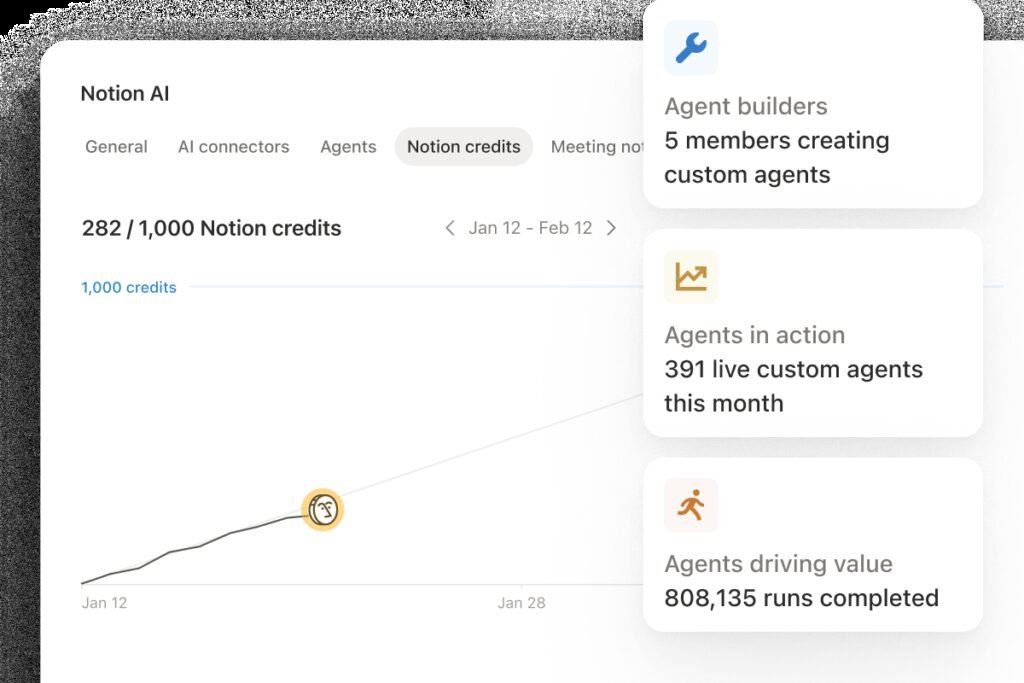
Admin controls, like Notion’s agent settings panel shown here, let a business decide what AI features can access. Source: Notion, official product image.
Your setup checklist
Work through this list for whichever general assistant you chose in Step 4. Most items take a few minutes.
- Create the business workspace under a company email address, not a personal one, and make at least two people administrators so you are never locked out.
- Confirm the training setting. Find the vendor’s documentation on how business data is used, confirm training is off by default for your plan, and screenshot the setting for your records.
- Review data retention. Check how long conversations are kept and whether administrators can change that.
- Turn on multi-factor authentication for every account, especially administrators.
- Decide which connectors are allowed. Most assistants can now connect to email, calendars, cloud drives, and other apps. Each connection widens what the AI can see. Start with none or one, and add more only when a use case needs it.
- Set up shared projects or folders with your business facts file from Step 2, your brand voice notes, and approved templates, so everyone works from the same information.
- Create a shared prompt library (a document or a feature inside the tool) where people save prompts that work.
- Write down who has access to what, and add AI accounts to your process for when someone joins or leaves the business.
Decide what never goes into AI tools
Even on a business plan, some information should stay out of AI tools unless you have a specific, reviewed reason and the right contract in place. The SBA’s guidance for small businesses makes the same basic point: do not enter sensitive data into AI tools. Start with this list and adjust it for your industry:
- Payment card numbers, bank account details, and passwords.
- Government ID numbers, such as Social Security numbers.
- Health information about customers or employees.
- Anything covered by a confidentiality agreement with a client or partner, unless that agreement allows it.
- Employee performance, disciplinary, or medical records.
- Legal documents in an active dispute, unless your lawyer approves.
For everything else, the rule is simpler: use business accounts, share the minimum needed for the task, and replace names with placeholders when the task does not need them.
Connecting AI to your own information
The biggest jump in AI usefulness comes when the assistant can see your actual business information: your FAQ, price list, past proposals, policies, and product catalog. There are three common ways to do this, in increasing order of power and risk:
| Method | How it works | Good for | Watch out for |
|---|---|---|---|
| Paste or attach | You paste or upload the relevant document into each conversation | Occasional tasks; testing a use case | Easy to forget, inconsistent across the team |
| Shared projects | You save reference documents into a shared project or workspace that the assistant uses automatically | Repeated tasks across a team | Keeping the documents current |
| Connectors | The assistant connects directly to your email, drive, CRM, or other apps | Tasks that need live information | The AI can see more than any single task needs; review permissions carefully |
Most small businesses should start with shared projects and add connectors one at a time, once a use case proves it needs live data.
Step 6: Learn a Prompting Method Your Whole Team Can Use
The difference between people who find AI useful and people who do not is mostly how they ask. Good prompting is not a trick or a secret vocabulary. It is the same skill as giving clear instructions to a capable new employee who knows nothing about your business. This step gives you a five-part method that works across every major assistant.
The CRAFT method
We use a simple structure called CRAFT. You do not need to label the parts in your prompt; you just need to include them.
| Part | What to include | Example |
|---|---|---|
| Context | Who you are, your business, your customer, and why this task matters | “I run a two-person bookkeeping firm serving restaurants in Austin.” |
| Role | What kind of expert you want the AI to act as | “Act as an experienced client-relations manager.” |
| Ask | The specific task, stated as one clear instruction | “Write an email asking clients to send their October receipts by November 5.” |
| Facts | The information the AI needs, pasted or attached, plus anything it must not assume | “Our portal link is [link]. Late receipts delay their monthly report. Do not mention penalties.” |
| Target | What a good result looks like: length, format, tone, and audience | “Under 150 words, warm and brief, with the deadline in bold and a one-line reminder of how to upload.” |
A one-line prompt like “write an email asking clients for receipts” gets a generic, overlong email. The CRAFT version gets something you can send with a quick read-through. The extra minute spent writing the prompt saves several minutes of editing, and once a CRAFT prompt works, you save it and reuse it.
Six habits that make prompts work better
- Give it the facts instead of hoping it knows them. Paste the policy, the price list, or the customer’s message. Most AI errors in business writing come from the model filling gaps with plausible guesses.
- Show an example. If you have a past email, post, or proposal you liked, paste it in and say “match this style”. Examples work better than adjectives.
- Ask it to ask you questions. End complex prompts with “Before you start, ask me any questions you need answered.” This catches missing details before they turn into wrong drafts.
- Break big tasks into steps. Instead of “write our whole website”, ask for an outline first, approve it, then ask for one section at a time.
- Give specific feedback. “Make it better” produces random changes. “Cut it to half the length, remove the second paragraph, and make the opening sentence about the customer’s problem” produces the draft you want.
- Ask for options. “Give me five subject lines, each with a different approach” is faster than asking for one, rejecting it, and asking again.
The review rule
Every piece of AI output that leaves your business should be checked by a person. That is not a formality. The SBA’s guidance for small businesses recommends that a person review AI outputs, and the Federal Trade Commission has been clear that using AI does not exempt a business from the rules on accuracy and honesty. For most small businesses, a practical review rule looks like this:
| Output type | Review standard |
|---|---|
| Internal notes, summaries, first drafts for yourself | Quick read; fix anything obviously wrong |
| Marketing content: posts, emails, web pages | Check every fact, price, claim, and date; read it aloud for tone |
| Customer replies | Check against your business facts file; never send a promise you would not make yourself |
| Anything involving money, contracts, legal or tax matters, health, or safety | Full review by the responsible person; AI output is a starting draft only |
Watch for these failure patterns
When you review AI output, look specifically for:
- Invented facts: statistics, quotes, studies, product features, or policies that sound right but do not exist. Verify anything you did not provide.
- Overpromising: phrases like “guaranteed”, “always”, or “the best in town” that you cannot back up and that could create legal exposure.
- Generic filler: sentences that could describe any business. Replace them with something specific about yours.
- Wrong tone: too formal, too enthusiastic, or too long for the channel. Social posts, emails, and text messages each need different lengths.
- Outdated information: prices, dates, or rules that may have changed. If the task depends on current facts, give them to the AI or check them yourself.
The next section gives you a library of tested prompts built on the CRAFT method. Use them as starting points and adapt the bracketed parts to your business.
The Small Business Prompt Library
These prompts are built on the CRAFT method from Step 6. Each one has a copy button. Replace everything in square brackets with your own details, and paste in your business facts where the prompt asks for them. They work in any major general assistant.
Marketing prompts
PromptSocial post from a finished job or sale
PromptMonthly email newsletter draft
PromptProduct or service description
PromptReply to an online review
Sales prompts
PromptQuote or proposal first draft
PromptFollow-up after no reply
PromptSales call preparation
Customer service prompts
PromptCustomer reply from your FAQ
PromptTurn a complaint into an action summary
Operations and admin prompts
PromptMeeting notes to action list
PromptStandard operating procedure from a messy explanation
PromptJob post
Finance and analysis prompts
PromptExplain a report in plain language
PromptPolite invoice reminder sequence
Research and planning prompts
PromptCompetitor snapshot
PromptPlan a promotion
Step 7: Use AI for Marketing
Marketing is where most small businesses start with AI, and for good reason. It is writing-heavy, repetitive, and usually low risk. It is also where AI is most often misused, producing generic content that no one reads and that search engines and customers increasingly ignore. This step shows you how to use AI to produce more marketing without making it worse.
The rule: AI drafts, your experience makes it worth reading
The most valuable thing in your marketing is what only you know: the job you finished last week, the question customers keep asking, the mistake you see people make, the local detail a national chain cannot match. AI is very good at turning that raw material into a clean post, email, or page. It is very bad at inventing it. Feed AI your real experience and you get better marketing faster. Ask AI to invent marketing from nothing and you get filler.
Social media
Social media is the classic first AI use case because it rewards volume and consistency, two things small businesses struggle with. A practical workflow:
- Collect raw material during the week. Take photos of finished jobs, new products, or behind-the-scenes moments. Add a one-line note to each: what it is and one detail a customer would care about.
- Batch draft once a week. Use the social post prompt from the library to turn each item into versions for each platform you use.
- Edit for voice. Cut anything that sounds like a press release. Add one specific word or phrase you would actually say.
- Schedule. Use your platform’s own scheduler or a scheduling tool, so posting does not depend on finding time each day.
For a complete strategy beyond the AI part, see our guide on how to market a small business on social media.
Email marketing
AI can cut newsletter writing time dramatically. The biggest gains come from three tasks: turning a list of notes into a structured draft, generating several subject lines to test, and rewriting a draft to be shorter. Keep the human parts human: decide what is worth saying, check every date and price, and make sure the email sounds like it came from a person at your business. Our email marketing guide for small businesses covers list building, frequency, and measurement.
Your website and search
AI can help you write and improve service pages, product descriptions, FAQ pages, and blog posts. This is also where the rules matter most, because search engines have been specific about what they reward.
Google’s guidance on AI-generated content says the method of creation is not the issue; what matters is whether the content is helpful, reliable, and made for people. But Google also says that using automation to mass-produce pages without adding value can violate its spam policy on scaled content abuse. For a small business, that means:
- Do not publish hundreds of AI-written pages for every town or keyword variation. Pages that only swap a place name are exactly what that policy targets.
- Add something only you can add to every page: your real process, prices, photos, examples, and answers.
- Fact-check everything, including the details people do not see, like page titles, meta descriptions, and image alt text. Google’s guidance specifically mentions reviewing these.
- Be transparent where it helps readers. Google suggests considering a disclosure about how content was created when readers would reasonably want to know.
Used this way, AI is a strong search tool. It can help you find the questions customers ask, outline a page that answers them, and tighten your writing. Our guides on finding keywords for your business, getting more organic traffic, getting your website indexed by Google, and building backlinks cover the rest of the work. For research, a citation-first assistant like Perplexity makes it easier to check where facts came from, and an SEO platform like OpenRush can show which topics are worth targeting.

Perplexity, a citation-first AI search assistant that is useful for marketing research. Source: Perplexity, official brand image.
Local search and your Google Business Profile
For local businesses, the Google Business Profile often brings more customers than the website. AI can help you write a clear business description, draft regular posts and updates, and, most usefully, reply to reviews consistently. Replying to every review is one of the most commonly recommended local search habits, and the hardest to keep up with. Use the review reply prompt from the library, check every draft, and post it under your own name.
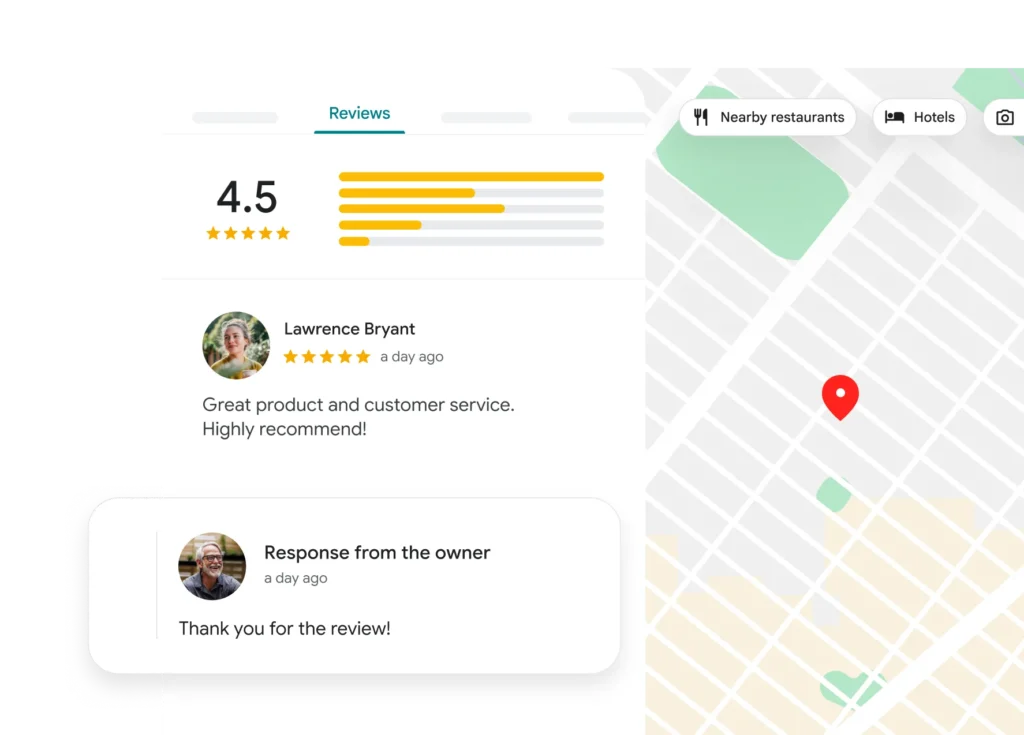
Replying to every review, positive or negative, is a habit AI drafting makes easy to keep. Source: Google, official product image.
Two cautions. First, never use AI to write reviews of your own business or to post reviews under invented names. The Federal Trade Commission’s rule on fake reviews and testimonials, which took effect in October 2024, specifically bans fake reviews, including AI-generated ones, and allows civil penalties against violators. Second, do not paste customers’ private details into a reply. For the full local playbook, see our guides on local SEO for small businesses, optimizing your Google Business Profile, and getting more Google reviews without awkward asks.
Ads and calls to action
AI is useful for generating many variations of ad headlines and descriptions to test, and for rewriting calls to action that are not getting clicks. It is not useful for deciding your budget, targeting, or which offer to make. Use AI to produce options, then let real results decide. Our Google Ads guide for beginners and our article on writing calls to action that get clicks cover the strategy. If your homepage is the bottleneck, see how to build a homepage that converts.
Marketing at a glance
| Marketing task | Where AI helps most | What you must still do | Tools to consider |
|---|---|---|---|
| Social posts | Turning notes and photos into platform-ready drafts | Supply real material, edit for voice | General assistant |
| Newsletters | Structure, subject lines, shortening | Decide what is worth saying, check facts | General assistant, your email platform’s AI |
| Website pages | Outlines, drafts, tightening, FAQs | Add real expertise, fact-check metadata | General assistant, OpenRush |
| Research | Summarizing competitors and questions customers ask | Verify sources | Perplexity |
| Review replies | Consistent, fast drafts | Approve and post under your name | General assistant |
| Ads | Many variations to test | Budget, offer, and targeting decisions | General assistant, your ad platform’s AI |
If you want ready-made marketing copy frameworks to feed into your prompts, our Marketing Swipe File is built for exactly that, and the Small Business Marketing Growth Playbook puts all of these channels into one plan.
Step 8: Use AI for Sales and Your CRM
For many small businesses, the biggest revenue leak is not a lack of leads. It is slow replies, forgotten follow-ups, and proposals that take days to write. AI is well suited to all three, because each one is a repeated writing task with a clear pattern.
Speed up quotes and proposals
If your time audit showed quotes and proposals taking hours a week, start here. The workflow:
- Build a library of past proposals. Collect five to ten of your best proposals and save them in your AI workspace with the customer details removed.
- Write a standard scope for each service. One paragraph per service, describing what is included and what is not. Add these to your business facts file.
- Use the proposal prompt from the library, pasting in the customer’s request and the relevant scope.
- Review pricing yourself, every time. Never let AI calculate or set a price you have not checked.
- Send faster. The value is not just saved writing time; it is a reply that lands while the customer is still deciding.
Many owners find that the AI draft also improves the proposal itself: it tends to restate the customer’s need more clearly and to include sections, like what is not included, that prevent later disputes.
Never miss a follow-up
Follow-up is where AI and a CRM work best together. A CRM records who you talked to and when. AI drafts the follow-up message. Together, they make sure no warm lead goes cold because you got busy.
If you do not have a CRM yet, HubSpot’s free CRM is a sensible starting point: it covers up to 2 users and 1,000 contacts with deal pipelines, email tracking, and HubSpot’s Breeze Assistant at no cost. Paid Starter plans add automated sequences, and the Professional tier, at $90 per seat per month billed annually plus a $1,500 onboarding fee, adds features like forecasting and the Prospecting Agent. Our HubSpot CRM review breaks down when each tier is worth it.
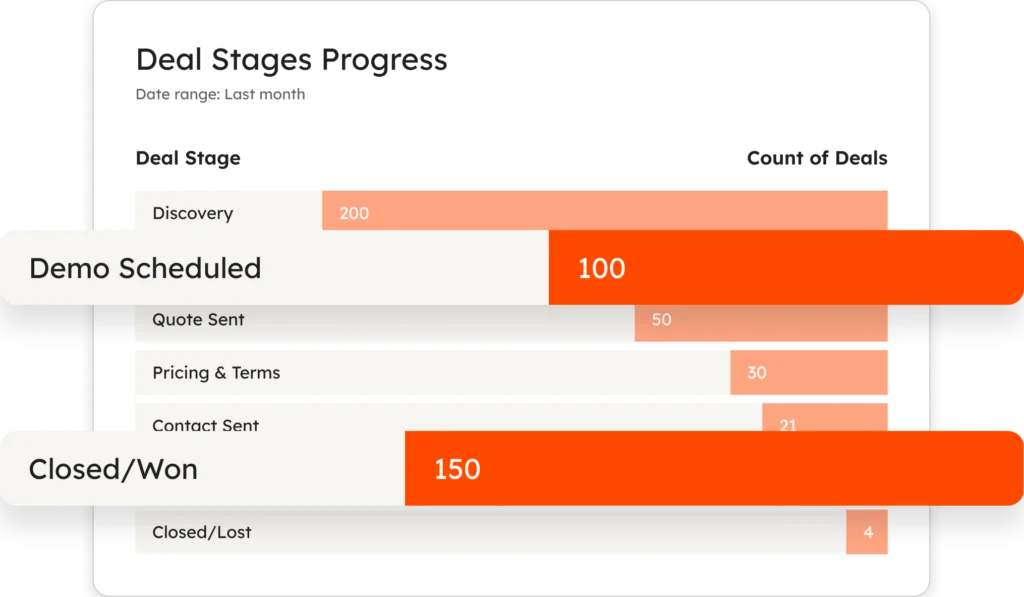
A CRM deal pipeline shows every open deal by stage, so AI-drafted follow-ups go to the right people at the right time. Source: HubSpot, official product image.
A practical follow-up system for a small team:
- Log every lead in the CRM the day it arrives, including where it came from.
- Set a follow-up rule: for example, first follow-up after three business days with no reply, final check-in after two weeks.
- Draft follow-ups with AI using the follow-up prompt, adding one useful new detail each time instead of just “checking in”.
- Automate only once the messages are proven. When a follow-up template is working well, move it into a CRM sequence or an automation (see Step 12) so it sends on schedule.
Prepare for sales conversations
Before an important call, use the call preparation prompt with whatever you know about the prospect: their website text, past emails, and your notes. In two minutes you get a summary of their likely needs, questions to ask, and possible objections. This is one of the highest-value, lowest-risk uses of AI in sales, because the output is for you, not the customer.
Research and prospecting
If your business sells to other businesses and does outbound prospecting, specialist tools can find and enrich prospect data. Apollo.io combines a contact database with outreach tools, and Clay enriches lead data from many sources. Both are powerful and both need care: outbound email has legal requirements, including honest subject lines, a real address, and a working unsubscribe option under the U.S. CAN-SPAM Act, and many countries have stricter rules. Use AI to personalize outreach to people who are genuinely likely to need what you sell, not to send more of it.
Keep your CRM clean with AI
A CRM is only as useful as its data, and data entry is the task salespeople hate most. AI can help by:
- Summarizing calls and emails into short CRM notes. Many CRMs and meeting tools now do this automatically.
- Extracting details from email signatures, inquiry forms, and documents into the right fields.
- Flagging stale deals by summarizing which opportunities have had no activity for a set period.
Step 9: Use AI for Customer Service
Customer service is where AI can save the most time and also do the most damage. A good AI-assisted reply arrives faster and answers the question. A bad one confidently tells a customer something false, and the customer holds your business responsible, not the software.
Start with drafts, not automation
The safe way to start is with AI drafting replies that a person approves. This gives you most of the time savings with very little risk:
- Load your business facts file into your AI workspace, especially the top customer questions with approved answers.
- Paste each incoming question into the customer reply prompt from the library.
- Check the draft against your policies and send it under your name.
- Track which questions come up most. Every time a question appears that is not in your facts file, add an approved answer. Over a few weeks, your facts file becomes complete enough to trust with more automation.
Sort and prioritize incoming messages
If you receive many messages, AI can read them and tag each one: question type, urgency, and whether it is a complaint, a sales lead, or a routine request. Many help desk and email tools now include this feature. Even without one, you can paste a batch of messages (with personal details removed) into your assistant and ask for a sorted table. This helps you answer the urgent ones first and spot patterns, like a product problem that suddenly shows up in many messages.
When to consider an AI agent
AI agents that answer customers directly, without a person approving each reply, have improved significantly. HubSpot’s Customer Agent, for example, is billed at 50 HubSpot Credits (about $0.50) per resolved conversation, and HubSpot reports that the agent resolves 65% of conversations across more than 8,000 activated customers. Figures like these come from the vendor and will vary by business, so test with your own questions before relying on them.
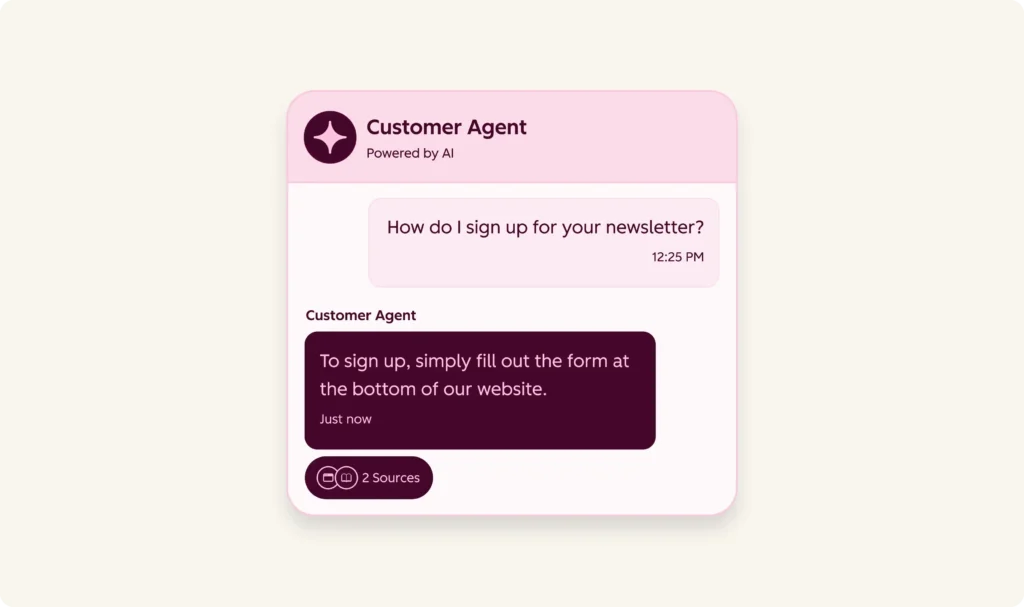
An AI customer agent answering a routine question in chat. Source: HubSpot, official product image.
An AI agent that answers customers directly is worth considering when all of these are true:
- Your questions are repetitive and most have a clear, written answer.
- Your facts file is complete and current. The agent can only be as accurate as the information it uses.
- There is a clear handoff to a person for anything the agent cannot answer, and customers can reach a human easily.
- You can review conversations regularly, at least weekly at first, to catch errors and add missing answers.
- The stakes of a wrong answer are low. Questions about hours, delivery times, or how to book are good candidates. Questions about refunds, safety, health, or legal rights should go to a person.
Be honest with customers that they are talking to an AI assistant. It builds trust, and it avoids the impression that a business is trying to pass software off as staff.
Handle complaints carefully
Complaints are where AI should support you, not speak for you. Use the complaint summary prompt to understand the issue quickly and get a calm first draft, then make the reply your own. A complaint handled personally and well often turns an unhappy customer into a loyal one, which no automation can match.
Customer service at a glance
| Task | AI role | Human role | Risk level |
|---|---|---|---|
| Common questions | Draft replies from your facts file | Approve and send | Low |
| Sorting messages | Tag and prioritize | Review the urgent queue | Low |
| After-hours chat | Answer routine questions, hand off the rest | Review conversations weekly | Medium |
| Complaints | Summarize, draft a calm reply | Decide the outcome, personalize the reply | Medium to high |
| Refunds, legal, safety, health | Summarize only | Handle fully | High |
Step 10: Use AI for Operations, Admin, and Finance
Back-office work is where the Homebase survey found many small businesses getting their biggest AI wins: data analysis, payroll and timekeeping, inventory, and administrative paperwork were the most common uses among adopters. This is unglamorous work, which is exactly why automating parts of it matters. Every hour spent on admin is an hour not spent with customers.
Meeting notes and follow-ups
Meetings create a second job: writing up what was agreed. AI meeting tools can record, transcribe, and summarize meetings into notes and action items automatically. Fireflies.ai is one we have reviewed in depth, and many video meeting platforms now include similar features.
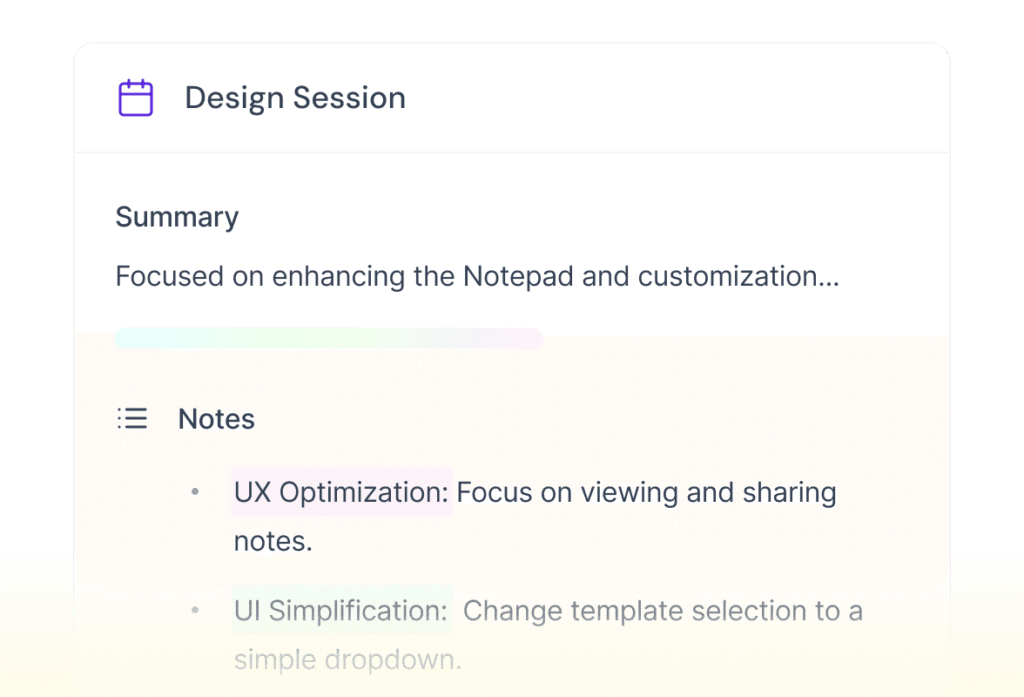
AI meeting tools turn a recording into a summary and action items. Source: Fireflies.ai, official product image.
Two rules apply. First, tell everyone in the meeting that it is being recorded and transcribed, and follow the consent laws where you and the other participants are; some jurisdictions require everyone’s consent. Second, check the summary before you send it. AI summaries are good, but they can miss nuance, misattribute who said what, or turn a “maybe” into a “yes”.
Standard operating procedures
Most small businesses run on knowledge in the owner’s head. That works until the owner is sick, on vacation, or trying to hire. AI makes writing procedures far less painful: you explain the task in your own words, out loud or in a messy note, and the SOP prompt from the library turns it into numbered steps. Ask a staff member to follow the draft procedure and mark anything unclear, then revise. Procedures written this way also become useful reference material for AI tools, which improves every other workflow.
Scheduling and staffing
AI can draft shift schedules from availability notes, write shift-change messages, and summarize timesheets. Many scheduling and payroll platforms now include AI features directly. If you use one, check those features before adding a separate tool. Keep the final scheduling decisions with a person, because fairness, labor rules, and employee preferences need judgment.
Hiring
AI can help with job posts (use the library prompt), interview questions, and organizing applications. Be careful with screening. Using AI to rank or reject candidates raises fairness and legal concerns, and some jurisdictions have specific rules for automated hiring decisions. A safe approach is to use AI to help you write and organize, while you make every decision about people yourself.
Documents, email, and admin
Small, daily admin tasks add up. AI can help you:
- Summarize long emails and documents into the three things you need to know.
- Draft routine letters, from supplier requests to policy updates.
- Extract information from invoices, receipts, and forms into a table for your bookkeeping or records.
- Fill in templates from notes, such as job sheets, incident reports, or onboarding checklists.
- Translate customer messages or documents, with a fluent speaker checking anything important.
Many general assistants can now connect to the apps your business already uses. Source: OpenAI, official product image.
Finance preparation, not financial decisions
AI can make finance work faster, but the line between help and risk is clearer here than anywhere else. Good uses include:
- Explaining reports in plain language using the library prompt, so you can ask your accountant better questions.
- Categorization prep: sorting a list of transactions into likely categories for your bookkeeper to confirm.
- Invoice reminders: the reminder sequence prompt gives you consistent, polite follow-ups.
- Spreadsheet help: writing and explaining formulas, building simple cash flow templates, and checking for errors.
- Scenario thinking: asking “what happens to my margin if supplier costs rise 8%?” with your own numbers, then checking the math in a spreadsheet.
Avoid using AI to make tax decisions, give investment advice, or file anything. AI tools can be wrong about tax rules, especially recent changes. Treat AI as a way to prepare and understand, and keep your accountant or bookkeeper responsible for what gets filed.
Inventory and data analysis
Data analysis was the most common AI use in the Homebase survey. Modern assistants can analyze an uploaded spreadsheet: spotting your best and worst sellers, finding seasonal patterns, and flagging items that sit too long. Remove any customer personal data before uploading, ask the assistant to show its calculations, and check any figure you plan to act on.
A useful starting prompt: “Here is my sales data for the last 12 months by product. Show me the top 10 and bottom 10 products by revenue and by units, any clear seasonal patterns, and three products I should look at more closely. Show the calculations you used.”
Operations at a glance
| Task | Typical first workflow | Review needed |
|---|---|---|
| Meeting notes | Automatic summary and action items | Check before sending |
| Procedures | Dictate, convert, test with staff | Staff test run |
| Scheduling | Drafts from availability notes | Manager approval |
| Hiring | Job posts and interview questions | All decisions made by people |
| Document admin | Summaries, extraction, templates | Spot checks |
| Finance prep | Explanations, reminders, categorization prep | Accountant or bookkeeper confirms |
| Data analysis | Spreadsheet analysis with calculations shown | Check figures before acting |
Step 11: Use AI for Images, Video, and Presentations
Visual content used to require a designer, a videographer, or hours of fiddling with templates. AI tools have changed that for many routine needs: presentations, simple product images, social graphics, and short training or explainer videos. They have not replaced real photography of your real work, which still builds more trust than anything generated.
Presentations and proposals
AI presentation tools can turn an outline or a document into a designed slide deck in minutes. This is especially useful for sales proposals, pitch decks, training sessions, and reports for partners or lenders. Gamma is the tool we have reviewed most closely here; our Gamma how-to guide walks through building a proposal deck step by step.

AI presentation tools like Gamma turn an outline into a designed deck. Source: Gamma, official brand image.
The best results come from giving the tool a clear outline and real content: your numbers, your case studies, your photos. Then edit slide by slide. AI-generated decks tend to be wordy, so plan to cut text by about half.
Images
AI image generators like Midjourney can produce illustrations, backgrounds, concept visuals, and social graphics. They are useful for things that do not need to be real: a seasonal background, an illustration for a blog post, a mood board for a rebrand. They are a poor substitute for photos of your actual products, team, premises, and finished work.
Follow these rules for AI images:
- Never use AI images to misrepresent your products, results, or premises. A generated “after” photo of a renovation you did not do is deceptive.
- Label AI images where it matters. Google Merchant Center requires that AI-generated product images keep the IPTC metadata that marks them as created by a trained algorithm, so do not strip that metadata if you sell through Google Shopping.
- Check for errors. AI images can contain distorted text, extra fingers, impossible objects, and unintended resemblance to real brands or people.
- Understand ownership limits. The U.S. Copyright Office concluded in its January 2025 report that prompts alone do not give a person enough control to be the author of AI-generated output. Human selection, arrangement, or modification of the material can be protected. If owning a logo or key brand asset matters to you, have a designer create or substantially develop it.
Video
Video is now within reach for businesses with no production budget. There are two main kinds of AI video tools for small businesses:
- Avatar and presenter video. Tools like Synthesia and HeyGen produce videos of a realistic presenter reading your script, in many languages. They are well suited to training, onboarding, product explainers, and internal updates.
- Creative and generative video. Tools like Runway and Pika generate or edit short clips from text or images. They are useful for social media, ads, and visual effects.

Avatar video tools like Synthesia turn a script into a presenter video. Source: Synthesia, official product image.
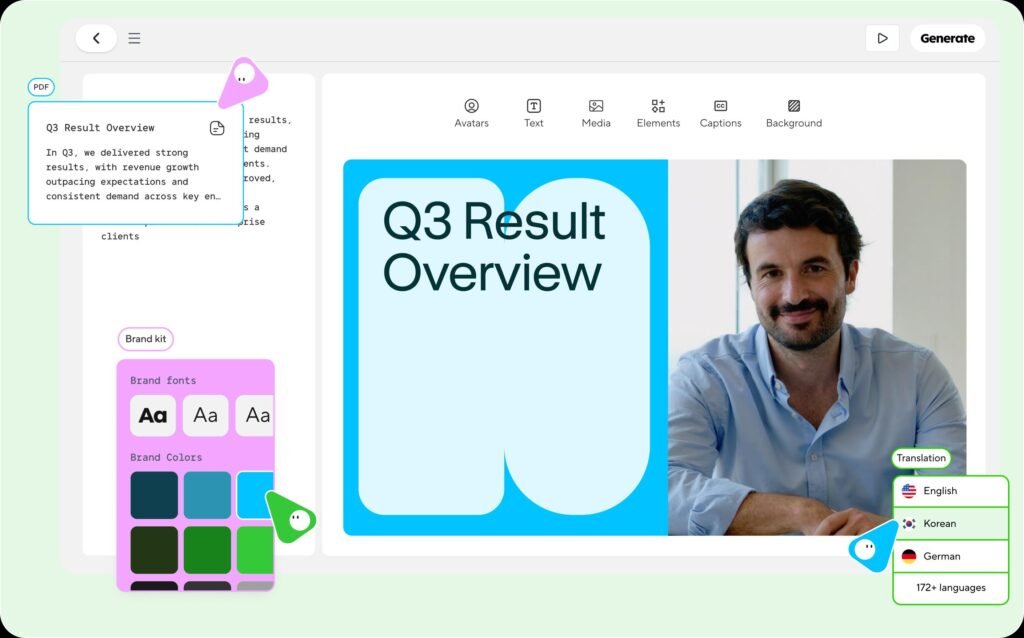
HeyGen’s studio, another option for presenter-style video in many languages. Source: HeyGen, official product image.
A useful first video project is a short training or explainer: a two-minute video explaining how to use your product, how to prepare for an appointment, or how a new staff member should handle a common task. Write the script with your general assistant, check it carefully, and produce it with an avatar tool. If you create an avatar of a real person, including yourself or an employee, get written consent and make clear how the likeness will be used.
Creative work at a glance
| Need | Good AI use | Keep it real |
|---|---|---|
| Sales and pitch decks | Fast first drafts from outlines | Your numbers, case studies, and photos |
| Social graphics | Backgrounds, layouts, illustrations | Photos of real work and people |
| Product images | Backgrounds and lifestyle settings for real product photos | Accurate representation of the product |
| Training video | Avatar presenters reading checked scripts | Consent for any real likeness |
| Ads | Variations to test | Honest claims and representation |
Step 12: Automate Repeat Work
Steps 7 through 11 mostly involve a person asking AI for help one task at a time. Automation is the next level: setting up workflows that run on their own when something happens. A new form submission becomes a CRM record, an AI-drafted reply, and a task for the right person, without anyone copying and pasting.
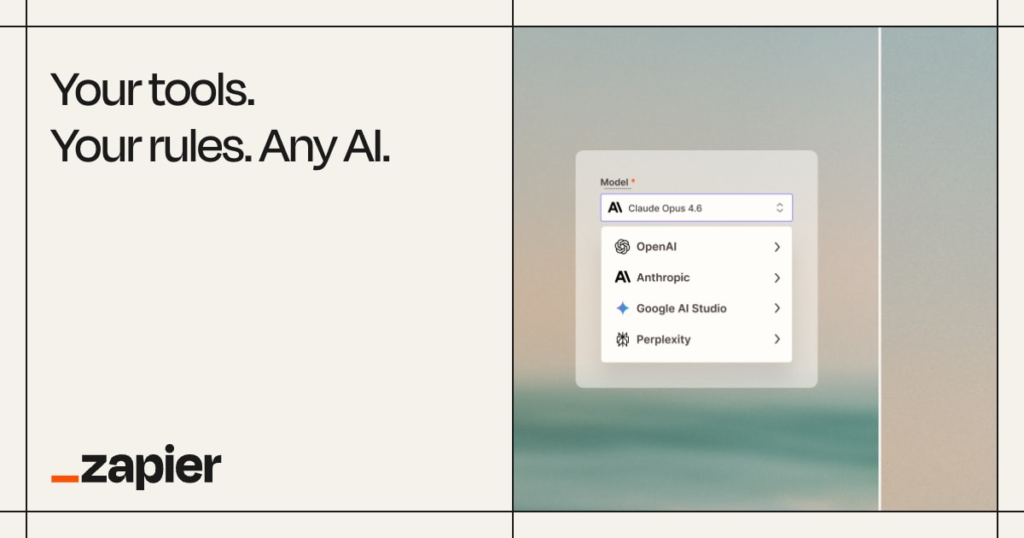
Automation platforms like Zapier connect the apps a small business already uses. Source: Zapier, official brand image.
How automation works
Most automation platforms use the same idea: a trigger (something happens in one app), followed by actions (things that happen in other apps as a result). AI steps can now sit in the middle, for example summarizing, categorizing, or drafting text before the next action runs. Zapier, which scored 8.5 in our review, is the best known platform and connects thousands of apps. Zapier’s newer AI-assisted building is also worth watching; we covered the early access release in our news story on Zapier’s next generation Zaps, which Zapier made available on Pro plans and above.
Five automations that pay off for most small businesses
| Automation | Trigger | AI step | Actions |
|---|---|---|---|
| Lead capture and first reply | New website form or inquiry email | Classify the request and draft a reply from your facts file | Create CRM record, send draft to owner for approval, set follow-up task |
| Review monitoring | New review on your profile | Summarize and draft a reply | Notify the owner with the draft |
| Meeting follow-up | Meeting recording finishes | Summarize and extract action items | Email summary to attendees after review, create tasks |
| Invoice reminders | Invoice passes due date | Draft a reminder from the template | Send or queue for approval |
| Content repurposing | New blog post published | Draft social posts and a newsletter blurb | Save drafts to a review folder |
Rules for safe automation
- Automate only workflows that already work manually. If you have not run a workflow by hand a dozen times, you do not yet know where it breaks.
- Put a human approval step in front of anything customer-facing, at least at first. Many platforms let you send drafts to email, chat, or a review folder instead of sending them directly.
- Limit data. Pass only the fields each step needs. An automation that summarizes a support request does not need the customer’s payment details.
- Name an owner and document each automation in a simple list: what it does, which apps it touches, who maintains it, and how to switch it off.
- Check automations monthly. Apps change, connections expire, and a broken automation can fail silently for weeks.
- Watch usage costs. AI steps and automation platforms often charge by task or credit. Set limits where the platform allows it.
AI agents and the next step
Agents are AI systems that can take a series of actions toward a goal, such as researching a lead, updating the CRM, and drafting outreach, rather than following a fixed list of steps. They are improving quickly, and several tools we have reviewed now offer them, including HubSpot’s agents and Notion’s Custom Agents. For most small businesses, the right approach in 2026 is to use agents for well-defined, low-risk, internal tasks, with spending limits and regular review, and to keep a person in the loop for anything that touches customers or money.
Step 13: Write a Simple AI Use Policy
A policy sounds like something only big companies need, but it is one of the cheapest safeguards in AI for small business use. In practice, it is the single most effective way for a small business to make AI use safe and consistent, and it does not need to be longer than two pages. Without one, every employee makes their own decisions about which tools to use and what data to share. With one, everyone knows the rules, and you have something to point to if a customer or partner asks how you use AI.
What a small business AI policy should cover
- Approved tools: which AI tools and accounts may be used for work, and that personal accounts may not be used for business data.
- Data rules: what information may and may not be entered into AI tools.
- Review rules: who checks AI output before it goes to customers, and how carefully.
- Disclosure: when you tell customers that AI was involved.
- Prohibited uses: things AI must never be used for in your business.
- Ownership and accountability: who owns the policy, who to ask, and how mistakes are reported.
The SBA’s guidance for small businesses suggests having a lawyer review AI-related policies and terms, and that is good advice if your business handles sensitive data or works in a regulated industry. The template below is a starting point, not legal advice.
AI use policy template
TemplateAI use policy template
How to roll out the policy
- Adapt the template to your tools, industry, and risks. Remove sections that do not apply; do not add legal language you do not understand.
- Explain the reasons to your team in a short meeting. People follow rules they understand.
- Ask everyone to sign it, and keep the signed copies.
- Put the policy where people work: pinned in your AI workspace, in your staff handbook, and in your onboarding checklist.
- Review it every six months or whenever you add a major new tool. AI products change their features and data terms often.
Step 14: Understand the Data, Privacy, and Legal Basics
You do not need to be a lawyer to use AI responsibly, but you do need to know where the main risks are. This step summarizes the rules and frameworks most relevant to U.S. small businesses in 2026. Laws vary by state and country and change often, so treat this as a map of what to ask about, not legal advice.
The core principle: there is no AI exemption
The Federal Trade Commission has made this point directly. When it announced Operation AI Comply in September 2024, a law enforcement sweep targeting deceptive AI claims and schemes, FTC Chair Lina Khan said “there is no AI exemption from the laws on the books.” In practice, this means the rules you already follow on advertising, consumer protection, privacy, employment, and contracts apply equally to anything AI helped you create or do. As part of that sweep, the FTC reached a settlement with DoNotPay, which had marketed itself as an AI lawyer, requiring a $193,000 payment, and took action against Rytr, an AI writing tool whose review generation feature the FTC said could be used to produce fake reviews.
Advertising and reviews
- Claims must be true and supported. If AI writes “the fastest service in the county”, you need to be able to back that up. The business is responsible for the claim, not the tool.
- No fake reviews or testimonials. The FTC’s rule on fake reviews and testimonials, which took effect in October 2024, bans fake reviews and testimonials, including those generated by AI, along with buying positive or negative reviews, undisclosed reviews by insiders, suppressing honest negative reviews, and selling or buying fake social media indicators such as followers. Violations can bring civil penalties.
- No review incentives tied to sentiment. The same rule bans offering incentives for reviews on the condition that they express a particular sentiment, positive or negative.
- Be careful about what you say about AI itself. If you market your business as “AI-powered”, make sure that is accurate and meaningful. The FTC has pursued businesses that made inflated claims about what their AI could do.
Privacy and customer data
- Know where customer data goes. Each AI tool and connector that sees customer data is effectively a vendor handling that data. Your privacy policy should reflect how you use it.
- Use business plans with training turned off for any customer information, as covered in Step 5.
- Follow state privacy laws. A growing number of U.S. states have comprehensive consumer privacy laws, several with rules on automated decision-making and profiling. Whether they apply to you often depends on your revenue or the number of residents’ records you handle. Check which apply to your business.
- Follow industry rules. If you handle health information, financial information, or information about children, specific federal rules apply, and many AI tools are not set up to meet them without a specific agreement.
- Watch for international customers. If you serve customers in the European Union, the GDPR and the EU AI Act may apply.
Employment
- Hiring and HR decisions need care. Some states and cities have specific rules for automated tools used in hiring decisions, including notice and bias audit requirements. Keep people in charge of every decision about employees and candidates.
- Tell employees how AI is used in ways that affect them, including meeting transcription and any monitoring.
- Recording consent. Recording laws differ by state; some require every party to a conversation to consent. Get consent before AI tools record or transcribe calls and meetings.
Ownership and copyright
The U.S. Copyright Office’s January 2025 report on copyrightability concluded that AI-generated material is not protected by copyright unless a human contributed enough creative expression, and that prompts alone generally are not enough. Human selection, arrangement, and modification of AI output can be protected. For a small business this means:
- Your key brand assets should have significant human authorship if you want to own and protect them.
- Review vendor terms on who owns output and whether the vendor offers any protection against copyright claims.
- Avoid prompts that copy a specific artist, brand, or copyrighted character. Using AI does not make copying legal.
Content disclosure
There is no general U.S. federal law requiring every business to disclose that content was written with AI help. The SBA describes disclosure as an emerging best practice rather than a legal requirement. But disclosure is required or expected in specific contexts: chatbots that might be mistaken for humans, AI-generated product images in Google Merchant Center, political advertising in many states, and certain synthetic media of real people. The simplest approach is the one in the policy template: be honest when a reasonable customer would want to know.
Use a framework if you want more structure
If you want a recognized structure for managing AI risk, the National Institute of Standards and Technology publishes a free AI Risk Management Framework. Released in January 2023, it organizes AI risk management into four functions: Govern, Map, Measure, and Manage. In July 2024, NIST added a Generative AI Profile (NIST AI 600-1) with specific guidance on risks like confabulation, data privacy, and information integrity. Most small businesses will not need to adopt it formally, but its four functions map neatly onto this guide: your policy is Govern, your time audit and use cases are Map, your review rules and ROI tracking are Measure, and your monthly checks are Manage.
Legal checklist
| Question | Why it matters |
|---|---|
| Are we using business accounts with training off for any customer data? | Prevents customer data from being used to train vendor models |
| Does our privacy policy describe how we use AI tools with customer data? | Transparency obligations under privacy laws |
| Do state privacy laws apply to us, and do any of our AI uses count as automated decisions? | Some laws give consumers rights over profiling and automated decisions |
| Do we have consent to record calls and meetings? | Recording laws vary by state |
| Are our AI-assisted marketing claims true and supported? | FTC advertising rules apply regardless of how content was made |
| Have we banned fake reviews and testimonials in writing? | FTC rule with civil penalties |
| Are people making every hiring and employment decision? | Rules on automated employment decisions |
| Do our key brand assets have human authorship? | Copyright protection |
| Has a lawyer reviewed our policy if we handle sensitive or regulated data? | SBA recommendation; industry rules |
Step 15: Train Your Team
Buying tools is easy. Changing how people work is hard. The businesses that get lasting value from AI are the ones that teach their team how to use it, share what works, and make it normal to ask questions. Training does not need to be formal or expensive. For a small team, a few short sessions and a shared prompt library usually do the job.
A four-session training plan
| Session | Length | What it covers | Homework |
|---|---|---|---|
| 1. Why and how | 45 minutes | Why the business is using AI, the policy, approved tools, and the data rules | Sign the policy; set up accounts |
| 2. Prompting | 60 minutes | The CRAFT method, live examples on real tasks, giving feedback to the AI | Use AI on two real tasks; save the prompts |
| 3. Your workflows | 60 minutes | Walk through the three chosen use cases step by step, including the review rule | Run each workflow at least three times |
| 4. Share and improve | 45 minutes | Everyone shares one prompt that worked and one that failed; update the prompt library | Track time on the workflows for two weeks |
Make it safe to learn
- Normalize mistakes. Early AI output is often mediocre because the prompt was weak. Treat bad results as a prompt problem to solve together, not a reason to give up.
- Do not frame AI as replacing people. Staff who believe AI is a threat to their jobs will quietly avoid it. Be honest about your intentions; for most small businesses, the aim is to remove tedious work so people can do more valuable work.
- Find a champion. In most teams, one person becomes the go-to helper. Give them time to help others and to maintain the prompt library.
- Reward sharing. Celebrate the person who figured out a great prompt, and make sure everyone can use it.
Build the prompt library into a habit
The prompt library from Step 6 is your team’s most valuable AI asset, because it captures what works for your business. Keep it simple: a shared document or the prompt-saving feature in your AI tool, organized by function, with each prompt showing who added it, what it is for, and an example of good output. Review it monthly, remove prompts that nobody uses, and improve the ones that need it.
Keep skills current
AI tools change constantly. Set a 15-minute slot in a regular team meeting every month for someone to share one new feature, one new prompt, or one lesson learned. That small habit keeps your team’s skills current without anyone needing to follow the AI news.
When to Bring in Outside Help
Most of this guide is designed for a business owner to do without outside help, and most small businesses can. But there are points where an hour with the right professional saves a lot of trouble later. Knowing which questions to bring to whom keeps those conversations short and inexpensive.
Bring in a lawyer when you handle health, financial, or children’s data; when a client contract mentions confidentiality, data processing, or AI; when you plan to use AI in hiring or employee monitoring; when you want to publish customer-facing AI chat or agents in a regulated industry; or when you are adapting the policy template in Step 13 for a business with real legal exposure. Ask specifically which state privacy laws apply to you, whether your privacy policy needs updating, and whether any of your planned AI uses count as automated decision-making.
Bring in your accountant or bookkeeper before AI touches anything that gets filed, and when you want to use AI for categorization prep or cash flow analysis. Ask which AI features your accounting software already includes, what format they want your prepared data in, and how they want AI-assisted work flagged so they know what to check.
Bring in an IT provider or a technically confident friend when you are connecting AI tools to email, drives, or a CRM for the first time, setting up multi-factor authentication across accounts, or building automations that move customer data between apps. Ask them to check the permissions each connector requests and to help you document what is connected to what.
Bring in an AI implementation partner when you have more use cases than time, when you want automations built and documented for you, or when you want an outside view of where AI could help. A good partner starts with your time audit and your goals, not with a list of tools to sell you, and leaves you with documentation your team can maintain. If that is the kind of help you need, our services page explains how we work with small businesses, and you can contact us with questions.
Whoever you work with, bring your Step 1 worksheet, your Step 3 use cases, and your draft policy. Those three documents turn a general conversation about AI into a specific, useful one.
Step 16: Measure ROI
The final step is the one most businesses skip, and the one that matters most for deciding what to do next. Every claim about AI for small business, including the ones in this guide, is only a starting assumption until your own numbers confirm it. Measuring ROI tells you which AI uses to expand, which to fix, and which to drop. It also keeps you honest: the feeling of saving time is not the same as actually saving time.
What to measure
For each use case, track four numbers:
- Time per task before AI, from your Step 1 audit.
- Time per task with AI, including writing the prompt, reviewing, and editing. Leaving out review time is the most common way businesses overestimate savings.
- How often the task happens, per week or month.
- Quality, using a simple measure that fits the task: customer reply rate, error count, review response rate, proposals won, or your own rating out of five.
Then add the costs: subscriptions, usage credits, and the time spent setting up and training.
ROI calculator
Use this calculator to estimate the monthly value of one AI use case. Enter your own numbers; the calculation runs in your browser and nothing is saved or sent.
Interactive tool
AI ROI calculator
Estimate the monthly value of one AI use case. The example values show a typical quote-reply workflow; replace them with yours.
Read the result honestly
- If the net value is clearly positive and quality held steady or improved, expand the use case: train more people, automate parts of it, or apply the same approach to a similar task.
- If the net value is small, look at where the time goes. Often the prompt needs work, the business facts file is missing information, or review is taking longer than it should because the drafts are not close enough.
- If quality dropped, slow down. Faster but worse is not a win, especially for customer-facing work.
- If the value is negative after a fair trial of four to six weeks, stop. Drop the tool or the use case, record what you learned, and move to the next candidate on your Step 3 list.
Look beyond time saved
Time saved is the easiest number to measure, but not the only value. Some of AI’s most important benefits for small businesses are:
- Speed: a quote sent in an hour instead of three days can win the job.
- Consistency: every customer gets a reply, every review gets a response, every meeting gets a summary.
- Capacity: taking on more customers without hiring, or handling a busy season without burning out.
- Quality: fewer errors, clearer proposals, better-organized procedures.
Note these benefits alongside the numbers. They often make the difference between an AI use case that looks marginal on paper and one that is clearly worth keeping.
Your 30/60/90-Day AI Rollout Plan
This plan pulls the sixteen steps into a realistic schedule for rolling out AI for small business work. Adjust the pace to your capacity; a solo owner might take twice as long, while a team with a dedicated champion might move faster.
Days 1 to 30: Foundation and first wins
| Week | Actions | Done when |
|---|---|---|
| 1 | Run the time audit (Step 1). Do the 30-minute quick start. Take the readiness check (Step 2). | Audit complete; readiness score recorded |
| 2 | Write your business facts file. Choose three use cases (Step 3). | Facts file shared; three one-line goals written |
| 3 | Choose your general assistant and set up business accounts (Steps 4 and 5). Draft your AI policy (Step 13). | Accounts set up with training off; draft policy written |
| 4 | Learn CRAFT prompting (Step 6) and start using AI on your quick-win use case. | First use case in daily use; prompts saved |
Days 31 to 60: Workflows and training
| Week | Actions | Done when |
|---|---|---|
| 5 | Launch your main time-saver use case using the relevant step (7 to 10). | Workflow documented and running |
| 6 | Run training sessions 1 and 2 with your team (Step 15). Finalize and sign the policy. | Everyone trained and signed |
| 7 | Launch your back-office use case. Run training session 3. | All three use cases running |
| 8 | Start tracking time and quality for all three use cases (Step 16). | Two weeks of data collection under way |
Days 61 to 90: Measure, improve, and expand
| Week | Actions | Done when |
|---|---|---|
| 9 | Run training session 4. Update the prompt library. | Library reviewed and improved |
| 10 | Calculate ROI for each use case. | ROI recorded for all three |
| 11 | Automate the strongest use case (Step 12), with a human approval step. | First automation live and documented |
| 12 | Decide what to expand, fix, or drop. Choose the next use cases from your Step 3 list. | Next 90-day plan written |
By day 90, you should have three working AI use cases with measured results, a trained team, a signed policy, and a clear plan for what comes next. That puts your business ahead of most of the market, not because you used more AI, but because you used it deliberately.
Industry Playbooks
The sixteen steps apply to every business, but the best first uses of AI for small business owners differ by industry. These playbooks show where AI tends to help most in six common types of small business, what to start with, and what to be careful about. Use them alongside your own time audit, not instead of it.

For businesses where most work happens away from a desk, the best AI uses are the ones that fit into a phone and a few spare minutes. Photo by Ali Mkumbwa on Unsplash.
Local service businesses
Plumbers, electricians, cleaners, landscapers, salons, fitness studios, pet care, repair shops, and other appointment-based services.
Local service businesses usually lose the most time to three things: answering inquiries, writing quotes, and keeping up with marketing while doing the actual work. The owner is often on a job site or with a client, so speed of response is a real competitive advantage.
Start with:
- Inquiry replies from your phone. Save your facts file and a reply prompt in your assistant’s mobile app. When an inquiry arrives, paste it in and get a draft you can check and send in two minutes, even between jobs. Voice input makes this faster still.
- Quote drafts. Standardize your service scopes and use the proposal prompt. Dictate the job details on site, then review and send the quote the same day.
- Before and after posts. Photograph every finished job (with the customer’s permission) and turn each one into a social post and a Google Business Profile update with AI.
- Review replies. Reply to every review within a day or two, using AI drafts.
Be careful with: promising arrival times, prices without an inspection, or anything your facts file does not cover. Configure any chat assistant to hand those questions to you.
Useful next reads: local SEO for small businesses and optimizing your Google Business Profile.
Ecommerce and online retail
Online stores, marketplace sellers, subscription boxes, and direct-to-consumer brands.
Ecommerce businesses deal with high volumes of repetitive writing and customer questions, and they have more data to analyze than most small businesses. That makes them strong candidates for AI across the board.
Start with:
- Product descriptions. Write a strong template for one product category, then use AI to draft descriptions for the rest from your product specs. Check every specification, size, material, and claim; product errors cause returns and complaints.
- Customer service on order questions. Questions about shipping, returns, sizing, and order status are highly repetitive. Start with AI drafts from your policies, then consider an AI agent for after-hours questions with a clear handoff.
- Sales data analysis. Upload sales exports (without customer personal data) and ask for best and worst sellers, seasonal patterns, and slow-moving stock.
- Email flows. Use AI to draft abandoned cart, welcome, and post-purchase emails, then test variations.
Be careful with: AI-generated product images. If you sell through Google Shopping, keep the metadata that marks images as AI-generated, and never use generated images that misrepresent the actual product. Also be careful with review solicitation: the FTC rule bans incentives conditioned on positive reviews.
Useful next reads: our email marketing guide and calls to action that get clicks.
Marketing, creative, and digital agencies
Marketing agencies, design studios, web developers, content producers, and freelancers.
Agencies are among the heaviest AI users, because their work is writing, research, and creative production. The challenge is less about finding uses and more about quality, client trust, and pricing.
Start with:
- Research and briefs. Use AI to summarize a client’s market, competitors, and audience into a first brief, then add your expertise.
- First drafts at scale. Draft copy, outlines, social calendars, and ad variations faster, keeping senior time for strategy and editing.
- Proposals and reports. Turn data and notes into client reports and proposals, using a presentation tool like Gamma for polished decks.
- Internal knowledge. Store past work, processes, and client guidelines where your AI tools can use them, so every team member works from the same standards.
Be careful with: client confidentiality. Check whether your client contracts allow their information to be processed by AI tools, and use business accounts with training off. Be open with clients about how you use AI; many contracts and clients now expect it. Think about pricing too: if AI makes you faster, consider pricing by value or deliverable rather than hours. And remember the copyright point from Step 14: clients who expect to own deliverables need meaningful human authorship in them.
Useful next reads: our AI tools buyer’s guide and Jasper review for high-volume marketing copy.
Professional services
Accountants, bookkeepers, lawyers, consultants, financial planners, insurance agents, and real estate agents.
Professional services firms produce a lot of documents and handle a lot of sensitive information, which makes AI both very useful and higher risk. Finance and insurance, at 33.9%, was one of the highest-adopting sectors in the Census Bureau’s data, so clients increasingly expect fast, efficient service.
Start with:
- Client communication. Draft routine emails, document requests, reminders, and explanations of complex topics in plain language.
- Document summaries. Summarize long documents, contracts, and correspondence into key points for your own review.
- Meeting notes. Record and summarize client meetings (with consent), then turn action items into tasks.
- Templates and checklists. Turn your know-how into engagement letters, onboarding checklists, and procedures, then review carefully.
Be careful with: confidentiality, professional rules, and accuracy. Many professions have specific rules or guidance on using AI, including on client confidentiality and supervision. Check with your professional body. Never let AI give final advice to a client, and verify every legal citation, tax rule, or regulation an AI tool mentions against the primary source. AI tools have been known to cite cases and rules that do not exist.
Useful next reads: our Notion AI review for building a firm knowledge base and our Fireflies.ai review for meeting notes.
Restaurants, cafes, and retail shops
Restaurants, cafes, bars, bakeries, food trucks, boutiques, and other walk-in businesses.
Food service and in-person retail showed some of the lowest AI adoption in government data: retail trade around 14% in the Census survey and accommodation and food services around 8% in the Federal Reserve note. That is not because AI cannot help; it is because most of the work is physical and customer-facing. The opportunities are real but narrower, and mostly behind the counter.

In walk-in businesses, AI works best behind the counter, freeing time for the customers in front of it. Photo by Patrick Tomasso on Unsplash.
Start with:
- Scheduling and staff communication. Draft schedules from availability notes, write shift-change messages, and create training materials. Payroll and timekeeping were the second most common AI use in the Homebase survey, so check whether your scheduling or payroll software already includes AI features.
- Menu and product descriptions. Write and refresh menu descriptions, specials, and signs. Always check allergen information personally; never rely on AI for it.
- Social media and local marketing. Turn daily specials, new products, and events into posts. Photos of real food and products work far better than generated images.
- Review replies. Restaurants and shops get many reviews; AI drafts make it practical to answer them all.
- Inventory and sales patterns. Upload sales data to spot best sellers, slow movers, and day-of-week patterns that help with ordering and staffing.
Be careful with: allergen and dietary information, which must always be verified by a person, and any AI chat or phone assistant that takes orders or reservations. Test those thoroughly and make it easy to reach a person.
Useful next reads: getting more Google reviews and our social media marketing guide.
Contractors and trades
General contractors, builders, remodelers, roofers, HVAC, and specialty trades.
Contractors face a lot of paperwork around jobs that are mostly physical: estimates, proposals, change orders, permits, safety documentation, scheduling crews, and coordinating with suppliers and clients. AI can take a significant part of that paperwork off the owner’s evenings.
Start with:
- Estimates and proposals. Dictate site notes on your phone, then turn them into a structured proposal with your standard scopes and exclusions. Check every quantity and price yourself.
- Client updates. Send regular progress updates drafted from your notes and photos. Good communication prevents most disputes.
- Change orders. Draft clear change order descriptions from notes so the client understands what changed and why.
- Safety and procedures. Turn your safety practices into written procedures and toolbox talk outlines, reviewed by someone qualified.
- Supplier and subcontractor coordination. Draft scheduling and order emails, and summarize long email threads.
Be careful with: anything involving building codes, permits, structural, electrical, or safety requirements. AI can explain concepts, but code requirements vary by location and change, so always check with the local authority or a qualified professional. Do not let AI produce engineering calculations or legally binding contract terms without professional review.
Useful next reads: building a homepage that converts and our HubSpot CRM review for tracking estimates and follow-ups.
Common Mistakes to Avoid
These are the mistakes we see most often when owners first try AI for small business tasks, roughly in order of how much they cost.
- Putting customer data into personal accounts. It is the most common and most avoidable risk. Set up business accounts with training off before anyone uses AI with real customer information.
- Buying tools before choosing tasks. Subscriptions without a specific use case are wasted money. Start with your time audit and three use cases.
- Paying for overlapping tools. Two general assistants, plus AI writing tools, plus AI add-ons in software you already have. Pick one general assistant and add specialists only for specific jobs.
- Publishing without checking. Invented facts, wrong prices, and overpromises damage trust and can create legal problems. Every customer-facing output needs a human review.
- Mass-producing content. Hundreds of thin AI pages or posts do not help your search visibility or your reputation, and may violate search engine spam policies. Publish less, and add your real experience to everything.
- Using AI for fake reviews or testimonials. This is now explicitly banned under the FTC’s rule and carries civil penalties.
- Automating too early. Automating a workflow before it works manually multiplies its errors. Run it by hand first.
- Not measuring. Without before and after numbers, you cannot tell which AI uses are worth keeping, and you may pay for tools that are not helping.
- Not training the team. A tool given to people without training often goes unused or is used badly. A few short sessions make an enormous difference.
- Setting and forgetting. AI tools change their features, prices, and data terms frequently. Review your tools, policy, and automations at least every six months.
- Expecting AI to know your business. Generic input produces generic output. The business facts file from Step 2 is the fix.
- Treating AI output as advice. AI can explain legal, tax, financial, medical, and safety topics, but it is not a professional. Verify important answers with the primary source or a qualified person.
- Hiding AI use from customers who would want to know. Being honest about AI chat assistants and AI-generated images protects your reputation and, in some cases, keeps you compliant.
- Giving up after one bad result. Most poor results come from weak prompts or missing information, not from the technology. Try again with the CRAFT method before deciding a task is not suitable.
Run a Fair One-Week Tool Trial
Most AI tools offer a free tier or a trial period, and most small businesses waste it. They sign up, try a few random prompts, get distracted by client work, and either forget about the tool or buy it on a vague impression. A structured one-week trial takes about two hours in total and gives you a decision you can trust. It works for any category, from a general assistant to an automation platform.
Before the trial starts, pick one use case from your Step 3 list and gather five real examples of that task from the last month. For a customer reply tool, that means five real customer questions (with personal details removed). For a proposal tool, five real requests. Write down how long each one took you and what the final version looked like. This is your test set.
Day 1: set up properly. Create the account under your business email, check the data and training settings, and load your business facts file or the relevant section of it. Many disappointing trials are really setup failures: the tool was never given the information it needed.
Days 2 and 3: run the test set. Use the CRAFT method to run all five examples through the tool. Time each one, including your review and edits. Rate the output from 1 to 5 against the version you produced yourself.
Day 4: try to break it. Ask the questions it should not answer, give it incomplete information, and see what happens. A good tool asks for clarification or says it does not know. A risky one makes things up. This day tells you how much review the tool will need.
Day 5: check the costs and exit. Work out the real monthly cost at your size, including seats, usage credits, and any onboarding fees. Check whether you can export your data and prompts. Then score the tool:
| Question | Score 1 to 5 |
|---|---|
| Time saved on the test set, including review | |
| Quality compared with your own version | |
| Behavior on the “try to break it” tests | |
| Ease of use for the least technical person who will use it | |
| Value for the real monthly cost |
A tool that scores 18 or more out of 25 is usually worth buying for that use case. Between 13 and 17, it may be worth it if nothing you already own does the job. Below 13, skip it, however impressive the demo was. Record the scores either way; when the vendor launches a new version, you can rerun the same test set and compare fairly.
A Plain-English Glossary of AI Terms
AI vendors use a lot of jargon. These are the terms you will run into most often when choosing and using AI for small business work, explained without the hype.
Agent. An AI system that can take a series of actions toward a goal, such as looking something up, updating a record, and sending a message, rather than producing a single response. Agents need clearer rules and closer monitoring than assistants.
Assistant or chatbot. An AI tool you talk to in plain language, such as ChatGPT, Claude, Microsoft Copilot, or Google Gemini. It responds to each request and waits for the next one.
Connector or integration. A link that lets an AI tool read from or act in another app, such as your email, calendar, cloud drive, or CRM. Connectors make AI more useful and widen what it can see.
Context window. The amount of text an AI tool can consider at once, including your prompt, any documents you attach, and the conversation so far. Very long documents may need to be split up or summarized in parts.
Credits. A usage currency some vendors use to bill for AI features, especially agents. HubSpot and Notion, for example, both price some AI features in credits at $10 per 1,000. Credits make costs vary with usage, so set limits where you can.
Generative AI. AI that creates new content, such as text, images, audio, or video, in response to a prompt. Most of the tools in this guide are generative AI tools.
Grounding. Giving an AI tool reliable source material, such as your business facts file or a set of documents, and asking it to base its answers on that material. Grounding is the single most effective way to reduce made-up answers.
Hallucination or confabulation. When an AI tool produces information that sounds plausible but is false, such as a statistic, policy, quote, or citation that does not exist. NIST’s Generative AI Profile uses the term confabulation. Every review rule in this guide exists mainly to catch it.
Large language model (LLM). The underlying technology behind text-based AI assistants. It is trained on large amounts of text to predict and generate language.
Model. A specific version of an AI system. Vendors release new models regularly, and the same assistant may let you choose between faster, cheaper models and slower, more capable ones.
Prompt. The instructions and information you give an AI tool. The CRAFT method in Step 6 is a structure for writing prompts that get usable results.
Prompt library. A shared, organized collection of prompts that have worked well for your business, so everyone on the team can reuse them.
Training data and model training. The data used to build or improve an AI model. When a vendor says it “does not train on your data”, it means your conversations and files are not used to improve its models. Business plans from major vendors generally offer this by default; many consumer plans do not unless you opt out.
Workflow automation. Software that runs a series of steps across apps automatically when something happens, such as a new form submission. Zapier is the best known example. AI steps can now be added to these workflows.
Frequently Asked Questions
How should a small business start using AI?
Start with a one-week time audit to find repeated, writing-heavy tasks that cost you time. Choose three of them, set up one general AI assistant on a business plan with training turned off, and use a structured prompt for each task. Have a person check every output that goes to a customer, and track time before and after so you know what is working. The 30-minute quick start and Steps 1 to 6 in this guide walk through the process.
How much does AI cost for a small business?
Many businesses start for free, using free tiers or AI features included in software they already pay for, such as Microsoft 365, Google Workspace, or a free CRM. Paid business plans for general assistants typically cost around $20 to $30 per user per month; for example, Claude Team Standard seats are $20 per month billed annually or $25 monthly, and Microsoft 365 Copilot Business was listed at $18 per user per month on annual billing as a promotional price. The Homebase survey found the most common small business AI budget was $41 to $150 a month.
What are the best AI tools for a small business?
The best tool depends on the task. Most businesses need one general assistant (such as ChatGPT, Claude, Microsoft Copilot, or Google Gemini) and, later, one or two specialist tools for specific jobs like automation, CRM, or video. In our reviews, Zapier (8.5), HubSpot CRM (8.0), ChatGPT (8.0), and Hostinger (8.0) scored highest. Our AI Tools for Small Business Buyer’s Guide ranks every tool we have tested by use case.
Is it safe to put customer information into AI tools?
Only in a business account where the vendor does not use your data for training, and only the information each task needs. OpenAI says it does not train on ChatGPT Business, Enterprise, or Edu data by default, and Anthropic says the same for Claude Team. Never enter payment details, passwords, government ID numbers, or health information, and do not use personal accounts for business data.
Will Google penalize my website for using AI content?
Google says it rewards helpful, reliable content regardless of how it was produced. However, using automation to mass-produce pages without adding value can violate its spam policy on scaled content abuse. Use AI to help you write, but add your real expertise, fact-check everything including titles and image alt text, and publish pages that genuinely help readers.
Do I have to tell customers I use AI?
There is no general U.S. federal law requiring disclosure for all AI-assisted content, and the SBA describes disclosure as an emerging best practice. Disclosure is expected or required in specific situations, such as AI chat assistants that customers might mistake for people, AI-generated product images in Google Merchant Center, and some political and synthetic media. Being honest whenever a customer would reasonably want to know is the safest approach.
Can AI write reviews or testimonials for my business?
No. The FTC’s rule on fake reviews and testimonials, which took effect in October 2024, bans fake reviews and testimonials, including AI-generated ones, and allows civil penalties. You can use AI to draft replies to genuine reviews, and to write polite, honest requests for customers to leave a review.
Will AI replace my employees?
For most small businesses, AI replaces tasks rather than jobs. In the Homebase survey, 22% of businesses expected to need fewer staff because of AI, while 49% expected it to help them grow. The realistic near-term benefit is recovering time from administrative work so you and your team can spend it on customers, sales, and quality.
How long does it take to see results from AI?
Most businesses see a useful result on their first good task, often within the first session. Reliable, measured time savings usually take four to eight weeks, once prompts are refined, the team is trained, and workflows are in daily use. The 30/60/90-day plan in this guide is designed around that timeline.
Who owns the content AI creates for my business?
In the U.S., the Copyright Office concluded in January 2025 that prompts alone are not enough to make someone the author of AI-generated output, but human selection, arrangement, and modification can be protected. Check each vendor’s terms on output ownership, and make sure important brand assets like logos have significant human authorship.
Do I need an AI policy if it is just me and two employees?
Yes, but it can be short. A one or two page policy that lists approved tools, what data must never go into them, who reviews output, and what AI must never be used for prevents the most common problems. The template in Step 13 is designed for small teams.
What is the difference between an AI assistant and an AI agent?
An AI assistant responds to your requests one at a time: you ask, it drafts, you review. An AI agent can take a series of actions toward a goal on its own, such as answering a customer, updating a record, and scheduling a follow-up. Agents can save more time but need clearer rules, spending limits, and regular review. Most small businesses should master assistants before relying on agents.
How We Keep This Guide Current
AI tools change their features, prices, and data terms constantly, and guidance from regulators keeps evolving. A guide like this is only useful if it is maintained, so we treat it as a living resource rather than a one-time article.
- Monthly review. Every month we recheck the statistics, prices, plan details, and rules cited in this guide against their primary sources, and update anything that has changed. The status card at the top of the guide shows the date of the last review and when the next one is due.
- Tool updates. When we publish or update a review of an AI tool, we update the tables and recommendations here to match.
- New data. When the Census Bureau, the Federal Reserve, or other credible sources publish new data on small business AI use, we update the reality check section.
- Reader corrections. If you spot something outdated or wrong, tell us in the comments below or through our contact page. Corrections are reviewed and, when confirmed, made with a note in the update log.
- Primary sources only. We cite government agencies, regulators, and vendors’ own documentation wherever possible, and we label survey data and vendor-reported figures as such.
Share your experience
What worked when you started using AI in your business, and what did not? Which prompt saved you the most time? Leave a comment at the end of this guide. We read every comment, and the most useful reader tips are added to future updates of this guide, with credit if you would like it.
Update log
| Date | Change |
|---|---|
| October 10, 2026 | Guide first published. Adoption data from the U.S. Census Bureau (May 2026), the Federal Reserve (April 2026), and Homebase (September 2026). Pricing verified for Claude, Microsoft 365 Copilot Business, and HubSpot. Tool scores reflect our 19 published reviews. |
Final Word
AI for small business is not about adopting the newest tool or matching what large companies do. It is about taking the repetitive work that eats your week, handing the first draft of it to software, and putting the time you get back into the parts of the business that only you can do. The businesses getting real value from AI in 2026 are not the ones using it most. They are the ones using it deliberately: a clear task, the right account, a good prompt, a person checking the result, and a number that shows whether it worked.
If you do one thing after reading this guide, run the 30-minute quick start with a real task from this week. If you do three things, add the time audit and the business facts file. Everything else in this guide builds from there.
Creating marketing graphics with AI? Our Canva AI review covers Canva AI 2.0, real small business workflows, ready-to-use prompts, and which Canva plan to choose.
Choosing a CRM to keep all of this customer data in one place? Our step-by-step guide to using HubSpot CRM shows how to set up the free CRM, import your contacts, build a pipeline and use its built-in AI assistant.
Sources and References
U.S. Census Bureau: Large Firms With at Least 20 Employees Biggest AI Users (May 2026)
U.S. Census Bureau: Business Trends and Outlook Survey data
Federal Reserve Board: Monitoring AI Adoption in the U.S. Economy, FEDS Notes (April 3, 2026)
Homebase: 2026 Main Street AI Gap Report (September 2026)
OpenAI: Business data privacy, security, and compliance
Anthropic: Claude pricing (Pro and Team plans)
Microsoft: Microsoft 365 Copilot business plans and pricing
Google Workspace: Gemini features by plan
HubSpot: CRM and Sales Hub pricing
Google Search Central: Google Search guidance about AI-generated content
Google Search Central: Spam policies, scaled content abuse
Google Merchant Center: Preserving metadata tags for AI-generated images
Federal Trade Commission: Final rule banning fake reviews and testimonials (August 2024)
Federal Trade Commission: Operation AI Comply (September 2024)
Federal Trade Commission: CAN-SPAM Act compliance guide for business
U.S. Copyright Office: Copyright and Artificial Intelligence, Part 2: Copyrightability (January 2025)
NIST: AI Risk Management Framework
NIST: Generative AI Profile, NIST AI 600-1 (July 2024)
U.S. Small Business Administration: AI for small business
Zapier: Next Gen Zaps announcement, covered in our news story
Images: Unsplash (photographers credited in captions) and official product images from OpenAI, Notion, HubSpot, Fireflies.ai, Synthesia, HeyGen, Zapier, Google, Perplexity, and Gamma
Ready for the next step? Compare every tool we have tested in our AI Tools for Small Business Buyer’s Guide, start with the highest scoring tools in our Zapier review, ChatGPT review, and HubSpot CRM review, or put AI to work across every channel with the Small Business Marketing Growth Playbook. If you would rather have help setting AI up in your business, see our services.



Start the discussion