HubSpot is the CRM most small businesses hear about first, largely because its core CRM is free. But “free” in HubSpot’s world has limits, the jump from Starter to Professional is one of the steepest in the software market, and the new Breeze AI agents run on a separate credit system. This HubSpot CRM review breaks down what the free plan really includes, what you actually pay as you grow, which AI features are worth turning on, and whether a small business should start here or somewhere cheaper.
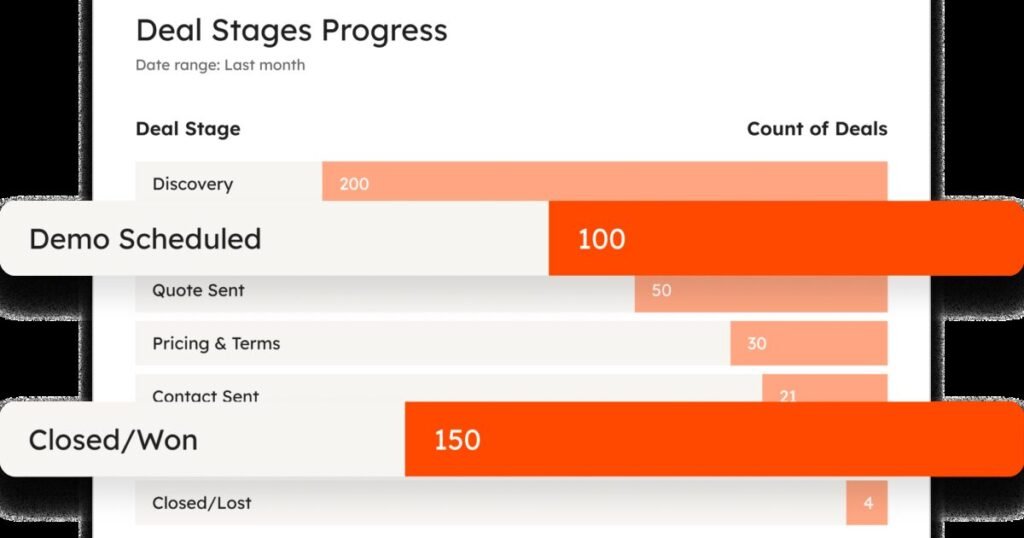
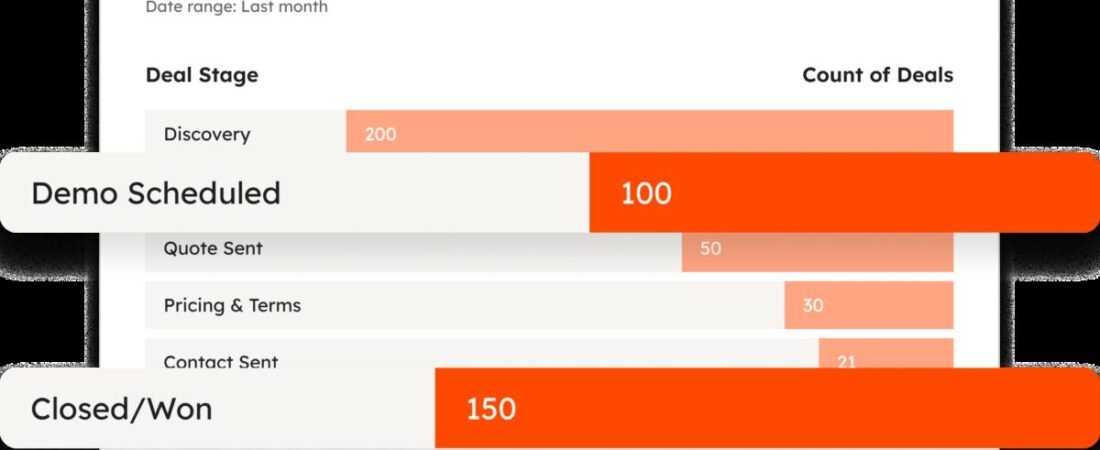
HubSpot CRM deal pipeline report. Source: HubSpot, official product image.
Executive Summary
HubSpot is a customer platform built around a single shared CRM database, with separate “hubs” for marketing, sales, service, content, and operations sitting on top of it. HubSpot says it serves more than 306,000 customers in over 135 countries. For a small business, the entry point is the free CRM: up to two users, up to 1,000 contacts, deal pipelines, email tracking, meeting links, live chat, forms, and HubSpot’s Breeze Assistant, with no time limit and no credit card. Paid tiers add automation, sequences, more pipelines, and, at Professional and above, AI agents that are billed per outcome through HubSpot Credits. The short version of this HubSpot CRM review: the free CRM is one of the best starting points available, Starter is reasonably priced, and Professional is where costs climb quickly through per-seat pricing plus a mandatory onboarding fee.
Quick Verdict
| Category | Rating / Notes |
|---|---|
| Overall Rating | 8.0 / 10 |
| Ease of Use | 9 / 10, clean contact and deal views that work out of the box with little setup |
| Features | 8.5 / 10, a genuinely useful free CRM plus marketing, sales, and service tools on one database |
| AI Features | 7.5 / 10, Breeze Assistant on every plan; the strongest agents require Professional and run on credits |
| Pricing Value | 7 / 10, excellent free and Starter value, steep jump to Professional plus onboarding fees |
| Customer Support | 7.5 / 10, strong self-serve resources; direct support depends on your paid tier |
What Is HubSpot CRM?
HubSpot CRM is the shared customer database at the center of every HubSpot product. Every contact, company, deal, ticket, email, call, and form submission is stored on one record, so sales, marketing, and support see the same history. HubSpot markets the free version as a full CRM rather than a trial: you can create and update contact records, log activities, track deals through a visual pipeline, schedule meetings through shareable links, chat with website visitors, and build lead-capture forms. Paid “hubs” (Marketing Hub, Sales Hub, Service Hub, and others) add tools on top of the same data rather than requiring a migration, which is HubSpot’s main argument for starting small with it.
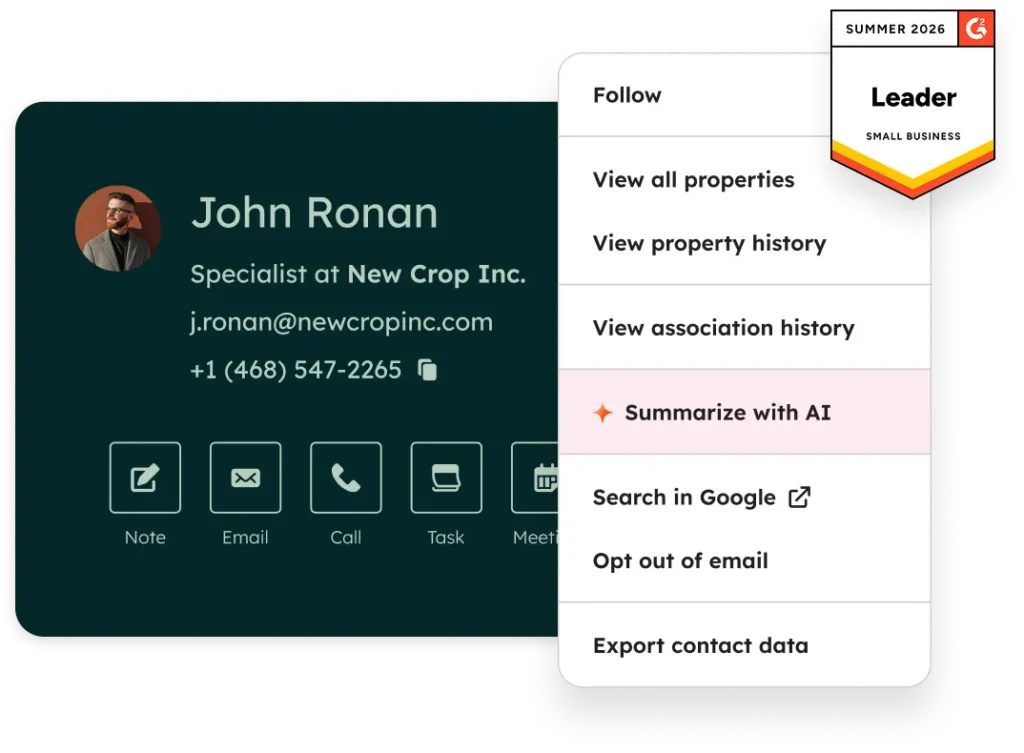
A contact record in HubSpot’s free CRM. Source: HubSpot, official product image.
Key Features
- Contact and company records: a single timeline per contact with emails, calls, meetings, notes, and form submissions logged automatically.
- Deal pipelines: a drag-and-drop board of every open deal by stage. Sales Hub Starter allows up to 15 pipelines and Professional up to 100, per HubSpot’s Sales Hub pricing page.
- Email tracking and templates: see when a prospect opens an email and reuse winning messages as templates.
- Meeting scheduling: booking links that sync with your calendar, so prospects can pick a time without back-and-forth.
- Live chat, chatbots, and forms: capture and qualify leads from your website; on the free plan these carry HubSpot branding.
- Sequences (Professional and above): automated, personalized follow-up email sequences for sales outreach.
- Reporting dashboards: pipeline and activity reports out of the box, with forecasting added at Professional.
- Integrations: HubSpot says the free CRM connects to more than 2,000 apps in its marketplace, and it pairs well with automation tools like Zapier.
Breeze AI and Agents
HubSpot’s AI layer is called Breeze. Every plan, including free, gets Breeze Assistant, a chat-style helper inside HubSpot for researching companies, preparing for calls, and drafting content. The bigger changes in 2026 are the agents. In July 2026 HubSpot replaced Breeze Studio with Agent Hub, a central place to build, manage, and monitor AI agents and agentic workflows. HubSpot’s prebuilt agents include a Customer Agent for support conversations, a Prospecting Agent for outbound sales, a Data Agent for answering questions from CRM records, call notes, and documents, plus Campaign, Content, Nurture, and Revenue agents for marketing and billing tasks.
Pricing is where small businesses need to pay attention. Agents consume HubSpot Credits, which cost $10 per 1,000. On April 14, 2026, HubSpot moved its two flagship agents to outcome-based pricing: the Customer Agent now costs 50 credits ($0.50) per resolved conversation, and the Prospecting Agent costs 100 credits ($1.00) per lead it recommends for outreach. HubSpot reports the Customer Agent resolves 65% of conversations and cuts resolution time by 39% across more than 8,000 activated customers. Both agents are available on Professional and Enterprise plans with a 28-day free trial. Custom agents built in Agent Hub are priced by token usage, so cost varies from run to run, and HubSpot lets you set a monthly credit cap per agent.
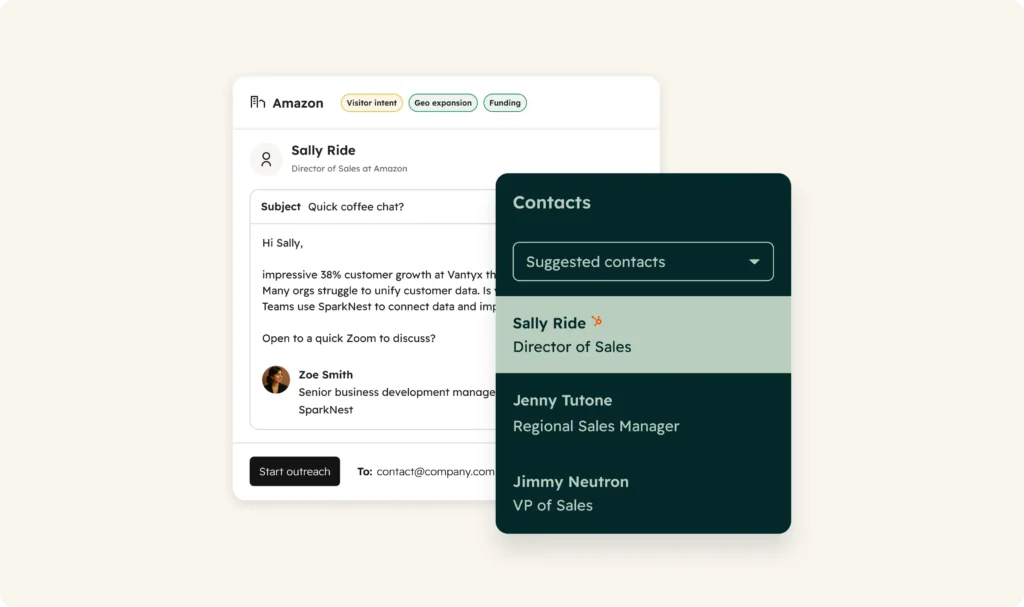
HubSpot Prospecting Agent preparing personalized outreach. Source: HubSpot, official product image.
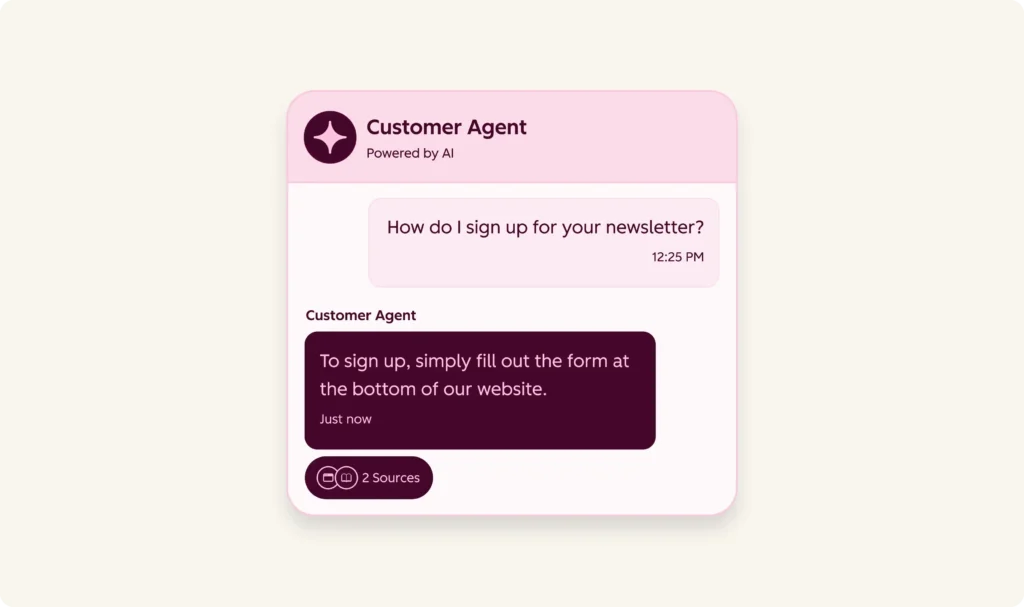
HubSpot Customer Agent handling a support conversation. Source: HubSpot, official product image.
User Experience
Ease of use is HubSpot’s strongest selling point, and the review data backs it up: Capterra reviewers rate HubSpot CRM 4.4 out of 5 for ease of use, and G2 reviewers repeatedly mention faster onboarding than traditional CRMs. A small team can import a spreadsheet of contacts, set up a basic pipeline, and connect email in an afternoon. The friction shows up later. As you add hubs, the navigation gets crowded, deeper customization starts to require real HubSpot knowledge, and reviewers on both G2 and Capterra flag mobile app limitations and some clunky bulk editing. HubSpot Academy and the Knowledge Base are genuinely good at closing that gap for free.
Real Business Use Cases
- Replacing a spreadsheet of leads: a service business tracking quotes in Google Sheets can move every lead into the free CRM and see each one’s full email and call history in one place.
- Website lead capture: free forms, live chat, and a chatbot feed new leads straight into the CRM, with no separate form tool needed.
- Simple sales follow-up: on Professional, sequences send automatic follow-ups until a prospect replies or books a meeting.
- Email marketing from the same data: the free plan includes up to 2,000 marketing email sends per month (with HubSpot branding), a useful starting point alongside our email marketing guide.
- After-hours support: on Professional, the Customer Agent can answer common questions overnight and hand off anything it cannot resolve, and you only pay for resolved conversations.
Pricing Analysis
HubSpot prices most paid plans per seat, and the Sales Hub tiers below are a fair picture of what a small sales team pays. Figures are from HubSpot’s own pricing pages in October 2026.
| Plan | Price | HubSpot Credits | Notable Limits |
|---|---|---|---|
| Free | $0 | None included | Up to 2 users and 1,000 contacts; HubSpot branding on emails, chat, and landing pages |
| Starter | $20/seat/month, currently $7/seat for new customers (limited-time offer) | 500 per month | Removes branding, up to 15 pipelines, up to 50 simple workflows, 500 call minutes |
| Professional | $90/seat/month billed annually ($100 monthly) plus a $1,500 one-time onboarding fee | 3,000 per month | Sequences, forecasting, lead scoring, playbooks, Prospecting and Data agents, up to 100 pipelines |
| Enterprise | $150/seat/month billed annually plus a $3,500 one-time onboarding fee | 5,000 per month | Advanced permissions and forecasting, up to 350 pipelines |
The real cost to watch is the Starter to Professional jump: a three-person team goes from about $60 a month on standard Starter pricing to roughly $270 a month on annual Professional, plus $1,500 up front. AI agents then draw from your monthly credits, and extra credits cost $10 per 1,000. HubSpot’s current $7 Starter price is a promotion for new customers, so check the renewal price before you commit, and confirm current numbers on HubSpot’s pricing page.
Pros and Cons
Pros
- The free CRM is genuinely usable, with no time limit and no credit card required.
- Very fast to set up; contact, deal, and email tracking work out of the box.
- One shared database for sales, marketing, and support, so adding a hub does not mean migrating data.
- Outcome-based agent pricing means you pay for resolved conversations and recommended leads, not attempts.
- Huge ecosystem: 2,000+ integrations, plus free training through HubSpot Academy.
Cons
- The jump from Starter to Professional is steep, and Professional adds a $1,500 onboarding fee.
- The most useful AI agents require Professional or Enterprise.
- Free and Starter cap contacts and features in ways that push growing teams to upgrade.
- Credit-based AI costs can be hard to predict, especially for custom agents priced by token usage.
- Reviewers report mobile app limits and clunky bulk editing as data grows.
How HubSpot CRM Compares
HubSpot’s closest CRM competitors for small businesses are Pipedrive, Zoho CRM, and Salesforce. Pipedrive is built tightly around the visual deal pipeline and suits sales-only teams, but it has no permanent free plan. Zoho CRM is usually cheaper per seat at the paid tiers and offers a small free edition, though its interface is less polished. Salesforce is the most customizable and the heaviest to set up, which rarely makes sense for a team of five. HubSpot’s edge is the free starting point and the fact that marketing, sales, and service live on one database.
HubSpot is not a lead database. If you need verified contact data to prospect into, pair it with a tool like Apollo.io, or use Clay to enrich records before they land in HubSpot. Both integrate with HubSpot, and for many small teams that combination costs less than jumping to HubSpot Professional just for its Prospecting Agent.
Customer Support
Every HubSpot user, including free users, gets access to the HubSpot Community, HubSpot Academy’s free courses, and a detailed Knowledge Base, and these resources are genuinely strong. Direct help from HubSpot’s own support team is tied to paid plans, so confirm which channels (chat, email, or phone) your tier includes before you rely on it. Capterra reviewers rate HubSpot’s customer service 4.4 out of 5. The recurring complaint in negative reviews is less about everyday support and more about large implementations that ran long and over budget, which is a reason to keep a first rollout small and specific.
Common Mistakes
- Importing every contact you have ever collected. The free plan counts contacts, so clean the list first and import only real prospects and customers.
- Buying Professional for one feature. Check whether Starter plus an integration like Apollo.io or Zapier covers the need before paying per-seat Professional pricing and the onboarding fee.
- Locking in the $7 Starter promotion without checking the renewal price after the offer period.
- Turning on AI agents without a credit cap. Set a monthly credit limit per agent in Agent Hub so one agent cannot drain your allowance.
- Building complex workflows on day one. Start with one pipeline, one form, and one follow-up email template, then add automation once the basics are used daily.
Frequently Asked Questions
Is HubSpot CRM really free?
Yes. HubSpot’s free CRM has no time limit and needs no credit card. It covers up to 2 users and up to 1,000 contacts, with deal pipelines, email tracking, meeting links, live chat, forms, and Breeze Assistant. Some free features, like marketing emails, live chat, and landing pages, carry HubSpot branding.
How much does HubSpot CRM cost for a small team?
Free is $0 for up to 2 users. Sales Hub Starter is normally $20 per seat per month and is currently offered to new customers at $7 per seat for a limited time. Professional is $90 per seat per month billed annually ($100 monthly) plus a $1,500 one-time onboarding fee.
What are HubSpot Credits?
HubSpot Credits are the usage currency for AI agents and some other features. Starter includes 500 per month, Professional 3,000, and Enterprise 5,000. Extra credits cost $10 per 1,000. The Customer Agent uses 50 credits per resolved conversation and the Prospecting Agent uses 100 credits per recommended lead.
Which HubSpot plan includes AI agents?
Breeze Assistant is available on every plan, including free. Starter includes a simple Agent Builder for custom agents. The Customer Agent, Prospecting Agent, and Data Agent require Professional or Enterprise.
Is HubSpot better than Pipedrive or Zoho CRM for a small business?
HubSpot is the easiest place to start because the CRM is free and marketing, sales, and service share one database. Pipedrive suits pipeline-focused sales teams, and Zoho CRM is often cheaper at the paid tiers. If you expect to need Professional features soon, compare total cost including HubSpot’s onboarding fee.
Final Verdict
HubSpot CRM earns an 8.0 out of 10 for small-business use. The free CRM is one of the best no-cost starting points in the category, Starter is fairly priced, and Breeze AI is improving quickly, with outcome-based pricing that makes the agents easier to justify. The honest reservation in this HubSpot CRM review is cost at scale: Professional’s per-seat pricing and $1,500 onboarding fee are a big step for a small team, and the best AI agents sit behind that step. Start on the free plan, move to Starter when you want the branding removed or need a second pipeline, and only upgrade to Professional when a specific feature will clearly pay for itself.
How to Actually Use HubSpot CRM
New guide: How to Use HubSpot CRM: The Complete Step-by-Step Guide for Small Businesses walks through setup, importing contacts, building your pipeline, connecting email, forms, live chat, Breeze Assistant, reports and when to upgrade, with a cost calculator, a plan picker and copy-ready templates.
Sources and References
HubSpot: CRM pricing (free plan limits, Starter pricing and promotion)
HubSpot: Sales Hub pricing (Starter, Professional, Enterprise, credits, onboarding fees)
HubSpot: Free CRM features
HubSpot: Breeze AI and Agent Hub
HubSpot: Customer Agent and Prospecting Agent move to outcome-based pricing (April 2026)
HubSpot: Product and Services Catalog (Credits rate sheet)
MarTech: HubSpot July 2026 updates, Agent Hub arrives
G2: HubSpot Sales Hub reviews
Capterra: HubSpot CRM reviews
Product images: HubSpot official product imagery from hubspot.com
Building out your sales stack? Read our Apollo.io Review for prospect data, our Clay Review for lead enrichment, and our Zapier Review for connecting HubSpot to everything else, or browse the full AI Tools for Small Business Buyer’s Guide to see how HubSpot stacks up against every tool we have tested.


Start the discussion