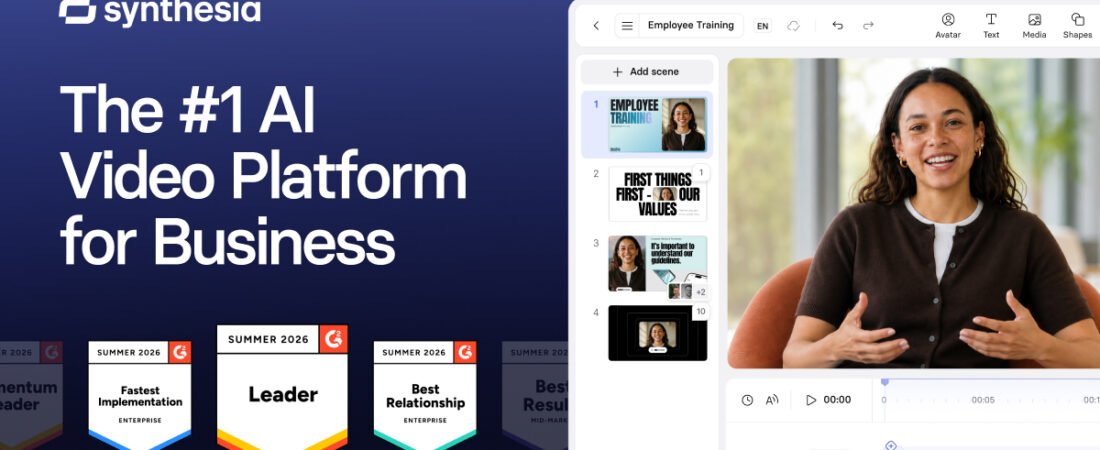
Synthesia calls itself the number one AI video platform for business, and with over 90 percent of the Fortune 100 as customers, that claim has real weight behind it. This Synthesia review looks at whether that enterprise pedigree actually translates into a good deal for a small business, once the credit system, the content moderation, and a documented pattern of Trustpilot complaints are on the table.
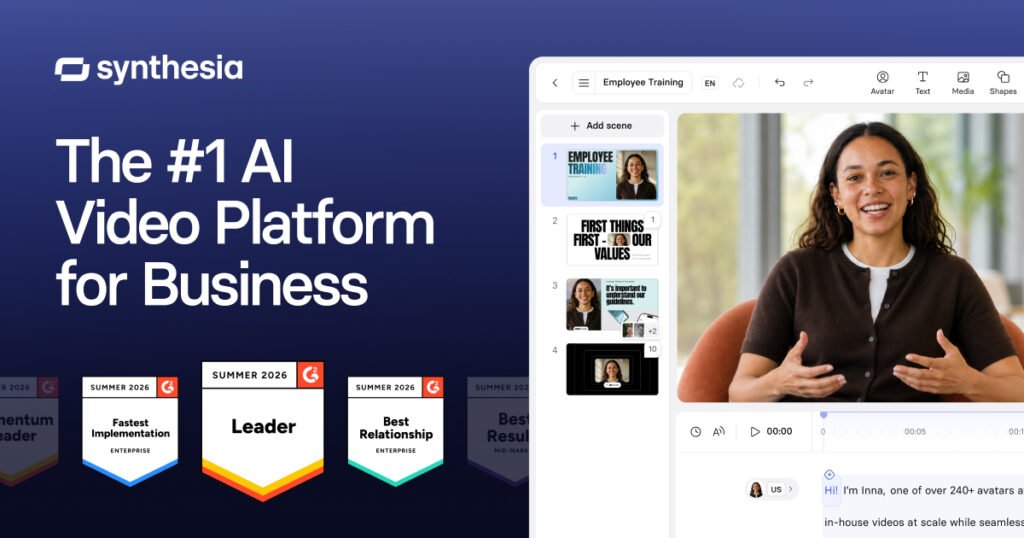
Synthesia’s official brand card. Source: Synthesia.
Executive Summary
Synthesia Limited was founded in London in 2017 by Victor Riparbelli, Steffen Tjerrild, Matthias Niessner, and Lourdes Agapito, researchers and entrepreneurs from UCL, Stanford, TUM, and Cambridge. It has grown into Britain’s largest generative-AI company by some measures, used by more than 90 percent of the Fortune 100 and 70 percent of the FTSE 100, with over 1 million total users and 50,000-plus companies as customers, including Reuters, Zoom, SAP, Heineken, and Merck.
The core product turns a script into a video presented by an AI avatar, in 160-plus languages, with no camera, microphone, or studio required. Synthesia holds a 4.7 out of 5 rating from more than 2,000 G2 reviews and reports that 90 percent of new users publish their first video without needing a tutorial. Trustpilot tells a more mixed story: ratings there have hovered in the high 3s to low 4s across roughly 1,700 to 1,800 reviews, with recurring complaints about unexpected billing, content moderation rejecting legitimate business scripts, and at least one documented case of a custom avatar being deleted without warning.
Who should read this review: small businesses and teams considering Synthesia for training, internal communications, or marketing video, and anyone weighing it against HeyGen or another AI avatar platform already covered on this site.
Quick Verdict
| Category | Rating / Notes |
|---|---|
| Overall Rating | 7 / 10 |
| Ease of Use | 8.5 / 10, 90 percent of new users publish a first video with no tutorial, per Synthesia’s own data |
| Features | 8 / 10, 240-plus avatars, 160-plus languages, AI Playground with Veo 3.1 and Sora 2 access |
| AI Capabilities | 7.5 / 10, strong avatar and lip-sync quality, less flexible than generative video tools for anything beyond a presenter format |
| Customer Support | 5 / 10, 4.7/5 on G2 against a Trustpilot score in the high 3s to low 4s, with real, specific billing and moderation complaints |
| Integrations | 7.5 / 10, API access on Creator and above, LMS integration, but SCORM export is Enterprise-only |
| Value for Money | 6 / 10, credit-based pricing with no rollover and no self-serve top-ups once a plan’s allowance runs out |
| Security and Compliance | 8.5 / 10, SOC 2 Type II, ISO 42001, and GDPR compliant, a genuine differentiator for regulated industries |
| Best For | Larger teams and enterprises producing recurring training or internal communications video who need compliance-grade AI avatars |
What Is Synthesia?
Synthesia is a text-to-video platform built around AI avatars rather than generative, scene-based video. You type or paste a script, pick an avatar and language, choose a background or template, and Synthesia renders a presenter-style video with lip-synced speech. The pipeline requires no editing experience, which is a meaningfully different product than a tool like Runway or Pika, both reviewed separately on this site, which generate cinematic clips from a prompt rather than a talking presenter.
2026 updates pushed Synthesia further into agentic and generative territory: AI Playground now gives every plan, including free, access to third-party models like Google’s Veo 3.1, Black Forest Labs’ FLUX.2, and Nano Banana Pro for generating supporting video and image assets inside the same editor. PowerPoint-to-video conversion was also enhanced to preserve original slide design while converting speaker notes directly into a script, a genuinely useful shortcut for teams converting existing training decks.
Key Features
240-Plus AI Avatars and Custom Avatars
A large stock avatar library plus the ability to build a Personal Avatar from a recorded video of yourself or a team member, available starting on the Starter plan.
160-Plus Language Translation and Dubbing
One-click video translation with lip-sync adjustment, plus a multilingual player that lets viewers choose their language from a single published video rather than juggling separate files per language.
AI Screen Recorder
Records your screen, transcribes what you say, has an AI avatar re-narrate it, and automatically removes filler words, letting a team produce a polished how-to video without a second recording pass.
AI Playground
Available on all plans including free as of 2026, giving access to third-party models like Veo 3.1, FLUX.2, and Nano Banana Pro for generating supporting visuals inside the same project.
Brand Kit and Interactive Video
Applies brand colors, fonts, and logos automatically, and on Creator and above, lets you add clickable, interactive elements directly inside a published video.
Analytics and Version Control
Tracks views, drop-off points, and completion rates per video, and updates every published version automatically so there are no broken links or duplicate files when content changes.

Synthesia’s script-to-video creation interface. Source: Synthesia.
User Experience
Interface: a script-driven editor that Synthesia says lets 90 percent of new users publish a first video without a tutorial, and independent reviewers on G2 and Product Hunt largely back that up.
Learning curve: low for a first basic avatar video, higher for custom avatars (which require a scripted 15-minute recording session and a 24-to-72-hour processing wait) and for interactive video features on the Creator tier.
No free trial without subscribing: a specific, repeated complaint on Trustpilot is that Synthesia has no way to test the full paid product without committing to at least a month’s subscription; the free plan exists but is limited to 9 stock avatars and a 10-minute monthly cap with watermarking.
A documented pattern worth knowing before building a content plan around one avatar: Synthesia has periodically retired older stock avatars as it expands its library, and at least one Trustpilot reviewer described a custom avatar being removed with no advance warning after months of planned content had already been built around it. Synthesia’s own team responded publicly, acknowledging the concern and saying it is working to improve advance communication about these changes.
AI Performance
Avatar and lip-sync quality: consistently the most-praised aspect across G2, Gartner Peer Insights, and independent reviews, with reviewers specifically noting natural-sounding voices and accurate lip-sync across languages.
Independent ratings: G2 shows 4.7 out of 5 from more than 2,000 reviews. Trustpilot, sampled across several snapshots through 2026, shows a rating in the high 3s to low 4s out of 5 from roughly 1,700 to 1,800 reviews, a real and measurable gap consistent with the pattern seen across several AI tools reviewed on this site.
Content moderation: a specific, recurring complaint is that Synthesia’s automated content review sometimes flags legitimate business scripts, one reviewer described a compliance-training video about financial software being rejected for using the word “financial,” with no clear appeal path described in the review.
Real Business Use Cases
Employee and compliance training: Synthesia’s own case studies cite Mondelez completing 100 hours of translation work in 10 minutes, and Five Below saving 56,000 dollars while producing over 100 custom videos, concrete, company-attributed figures rather than generic marketing claims.
Sales enablement: a Moody’s case study describes a proposal process that used to take 4 hours now taking 30 minutes using Synthesia-generated video.
Internal communications and onboarding: the AI Screen Recorder and PowerPoint-to-video conversion are specifically built for converting existing decks and screen-capture content into presenter-led video without a second production pass.
Multilingual operations: for any small business managing a distributed or multilingual team, one-click translation into 160-plus languages is a genuine differentiator over recording separate videos per market.
Pricing Analysis
Confirm current numbers at synthesia.io/pricing before purchasing; Synthesia reduced Starter and Creator pricing in 2026, and different sources still cite the older, higher figures. Pricing runs on a credit system, unused credits do not roll over month to month, and Synthesia does not sell self-serve credit top-ups, so running out mid-month means upgrading your plan rather than buying more credits directly.
| Plan | Price | Notes |
|---|---|---|
| Free | $0 | 10 min/mo, 9 stock avatars, watermarked, 1 editor |
| Starter | $29/mo, ~$18/mo annual | 10 min/mo, 120-plus avatars, 3 personal avatars, logo removal, video download |
| Creator | $89/mo, ~$64/mo annual | 30 min/mo, 180-plus avatars, 5 personal avatars, API access, interactive video, multi-avatar scenes |
| Enterprise | Custom | Unlimited minutes, unlimited personal avatars, SAML/SSO, SCORM export, 80-plus language translation, live collaboration |
The Starter-to-Creator jump is where many small businesses feel the pricing most sharply: a team needing 11 minutes of video rather than 10 cannot stay on monthly Starter and must move straight to Creator, roughly triple the price, unless it switches to annual billing with a pooled annual credit allowance instead. A separate, premium “Studio Avatar” add-on, a more polished tier of personal avatar, costs 1,000 dollars a year on top of an annual plan. Compliance-relevant features that many training and L&D teams consider essential, SCORM export and one-click translation among them, are restricted to the custom-priced Enterprise tier with no way to unlock them on Creator through add-on purchases.
Pros and Cons
Pros
- One of the strongest reputations in the category for avatar realism and lip-sync accuracy, backed by 90%+ Fortune 100 adoption and a 4.7/5 G2 score from over 2,000 reviews
- Genuinely easy to use: Synthesia reports 90 percent of new users publish a first video with no tutorial needed
- 160-plus language translation with lip-sync adjustment is a real, well-documented differentiator for multilingual teams
- Strong, specific compliance credentials, SOC 2 Type II, ISO 42001, and GDPR, that matter for regulated industries
- AI Playground gives every plan, including free, access to current third-party models like Veo 3.1
- Real, company-attributed case study numbers (Mondelez, Five Below, Moody’s) rather than vague marketing claims
Cons
- Trustpilot sits in the high 3s to low 4s out of 5 across roughly 1,700 to 1,800 reviews, well below the 4.7 G2 score for the same product
- No way to trial the full paid product without committing to at least a month’s subscription
- Documented content moderation false positives have rejected legitimate business scripts over ordinary words
- Credits do not roll over and cannot be topped up directly, only a plan upgrade increases your allowance mid-cycle
- SCORM export and one-click translation, both commonly considered essential for corporate L&D, are Enterprise-only with no add-on path from Creator
- At least one documented case of a custom avatar being deleted with no advance warning after real content had been built around it
Comparisons
Synthesia vs. HeyGen
| Synthesia | HeyGen | |
|---|---|---|
| Starting price | $18/mo (Starter, annual) | Free tier available |
| Pricing model | Credit-based, no rollover, no self-serve top-ups | Credit-based, but adding seats does not expand the shared credit pool |
| Standout strength | Enterprise compliance (SOC 2, ISO 42001) and 160+ language translation | #1 rated avatar realism on G2, broader creative and social-content toolset |
| Best for | Regulated industries and large-scale, multilingual corporate training | Marketing, sales outreach, and social content needing the most realistic avatar |
Bottom line: our HeyGen review found the stronger avatar-realism reputation and a broader creative toolset at a comparable or lower price point, better suited to marketing and social content. Synthesia’s real edge is compliance depth and translation breadth, which matters more for a business in a regulated industry or managing training across many languages than it does for a small business making social or sales video.
Synthesia vs. Runway and Pika
Runway and Pika, both reviewed separately on this site, generate cinematic, scene-based video from a prompt rather than a fixed presenter format. Synthesia is not really competing in that category, it is built specifically for a talking avatar delivering a script, and that narrower focus is exactly why it fits training and internal communications better than either.
Security and Privacy
Synthesia is SOC 2 Type II and GDPR compliant, and holds ISO 42001 certification, a standard specifically for AI management systems, on top of standard ISO information-security compliance. The company states it combines human and AI content moderation and has published a responsible-AI policy addressing ethical use of avatar and voice-cloning technology. Videos generated with Synthesia are labeled in accordance with EU AI Act Article 50 disclosure requirements.
The custom-avatar and voice-cloning features raise the same category of question every AI avatar tool does: who can be depicted, and under what consent. Synthesia requires an on-camera recording session to build a Personal Avatar, functioning as a basic consent and identity step, though the specifics of Synthesia’s verification process are not as publicly detailed as the identity-verification requirement we found and reported on in our HeyGen review. Businesses in healthcare or other sensitive-content industries should verify content moderation and data-handling terms directly with Synthesia before committing, since specific enterprise terms are negotiated rather than published.
Customer Support
Documentation: Synthesia Academy offers structured video courses, a Help Center, live weekly sessions, and an active community forum.
Independent reputation: the same divided pattern seen across much of this product category. G2 shows 4.7 out of 5 from over 2,000 reviews, largely from L&D and corporate users evaluating it for its intended purpose. Trustpilot, across multiple 2026 snapshots, sits in the high 3s to low 4s from roughly 1,700 to 1,800 reviews, with the most specific recurring complaints centered on unexpected billing (including at least one report of being charged annually while believing they had signed up monthly), content moderation rejections, and slow support responses to those disputes.
To manage the risk: read the specific credit allowance and rollover policy for your plan before committing, confirm monthly-versus-annual billing explicitly at signup, and keep records of anything flagged by content moderation in case an appeal is needed.
Common Mistakes
- Signing up expecting a free trial of the full paid product; Synthesia requires at least a month’s subscription to test Starter or Creator features.
- Not confirming monthly versus annual billing explicitly at signup, given documented reports of unexpected annual charges.
- Building a months-long content plan around a single stock avatar without a contingency, given the documented pattern of avatars being retired.
- Assuming Creator unlocks SCORM export or one-click translation; both remain Enterprise-only regardless of add-on spend.
- Letting credits expire unused at the end of a billing cycle instead of planning video production around the monthly allowance.
Expert Tips
- Start on Starter and track your actual monthly video-minute usage for a full cycle before deciding whether Creator’s tripled price is justified.
- If you need SCORM export or one-click translation, confirm Enterprise pricing before committing to Creator, since there is no upgrade path around it.
- Keep a backup script or avatar choice in mind for any recurring content series, given the documented avatar-retirement pattern.
- Use the AI Screen Recorder for existing how-to or training content instead of re-scripting from scratch; it is one of the faster paths to a finished video.
- If a script gets flagged by content moderation, document the exact wording that triggered it before appealing, since reviewers report the flags are sometimes triggered by ordinary business terms.
Frequently Asked Questions
Is Synthesia good for small businesses?
It can be, particularly for training, internal communications, or multilingual content, but its pricing and compliance features are built with larger teams in mind. A small business making marketing or social video may find HeyGen a better fit; see our HeyGen review for comparison.
How much does Synthesia cost?
Free for 10 minutes a month with a watermark, Starter around $18 to $29 a month, Creator around $64 to $89 a month, and custom Enterprise pricing. Confirm current numbers at synthesia.io/pricing, since Synthesia reduced pricing during 2026.
Can I try Synthesia for free before subscribing?
Only the limited free plan (10 minutes, 9 avatars, watermarked). There is no free trial of Starter or Creator features; you must subscribe for at least a month to test the paid tiers.
Is Synthesia reliable?
Avatar quality and ease of use draw strong reviews (4.7/5 on G2), but Trustpilot sits meaningfully lower (high 3s to low 4s out of 5), driven by billing and content-moderation complaints rather than the core video quality.
Does Synthesia support multiple languages?
Yes, 160-plus languages with one-click video translation and lip-sync adjustment, one of its strongest and most consistently praised features.
Is Synthesia better than HeyGen?
Neither is categorically better. Synthesia leads on enterprise compliance (SOC 2, ISO 42001) and language breadth; HeyGen, reviewed separately on this site, has the stronger avatar-realism reputation and a broader creative toolset for marketing and social content.
Final Verdict
Synthesia earns its position as one of the most trusted names in AI avatar video, and the numbers back it up: over 90 percent of the Fortune 100 as customers, a 4.7/5 G2 score from thousands of reviews, and specific, company-attributed results (Mondelez’s 100 hours of translation in 10 minutes, Five Below’s 56,000 dollars saved) rather than vague marketing claims. For training, compliance, and multilingual corporate communication, it is a genuinely strong, well-credentialed choice.
The honest complication is the same split seen elsewhere in this category: a 4.7 on G2 sitting alongside a meaningfully lower Trustpilot score, driven by real, specific complaints, unexpected billing, content moderation false positives, no free trial of paid features, and at least one documented case of a custom avatar disappearing without warning. None of that erases the platform’s strengths; it does mean the real cost of using Synthesia well includes reading the credit and billing terms closely before committing.
Who should buy it: businesses producing recurring training, compliance, or internal communications video, especially across multiple languages, who value Synthesia’s compliance credentials enough to accept its pricing structure.
Who should look elsewhere first: a small business focused on marketing or social video, where HeyGen’s avatar realism and broader creative toolset are likely a better fit, or anyone who wants to fully trial a product before paying for it.
Sources and References
Synthesia, official homepage and pricing, synthesia.io
Synthesia (company), Wikipedia
G2: Synthesia Reviews, Features, and Pricing 2026
Trustpilot: Synthesia customer reviews, multiple 2026 snapshots
Gartner Peer Insights: Synthesia Reviews and Ratings 2026
Product Hunt: Synthesia Reviews 2026
Arcade, Velo, Creatify, eesel AI, checkthat.ai, Tekpon: Synthesia 2026 pricing analysis
OpenRush keyword and SERP data, pulled live for this review



Start the discussion