Notion 3.8 arrived on October 13, 2026, and it changes who does the work inside your workspace. Until now, the AI that could read and update your Notion pages was mostly Notion’s own. With Notion 3.8, outside agents such as Claude and Grok can plug straight in, Notion Agent can reach more than 150 other business tools, and people on a ChatGPT Plus or Pro plan can use that subscription to cover their AI usage inside Notion. Here is what launched, which plan you need for each piece, and what is worth switching on first.
Notion 3.8 release image. Source: Notion, official image.
What Launched in Notion 3.8
Notion describes the 3.8 release as giving your agents shared context: your data, tools, and skills stay in Notion while you choose which agent or model does the work. That matters for small teams because the information an assistant needs, such as client notes, project trackers, and standard procedures, usually already lives in one workspace. Notion 3.8 is an attempt to make that workspace the place every AI tool reads from.
The release includes ten changes:
- Any MCP-compatible agent can connect to Notion and read or update your pages and task trackers.
- Notion Agent and Custom Agents can use 150+ MCP tools, pulling context from apps like HubSpot, Stripe, and Cloudflare.
- A new Skills API keeps agent skills written in Notion in sync with ChatGPT, Claude, and other agents.
- Upgraded version history with highlighted edits and attribution for people and agents.
- You can use your ChatGPT plan in Notion to cover Notion Agent usage on GPT models.
- Column permissions in databases, so you control which properties each person or agent can see or edit.
- Rebuilt synced databases, starting with GitHub, Jira, and Salesforce.
- Seven new AI models, including GPT-6.1-Sol, GPT-6 Luna, Opus 5.5, and Sonnet 5.5.
- Redesigned Connections settings with an option for admins to allow only approved tools.
- Notion notifications in Microsoft Teams, with replies from inside Teams.
It builds directly on the previous release. Notion 3.7 introduced reusable AI Skills that you could export to other tools, which we covered in our Notion 3.7 news story. Version 3.8 turns that one-way export into an ongoing sync.
Bring Your Own Agent: Connect Any AI Agent to Notion
The headline change is that any agent that supports the Model Context Protocol (MCP), the open standard many AI tools now use to connect to outside apps, can connect to Notion. Once connected, the agent can read your workspace for context and update docs and task trackers. Notion names Claude and Grok among the agents that work this way.
In practice, a small business owner who already uses Claude or ChatGPT every day no longer has to copy and paste client notes or meeting summaries into a chat. The assistant can look up the project page itself, then write its output back to the right place, such as a task list or a meeting notes database.
Two details in Notion’s documentation are worth knowing before you connect anything:
- Agents act with your permissions. Notion’s MCP help page says connected tools can access anything you can access, and that existing Notion permissions still apply. If you can open your finance pages, so can the agent you connect.
- Admins get more visibility. The release notes say admins can see who connected each AI tool and when it was last used, and can revoke one person’s access without affecting other connections. Notion’s help center lists the stricter controls, such as allowing only tools from an approved list, under the Enterprise plan.
Notion also published a setup guide for agents that already have access. It describes an approach where the agent first looks around your workspace in read-only mode, proposes what to import, and only makes changes after you approve. It also suggests a private “Agent Operating Guide” page that holds the rules your agent follows.
Notion Agent Can Now Use 150+ Business Tools
The connection also works the other way. Notion’s own Notion Agent and Custom Agents can now call more than 150 MCP tools, so they can gather information from other apps and act across them. Notion’s examples are close to everyday small business work:
- Building an account brief from HubSpot pipeline data before a sales call.
- Adding Stripe billing details to a customer health review.
- Pulling Cloudflare infrastructure details into an incident write-up.
If your sales pipeline lives in HubSpot and your operating manual lives in Notion, this is the update that connects the two. Our HubSpot CRM review covers what the free CRM includes and when it is worth paying for.
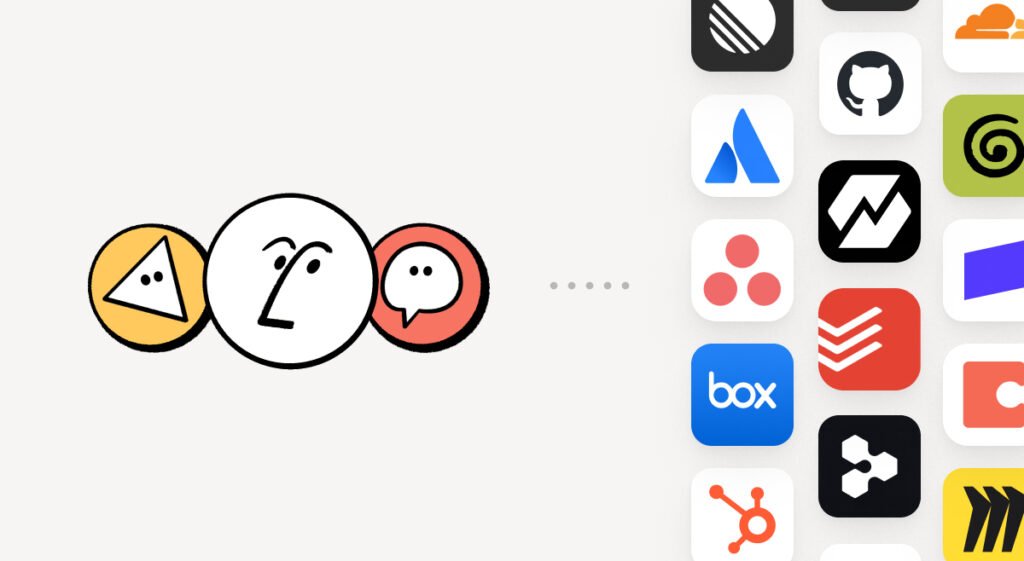
Notion agents connecting to outside tools such as HubSpot, GitHub, and Box. Source: Notion, official image.
The Skills API: Write a Skill Once, Use It Everywhere
A skill is a saved set of instructions that teaches an agent how to do a specific job, for example how your business writes a client proposal or formats a weekly report. Notion 3.8 lets you create, share, and maintain those skills in Notion, and the new Skills API keeps them in sync with ChatGPT, Claude, and other agents. It can also load skills from Notion into GitHub.
For a small team this means one source of truth. Update the proposal skill once in Notion and every connected assistant follows the new version, instead of each person keeping their own slightly different prompt. Notion also says you can rebuild skills you already have elsewhere by asking an agent to recreate them in Notion through MCP.
Use Your ChatGPT Plan to Pay for AI in Notion
This is the change most likely to save a small business money. If you already pay for ChatGPT, you can now connect that plan to Notion Agent and have it cover your AI usage when you pick a GPT model. Notion says it adds no markup.
Here is how it works, according to Notion’s help center:
- Who can use it: members of a Notion workspace on the Business or Enterprise plan who have a ChatGPT Plus, Pro, or Go plan. Guests cannot use it, and each person connects their own ChatGPT account.
- Where it applies: Notion Agent only. It does not cover Custom Agents.
- What it covers: sessions where you choose a specific GPT model. If you choose Auto or a non-GPT model, the usage comes from your workspace’s Notion credits instead. The model picker shows which plan is being used before you send a message.
- When you hit your limit: Notion Agent asks whether to switch to Notion credits, then switches back once your ChatGPT usage is available again.
- How to connect: go to Settings, then Notion AI, then Usage, and select Connect next to ChatGPT under Connected subscriptions. You can also connect from the model picker inside Notion Agent.
On privacy, Notion says its own agreements with AI providers still apply, including no training on customer data. These conversations are not saved to your ChatGPT chat history or memory. Admins can see connect and disconnect events in audit logs but not how much each person uses.
The catch is the plan requirement. Notion’s full AI features already require the Business plan, as our Notion AI review explains, so this mainly helps teams that are on Business already and want to stop paying for AI twice. For more on what ChatGPT’s own plans include, see our ChatGPT review.
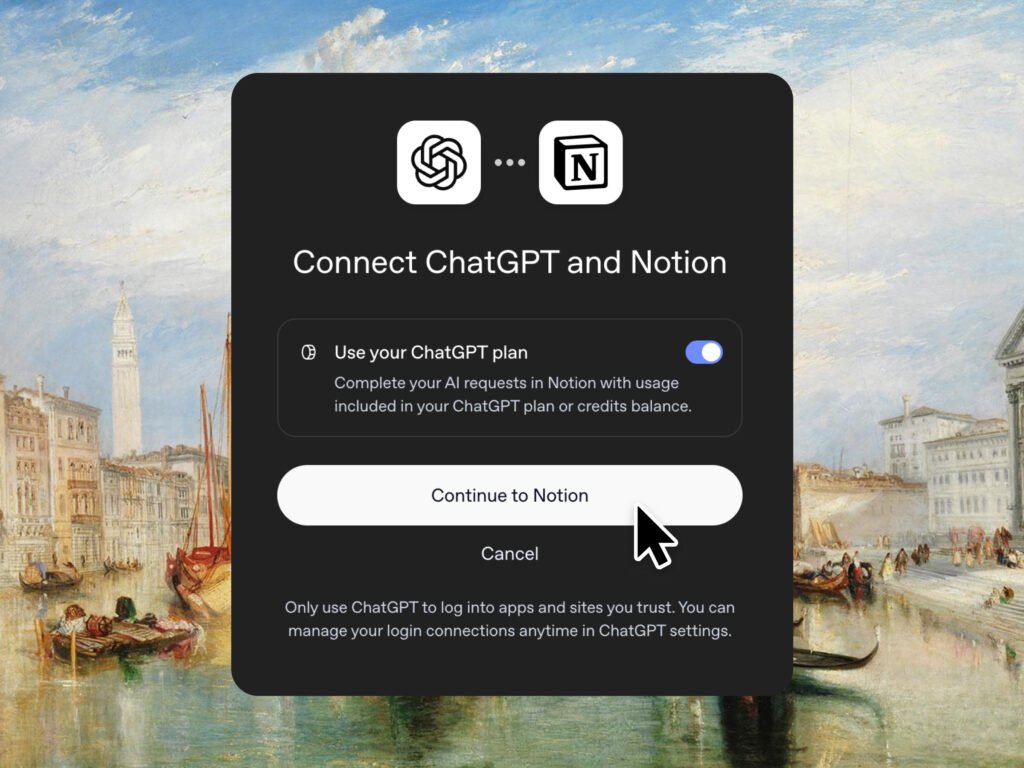
The “Use your ChatGPT plan” connection screen in Notion 3.8. Source: Notion, official image.
Column Permissions: Hide Sensitive Fields From People and Agents
Before 3.8, anyone who could open a Notion database could see every column in it. Column permissions, which Notion calls property access, change that. A database owner can now decide who can see or edit each property, and those rules apply to agents as well as people.
Notion’s examples: recruiters can work on candidates without seeing compensation, and support agents can use account context without seeing restricted customer data. A small business could use the same approach to hide wage rates in a staff roster or margins in a product database while still sharing the rest.
The key details from Notion’s help center:
- Plans: Business and Enterprise only.
- Access levels: no access, view the property only, view the property and its values, edit values only, or edit the property and values. You can also inherit access from the database.
- Limits: up to 20 properties with permissions per database. Some columns, such as Title and created or edited times, cannot be restricted, and rules cannot be set from mobile, although they still apply there.
- Agents: Notion AI usually inherits the user’s permissions, so if a person cannot see a column, the AI working for them cannot read or fill it either.
One caution: people with full access to a database are never restricted by column rules, so check who has full access before you rely on this to protect sensitive information.
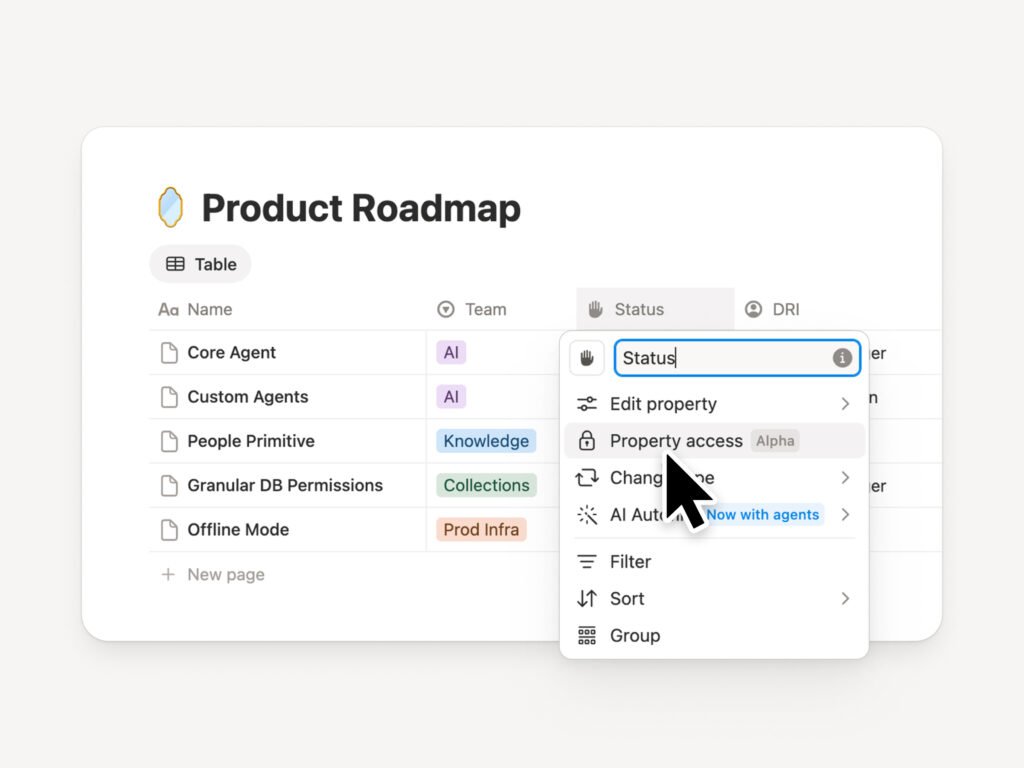
The new Property access option in a Notion database column menu. Source: Notion, official image.
Upgraded Version History and Rebuilt Synced Databases
Once agents can edit your workspace, you need to see what they changed. Notion 3.8 upgrades version history across pages and databases with highlighted edits, detailed database change tracking, and attribution that shows whether a person or an agent made each change. You can restore an earlier version in one click.
Synced databases, which pull data from other tools into Notion, have been rebuilt, starting with GitHub, Jira, and Salesforce. Notion says the new versions are faster and more reliable and show a live health status for each sync. Because they behave like regular Notion databases, you can add your own properties, create views, and trigger automations from them. For most small businesses Salesforce is the relevant one, since GitHub and Jira mainly serve software teams.
Seven New AI Models and Microsoft Teams Notifications
Notion added seven AI models to its model picker, including OpenAI’s GPT-6.1-Sol and GPT-6 Luna and Anthropic’s Opus 5.5 and Sonnet 5.5. Notion also points to its Knowledge Board, a public benchmark it runs to compare how models perform on knowledge-work tasks using anonymized live traffic.
The Connections settings were redesigned so you can search or browse tools by category, see how each one connects, and preview example workflows. Admins can choose to allow only Notion-verified tools or only specific tools they pick.
Finally, Notion notifications now reach Microsoft Teams. Mentions, comments, and access requests appear in Teams, and you can reply without leaving it, which helps businesses that run on Microsoft 365 rather than Slack.
Who Gets What
Notion’s release notes only spell out plan limits for some features, so the table below uses the release notes plus Notion’s help center articles. Where Notion does not state a limit, we say so rather than guess.
| Feature | Who can use it |
|---|---|
| Connect any MCP agent (Claude, Grok and others) | Not limited to a plan in the release notes; approved-list controls are listed for Enterprise |
| Notion Agent with 150+ MCP tools | Plans with Notion Agent (Business and Enterprise) |
| Use your ChatGPT plan in Notion | Business and Enterprise, plus ChatGPT Plus, Pro, or Go |
| Column permissions | Business and Enterprise |
| Skills API, version history, synced databases, Teams alerts | Release notes do not state a plan limit |
Based on Notion’s release notes and help center, checked October 15, 2026. Notion Agent is part of the Business plan, according to Notion’s pricing page.
What It Means for Small Businesses
Notion 3.8 is less about one new feature and more about Notion becoming the shared memory for whichever AI you prefer. For a small team, that has three practical consequences:
- Check your AI spending. If several people on a Business plan already pay for ChatGPT Plus or Pro, connecting those plans could reduce how many Notion credits you buy. Look at your usage in Settings before and after.
- Tidy up permissions before you connect agents. Agents see what you see. Before you connect Claude or ChatGPT to your workspace, move sensitive pages out of shared spaces and set column permissions on databases that hold pay, pricing, or customer details.
- Write your key processes as skills. A short skill for how you write quotes, onboard clients, or summarize meetings becomes reusable across every connected assistant, and keeping it in Notion means everyone uses the same version.
The trade-off is the same one our Notion AI review highlights: most of the useful AI features sit behind the Business plan. If you are on Free or Plus, Notion 3.8 mainly gives you the option to connect an outside agent. If you are new to Notion’s AI, our step-by-step guide to using Notion AI walks through the basics.
FAQ
Want to know whether Notion AI or ChatGPT is the better fit now that they connect? Read our Notion AI vs ChatGPT comparison.
Deciding whether Notion is worth paying for in the first place? Read our full Notion AI review for pricing, real use cases, and an honest verdict.

Start the discussion