
Lindy promises something most AI tools do not: an assistant that works for you instead of waiting for you to type. It sorts your inbox, joins your meetings, chases late invoices, answers your phone and learns your processes from a screen recording. But it is billed per person in credits that burn at very different speeds, and the product changed so much in 2026 that most reviews online are out of date. This Lindy AI review uses Lindy’s live pricing and documentation, checked on November 7, 2026, to tell you what it really does, what it really costs, and whether it is worth it for your business.
Our score
7.0 / 10
Price from
$49.99 per user
Free trial
$50 credits, 7 days
Last checked
Nov 7, 2026
In this review
- The Short Answer
- Scores and Verdict
- Who It Is For
- How We Researched
- What Is Lindy?
- Features Deep Dive
- Pricing and Credits
- Use Cases
- A Week With Lindy
- Your First Hour
- 30-Day Setup Plan
- Ready-to-Use Instructions
- Security and Privacy
- Reliability
- Support
- What Users Say
- What It Cannot Do
- Measuring Your ROI
- Lindy vs Alternatives
- Pricing History
- Glossary
- Common Mistakes
- Expert Tips
- Which Level to Choose
- Before You Buy
- Final Verdict
- FAQ
- Sources
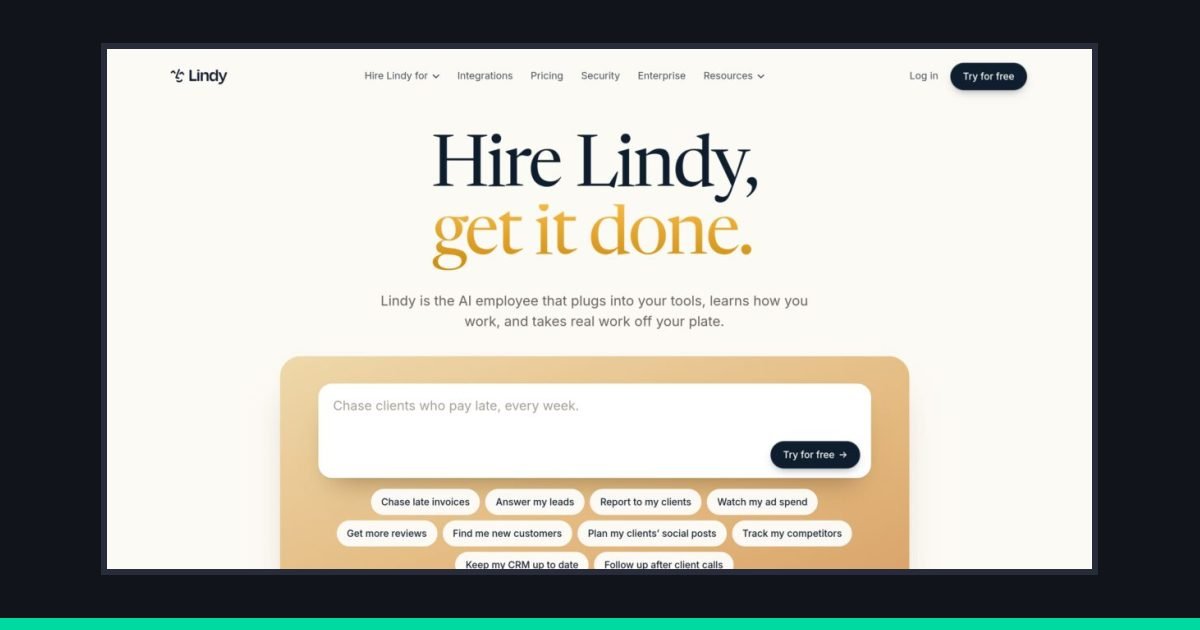
Lindy pitches itself as an AI employee you hire. Source: lindy.ai homepage, screenshot captured by VeyronIQ, November 2026.
Lindy AI Review: The Short Answer
Lindy wants to be the first employee you hire who is not a person. It lives in Slack, your inbox, your calendar and your text messages, it joins your meetings, it can answer and place phone calls, and it learns your processes so it can repeat them without being asked. In 2026 the company stopped selling itself as a “build your own AI agent” tool and started selling itself as an AI employee. The homepage headline is now “Hire Lindy, get it done.”
This Lindy AI review is written for small business owners, freelancers, agency operators and small teams who keep hearing that an AI assistant could take admin work off their plate and want to know whether Lindy is the one worth paying for. We checked Lindy’s live pricing page, help documentation, security page and G2 listing on November 7, 2026, read every independent hands-on test we could find, and compared the product with the tools we have already reviewed on VeyronIQ.
Our verdict, in one paragraph: Lindy is one of the most capable AI assistants a small business can buy in 2026, but it is not a cheap one, and it rewards people who are willing to spend a few hours teaching it. If your week is full of email triage, meeting follow-ups, CRM updates, client reports and invoice chasing, Lindy can genuinely give you hours back. If you just want a chatbot, or you need a polished AI receptionist for a busy phone line, there are cheaper and more focused tools. The credit system is the biggest catch: it is fair in principle, but hard to predict until you have used it for a month.
Our score: 7.0 out of 10
Lindy earns high marks for breadth, ease of setup and the way it fits into Slack and email. It loses points for credit pricing that is hard to forecast, a support experience that independent testers rate poorly on lower plans, and the fact that the current “AI teammate” version of the product is only a few months old. We would recommend it to service businesses and small teams with heavy admin loads, and steer solo owners on tight budgets toward simpler tools first.
Quick Verdict and Scores
Every review on VeyronIQ uses the same nine categories, explained on our How We Review page. Scores are out of 10. A 7 means “good, with real trade-offs you should understand before buying.” An 8 or above means we would recommend it to most small businesses in its category without much hesitation.
| Category | Score | Why |
|---|---|---|
| Overall | 7.0 | Powerful and genuinely useful, held back by credit uncertainty and support |
| Ease of Use | 8.0 | Setup really is a few minutes; you talk to it in plain English |
| Features | 8.5 | Inbox, meetings, phone, memory, routines, skills, computer use, apps |
| AI Capabilities | 8.0 | Model choice per task, learns from screen recordings, handles judgment calls |
| Customer Support | 5.5 | Email support with slow turnarounds reported on lower plans |
| Integrations | 8.0 | 1,500+ integrations plus MCP servers, but fewer than Zapier |
| Value for Money | 6.0 | $49.99 per user is fair for heavy users, steep for light ones |
| Scalability | 7.0 | Pooled team credits and admin caps; enterprise controls locked to custom plans |
| Automation | 8.0 | Routines, triggers and Watch and Learn are a strong combination |
The 30-second summary
| What it is | An AI employee that works across Slack, email, calendar, meetings, phone and text |
| Best for | Service businesses, agencies, consultants, sales-led small teams |
| Not ideal for | Solo owners who only need a chatbot, high-volume call centers, regulated teams on a budget |
| Starting price | Free trial with $50 in credits for 7 days, then $49.99 per user per month for 5,000 credits |
| Biggest strength | It handles messy, judgment-based admin work, not just fixed if-this-then-that rules |
| Biggest weakness | Credits run at different speeds depending on the job, so monthly cost is hard to predict |
| G2 rating | 4.9 out of 5 from 171 reviews (G2, checked November 2026) |
| Security | SOC 2 Type II, GDPR, encryption in transit and at rest, no training on your data |
Pros
- Works where you already work. Slack threads, direct messages, email, iMessage and SMS, calendar invites and video meetings. You do not have to learn a new app or keep a new tab open.
- Plain-English setup. You describe a job (“chase clients who pay late, every week”) and Lindy proposes how to do it.
- Learns your process. The Watch and Learn feature turns a narrated screen recording or a written SOP into a reusable skill and a scheduled routine.
- Real memory you can see and edit. Lindy keeps a versioned file system of what it knows, which you can browse, correct and roll back.
- Approvals by default. Anything with outside impact, like sending an email or updating a ticket, waits for your OK until you decide to trust it with that job.
- Phone calls in both directions. Lindy can take messages and book appointments for callers, and place calls for you, including waiting on hold.
- Team credit pooling. Every seat adds credits to one shared pool, and admins can cap individual usage.
- Strong security basics for a company its size: SOC 2 Type II, GDPR, and a clear no-training policy.
Cons
- Credit costs vary widely by task. Lindy’s own pricing page says an everyday ask uses 2 to 250 credits, deep work 250 to 1,000, and a big build 1,000 to 2,500. That is a huge range.
- Every active user needs a paid seat. Even a teammate who only mentions Lindy in Slack once becomes a billed seat after a 7-day trial.
- Monthly credits do not roll over. Unused plan credits disappear at the end of each cycle (purchased top-ups do carry over).
- Phone calls are pricey at the entry tier. Calls start at 25 credits per minute, about 25 cents a minute on the base plan, plus a monthly fee per phone number.
- Support is thin below Enterprise. Independent testers found no live chat on lower tiers, and some G2 reviewers mention 48-hour response times.
- Advanced controls are locked away. SSO, SCIM, audit logs and HIPAA with a signed BAA are Enterprise only.
- The product changed fast in 2026. Older help pages, YouTube tutorials and third-party reviews describe a different product with different plans, which makes research confusing.
Lindy’s homepage now pitches the product as an AI employee you hire, not a tool you build. Source: lindy.ai, screenshot captured by VeyronIQ on November 7, 2026.
Who Lindy Is For (and Who Should Skip It)
The quickest way to know whether Lindy fits your business is to look at where your week goes. Lindy is strongest at work that is repetitive but not perfectly predictable: work where a human usually has to read something, make a small judgment, and then do three or four clicks across different apps.
Lindy is a good fit if you:
- Run a service business with lots of client communication. Agencies, bookkeepers, consultants, recruiters, real estate teams, coaches and IT providers spend hours a week on follow-ups, status updates and scheduling. Lindy’s homepage examples (“chase late invoices,” “report to my clients,” “follow up after client calls”) are aimed squarely at this group.
- Live in Slack. Lindy’s 2026 product is Slack-first. You can DM it for private work and @mention it in channels for shared work, and teammates can watch it work in the thread.
- Have more than one inbox to manage. Lindy can connect two to five inboxes depending on your credit level, sort and label mail, draft replies in your voice, and text you when something urgent lands.
- Sit in a lot of meetings. It records and transcribes Google Meet, Zoom and Teams calls, preps you before meetings with attendee research, and turns decisions into follow-up tasks.
- Want automation without building flowcharts. If you have bounced off Zapier or Make because building workflows felt like programming, Lindy’s conversational approach is much friendlier.
- Have a small team that can share one pool of credits. Pooling smooths out the fact that some people use AI heavily and others barely at all.
You should probably skip Lindy (for now) if you:
- Mainly want answers, writing help or brainstorming. A ChatGPT, Claude or Gemini subscription costs less and is better at pure conversation. Our ChatGPT review covers what you get for the money.
- Need a dedicated AI receptionist for a busy phone line. Lindy’s phone features are good for an owner’s personal line and light inbound traffic, but at 25 credits a minute on the base plan, a business taking hundreds of calls a month will usually do better with a purpose-built voice agent or answering service.
- Run strictly defined, high-volume data workflows. Moving thousands of rows between apps on fixed rules is cheaper and more predictable in Zapier, Make or n8n. Our Zapier review explains where rule-based automation wins.
- Need HIPAA compliance, SSO or audit logs on a small budget. Those are Enterprise-only, with custom pricing.
- Cannot tolerate surprise pauses. When your credit pool runs dry, Lindy stops credit-using work until you top up or the cycle resets. There is no surprise bill, but there can be a surprise silence.
- Are uncomfortable granting broad access. Lindy is most useful when it can read your email, calendar, files and CRM. Some G2 reviewers say the permission requests feel intrusive. That is the price of an assistant that actually knows what is going on.
A note on older Lindy reviews
If you search for Lindy, you will find reviews describing a “Free plan with 400 credits,” a “Pro plan at $49.99 with 30 phone calls,” a “Business plan at $299,” or an agent-building canvas with triggers and steps. Those describe earlier versions of Lindy. As of November 7, 2026, the live pricing page shows a free trial with $50 in credits, a Team plan starting at $49.99 per user for 5,000 credits, and custom Enterprise pricing. We explain the current plans, and how they map to the Plus, Pro and Max names still used in Lindy’s help docs, in the pricing section.
How We Researched This Review
Honesty first: this is a research-based review, not a months-long diary of running our business on Lindy. Here is exactly what we did, so you can weigh our conclusions.
- Checked primary sources on November 7, 2026. We read Lindy’s live pricing page (including every option in the credit dropdown), its homepage, its security page and its help documentation at docs.lindy.ai, including the pages on pricing, usage and credits, phone calls, memory, integrations, Watch and Learn and billing. Where those sources disagreed with each other, we say so.
- Read independent hands-on tests. Hack’celeration, Dupple, CloudTalk and several pricing analysts have published detailed tests or teardown reviews in 2026. We used their measured results (like setup time) and flagged where their information has gone out of date.
- Checked user reviews. We looked at Lindy’s G2 profile (4.9 out of 5 from 171 reviews at the time of writing) and recurring themes in user complaints reported by other reviewers.
- Compared against tools we have already reviewed. Lindy overlaps with Zapier, ChatGPT, Notion AI, HubSpot and Fireflies, all of which we have scored using the same nine categories.
- Applied our scoring rubric. Scores follow our published editorial policy. Lindy did not pay for this review, did not see it before publication, and this is not a Sponsored Spotlight.
What we could not verify independently: real-world phone call quality at scale, long-term reliability of scheduled routines, and how quickly credits burn in your specific business. We give you tools to estimate the last one yourself further down.
What Is Lindy AI in 2026?
Lindy is an AI assistant made by Lindy AI, a San Francisco company founded in 2023 by Flo Crivello, who previously founded the virtual office startup Teamflow. Its backers, according to company and press profiles, include Battery Ventures, Coatue and Menlo Ventures. Lindy’s own documentation describes the product in one sentence: an AI employee that completes work across your connected tools, acting as “a personal executive assistant for you and a shared teammate for your team.”
That description is the key to understanding Lindy in late 2026. It is not a chatbot you visit. It is not a workflow builder where you drag boxes around. It is meant to behave like an assistant you have hired: you hand it a job in plain language, it uses the access you have given it to do the job, it checks with you before doing anything risky, and over time it takes on more without being asked.
From agent builder to AI teammate
Lindy has gone through three fairly distinct versions, and knowing them saves a lot of confusion when you read older reviews or watch older tutorials.
| Period | What Lindy was | How you used it |
|---|---|---|
| 2023 to 2024 | An AI agent builder | You built “Lindies,” individual agents with triggers, steps and AI actions, often from templates |
| 2025 | Agent builder plus voice and computer use | Added the Gaia voice agent for phone calls (launched October 2025, per CloudTalk’s review) and browser automation |
| 2026 | AI employee and Slack teammate | One assistant that lives in Slack, email, text and meetings, with memory, skills and routines |
The 2026 shift was significant. In an August 2026 interview summarized by the Cognitive Revolution podcast, Crivello discussed “Lindy Teammate” as a multiplayer AI employee that joins a company’s Slack, which the podcast framed as a direct competitor to Anthropic’s Claude Tag. The current documentation is organized around that idea: sections for Teammate, Memory, Routines, Skills, Watch and Learn, Apps and Artifacts sit at the center, and the old agent canvas is no longer the main way in.
For you as a buyer, the practical meaning is simple. You no longer build a separate agent for every task. You give one assistant access to your tools, tell it what you need, and it decides how to do it, saving repeatable processes as skills and scheduled jobs as routines.
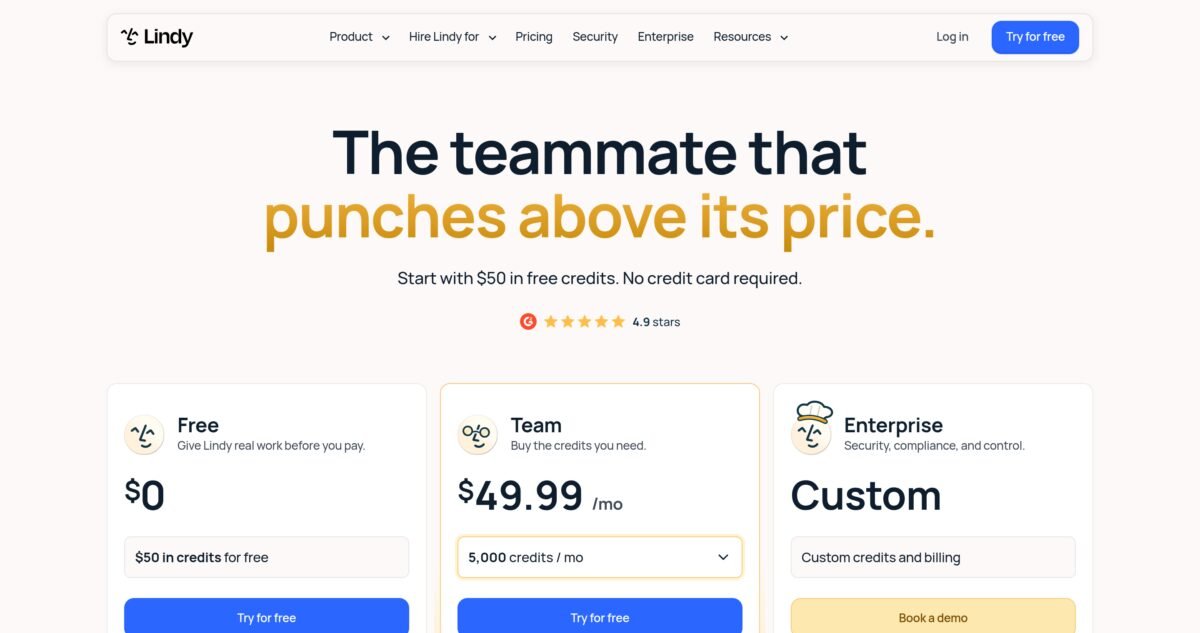
Lindy’s 2026 pricing page leads with “The teammate that punches above its price” and a $50 free credit trial. Source: lindy.ai, screenshot captured by VeyronIQ on November 7, 2026.
How Lindy works, step by step
Lindy’s docs describe a simple loop, and it matches what independent testers report.
- You connect your tools. The quickstart has you add Lindy to Slack, then connect email, calendar and your phone number. From there you can add any of the 1,500+ integrations Lindy lists, or connect an MCP server.
- You describe a job. “Every Monday, check which invoices are more than 14 days overdue and draft a polite reminder to each client.” Or simply, “Prep me for my 2 p.m. call.”
- Lindy gathers context. It reads from your connected apps, your meeting library and the files in its memory.
- It does the work and shows you. You review the draft, report, update or summary, ask for changes in the same conversation, and approve anything that touches the outside world.
- It keeps going. Jobs you want repeated become routines that run on a schedule or when something happens, like a new email from a client or a calendar event ending.
The homepage frames the trust-building part as a three-step relationship. First Lindy suggests jobs it could take on after looking at how you work. Then it “asks first”: anything with outside impact waits for your approval. Eventually, once you trust it with a specific job, it can run that job end to end on its own.
Where you talk to Lindy
One of Lindy’s best design decisions is that it meets you in tools you already use. According to its documentation, you can work with it through:
- Slack, in private direct messages for personal work or by @mentioning it in shared channels for team work like research, reports and CRM updates. Teammates can follow along in the thread.
- iMessage and SMS, so you can text it from your phone like you would text a human assistant.
- Email, including a Chrome extension that works inside Gmail with inbox triage, a morning brief, drafts and a sidebar chat.
- Phone calls, from your verified number to Lindy’s number, and outbound calls Lindy places for you.
- Meetings, where it joins Google Meet, Zoom or Teams calls to record and take notes.
- The web app, which has a home screen for chatting and seeing what Lindy has been doing, plus pages for memory, routines, skills, meetings and settings.
- Microsoft Teams, which the documentation lists as coming soon at the time of writing.
If your team runs on Microsoft Teams rather than Slack, that last point matters. Lindy’s team features are built around Slack today, and its approval guardrails, which we cover later, apply in shared Slack threads.
The building blocks: skills, routines, memory and apps
Four concepts do most of the work in the 2026 version of Lindy. Understanding them makes the rest of this review easier to follow.
Skills are saved playbooks. Each one is a folder containing a SKILL.md file with a name, a description and instructions. Lindy sees the name and description of every enabled skill and loads the full instructions only when a request calls for it. There are 40+ built-in skills according to the pricing page, and you can create your own, either by writing them, by asking Lindy to save a process you just walked it through, or with Watch and Learn. Personal skills override team skills, which override built-in system skills.
Routines decide when work happens. A routine runs on a schedule (every weekday at 7 a.m.) or in response to an event (a new lead arrives, a meeting ends). Your morning brief, follow-up nudges and weekly client reports are all routines.
Memory is a browsable file system. Lindy saves files as it works, and you can add, edit, organize, upload and restore earlier versions. It has personal, team and system scopes, so private context stays private while shared knowledge (your pricing sheet, your tone of voice guide, your client list) is available to the whole team.
Apps and artifacts are things Lindy builds for you. Artifacts are hosted live pages, such as dashboards and reports, each on a link you control. Apps are small work tools you can build and modify through chat. The pricing page lists “complex html dashboards” and “internal tools shipped end to end” among the jobs in its most credit-hungry “Big Builds” bracket.
Why this design matters for small businesses
Older automation tools made you decide everything up front: which trigger, which fields, which conditions. Lindy’s skills and routines let you start with the outcome and refine as you go. That lowers the barrier for owners who know exactly how their business works but have never built a workflow. The trade-off is less precise control and less predictable cost than a fixed, rule-based automation.
Which AI models does Lindy use?
Lindy is model agnostic. Its pricing page says “most major models are available,” and you can choose a model for each task or set a default from a dropdown below the message box. Lindy’s usage documentation makes a sensible recommendation: use advanced models for hard reasoning and analysis, and cheaper models for summaries, drafts and lookups. That choice directly affects how fast you burn credits.
By default, Lindy picks a model for you. The Cognitive Revolution’s August 2026 summary of its interview with Crivello reported that Lindy Teammate runs on DeepSeek, a Chinese open-weight model family, which the podcast highlighted as notable. We could not confirm from Lindy’s documentation which model is the default today. If your business has a policy about which AI providers can handle client data, ask Lindy’s team directly and choose your models deliberately rather than relying on the default.
Lindy at a glance
| Fact | Detail |
|---|---|
| Company | Lindy AI, San Francisco |
| Founded | 2023, by Flo Crivello |
| Product type | AI employee and executive assistant, Slack-native team agent |
| Where it works | Slack, email, Gmail extension, iMessage and SMS, phone, Zoom, Google Meet, Teams meetings, web app |
| Integrations | 1,500+ listed, plus any MCP server |
| Built-in skills | 40+, plus your own |
| Pricing model | Per active user, per month, with a pooled credit allowance |
| Entry price | $49.99 per user per month for 5,000 credits |
| Free trial | $50 in credits, 7 days, no card required |
| Security | SOC 2 Type II, GDPR, PIPEDA; HIPAA with BAA on Enterprise |
| G2 rating | 4.9 out of 5 (171 reviews) |
Lindy Features: A Deep Dive
This part of our Lindy AI review covers every major feature. Lindy’s feature list is long, and that is part of both its appeal and its challenge. Below we go through each major capability, what it actually does according to Lindy’s documentation, what independent testers found, and how useful it is likely to be for a typical small business. We have grouped features by the job they do rather than by Lindy’s menu structure.
1. Inbox management
Email is where most small business owners lose their mornings, and it is where Lindy is most mature. Lindy’s inbox features include four distinct jobs.
- Email labeling. Lindy automatically labels and sorts incoming mail. You can tell it how you think about your inbox (“anything from a current client is Priority, anything about invoices is Finance, newsletters go to Read Later”) and it applies those rules with judgment, rather than by exact keyword matching.
- Email drafting. It writes replies and saves them to your drafts folder for review. The pricing page promises drafts “in your voice,” which in practice means Lindy learns from your sent mail and any style notes you save in memory.
- Email alerting. Time-sensitive emails trigger a text message to your phone, so you can stop checking email every ten minutes without worrying about missing a client emergency.
- Follow-up bumps. When you send an email that gets no reply, Lindy drafts a follow-up for you to approve.
The Chrome extension brings these features into Gmail itself, with triage, a morning brief, drafts and a sidebar chat. Lindy’s pricing page says you can connect two to five inboxes depending on plan, which matters for owners who juggle a personal address, a shared support inbox and a sales inbox.
How good is it? This is the feature independent reviewers praise most consistently. Hack’celeration’s hands-on review calls out inbox triage among Lindy’s strengths, and CloudTalk’s review describes “deep email and calendar automation” as a core advantage. Drafting quality depends heavily on how much context you give Lindy. Owners who save a short guide to their tone, common answers and pricing in memory report much better drafts than those who expect it to guess.
Small business example: the 20-minute inbox
A bookkeeper with 40 clients sets up three things in an afternoon: labels for each client tier, a text alert for any email containing “IRS,” “audit” or “deadline,” and a standing instruction to draft replies to routine document requests. Lindy’s usage docs list email alerts and daily briefs as “very low” credit work, so this kind of setup is among the cheapest ways to get value from Lindy.
2. Meeting assistant
Lindy’s meeting features cover the whole life cycle of a meeting.
- Smart scheduling. It finds times, sends invites and books meetings. It can also create personal booking links, shareable pages where people pick a time with you, which can replace a separate scheduling tool for some owners.
- Meeting prep. Before a call, Lindy sends a briefing with research on attendees, past context from your email and meeting history, and an agenda.
- Meeting recording. It joins Google Meet, Zoom and Teams calls, records and transcribes them, and stores summaries in a searchable meeting library.
- Daily brief. A personalized morning summary of your day and meetings.
- Follow-up work. After a meeting, Lindy can turn decisions into tasks: draft the recap email, update the CRM, create the proposal outline.
The meeting library is shared at the team level through meeting folders, so a sales call recorded by one person is searchable by the account manager who takes over the client.
How good is it? Hack’celeration found meeting notes and call summaries “usable out of the box,” and timed a meeting-notes agent going from zero to live in under 15 minutes. If meeting notes are your only need, a dedicated note-taker is cheaper; our Fireflies.ai review covers that category. Lindy’s advantage is what happens after the meeting: because it also has access to your email, calendar and CRM, it can act on what was said rather than just recording it.
3. Routines (scheduled and triggered work)
Routines are how Lindy works without being asked. Each routine has a trigger or schedule, a job, and a destination for the result. Lindy’s docs show routines split into Team and Personal tabs, and you can turn any routine off without deleting it.
Typical small business routines include:
- A 7 a.m. daily brief by text or Slack.
- A Monday morning list of overdue invoices with drafted reminders.
- A Friday afternoon client status report for each active project.
- An alert whenever a new lead fills out your website form, with a drafted first reply.
- A weekly summary of competitor website or pricing changes.
- A monthly check of ad spend against budget.
How good is it? Routines are where Lindy’s credit consumption can creep up without you noticing, because they run whether or not you are paying attention. Lindy’s own advice is to review routines monthly. The upside is that routines are where the time savings compound: a task that takes you 30 minutes every week is 26 hours a year.
Watch out for expired connections
Several user reports collected by Hack’celeration and CloudTalk mention scheduled work silently failing when an OAuth connection expired, for example a calendar trigger that stopped firing. Lindy’s integrations page shows each connection’s status as healthy, needs reconnecting, or not set up. Make checking that page part of your weekly routine for the first month.
4. Skills (reusable playbooks)
A skill tells Lindy how to do a specific kind of work. Lindy ships with 40+ system skills and lets you create personal and team skills. Under the hood, each skill is a folder with a SKILL.md file. You do not have to write them by hand, though you can: you can also ask Lindy to save what you just did together as a skill, or use Watch and Learn.
The layering system is thoughtful. If your team has a skill called “client-report” and you have a personal version with your own formatting, your version wins when you ask. That lets an agency set a team standard while letting individual account managers adapt it.
Why skills matter: without skills, every request starts from scratch, and the quality of the result depends on how well you explain yourself each time. With skills, your best explanation is saved and reused. For a small business, writing five or six good skills for your most common jobs is the single highest-return thing you can do in your first week with Lindy.
5. Watch and Learn
Watch and Learn is the most distinctive feature in the current Lindy, and the one we think will matter most for non-technical owners. Instead of explaining a process in writing, you show it.
According to Lindy’s documentation, you open Routines in the web app, click Watch and Learn, and either:
- Record your screen (a browser tab, a window or the full screen), narrating what you are doing and why, or
- Upload an existing recording or a written process document such as an SOP.
Lindy then breaks the work into steps and summarizes the tools, inputs, decisions and expected result. It checks which steps it can do with your connected accounts, asks you to connect anything missing or agree on alternatives, saves the process as a personal skill, and proposes a routine with a schedule and a result destination. You can request a test run on one example before switching it on.
| Watch and Learn limit | Value |
|---|---|
| Video formats | MP4, MOV, WebM, M4V |
| Written formats | PDF, TXT, Markdown |
| Maximum file size | 2 GB per file |
| Maximum total video length | 1 hour across all videos |
| Notes | Up to 4,000 characters |
| Browsers | Chrome, Edge or Safari |
Analyzing recordings uses credits. Lindy’s tips for a good demonstration are worth following: show one complete example from start to finish, explain your reasoning at each decision, name the specific accounts, folders, spreadsheets and fields involved, and cover the exceptions, such as missing information or steps that need approval.
How good is it? It is too new for long-term independent data. But the design solves a real problem. Most small businesses have processes that live only in the owner’s head. Recording yourself doing the task once, while talking through it, is much easier than writing documentation, and you get a reusable SOP for human staff as a side effect.
6. Memory
Lindy’s memory is a browser-based file explorer, and it is more transparent than the hidden “memory” features in most AI chat apps. You can see every file Lindy has saved, open it in Preview, Raw or History view, edit text files inline, and restore any earlier version. Every save creates a version, and deleting a file does not erase its history.
| Scope | Who can see it | Who can edit it |
|---|---|---|
| Personal | You only | You |
| Team | Everyone in the workspace | Owners and admins |
| System | Everyone | No one (built in) |
Two special folders do a lot of work: .skills/ holds skills and .memory/ holds durable knowledge Lindy relies on across tasks. You can drag in up to 100 files at once, with folder structure preserved.
Why it matters: an AI assistant is only as good as what it knows about your business. Being able to load your price list, service descriptions, FAQs, brand voice guide and client notes into a place you control, and then fix anything Lindy gets wrong, makes a real difference to quality. Personal files are scoped per workspace, so if you belong to two workspaces (say, your own business and a client’s), your private notes do not leak between them.
7. Ad hoc tasks and research
Not everything needs a routine. You can ask Lindy for one-off work in Slack, by text or in the web app: research a prospect before a call, compare three suppliers, summarize a long contract, pull last month’s numbers from a connected tool, or draft a proposal from your meeting notes.
Lindy’s pricing page puts these in its cheapest bracket when they are simple (“answers, summaries, lookups and updates in your tools”) at 2 to 250 credits, and in the middle bracket when they are substantial (“research a competitor and write the report”) at 250 to 1,000 credits.
Credit tip: Lindy’s docs point out that every message re-reads the whole thread above it, so starting a new thread for each unrelated topic saves credits. They also suggest being specific about scope and length in research requests. “Find the three biggest competitors in Austin and summarize their pricing in a table” is cheaper and better than “research my competition.”
8. Phone calls
Lindy can have its own phone number, and calls work in three ways according to its documentation.
- You call Lindy from your verified personal phone and talk to your assistant. From your verified number, it can use your connected apps, calendar, files and saved context. You can also ask it to call you.
- Lindy calls other people for you. You tell it who to call, the goal, acceptable alternatives, what it may share and what to do if nobody answers. Lindy asks you to approve the destination and purpose first. It can navigate phone menus, wait on hold and leave voicemail, then reports the outcome in chat. Recurring calls can be set up as a routine.
- Lindy answers when others call. You set instructions for the greeting, what questions to ask and what it may share. It takes the caller’s name, reason and contact details and passes them to you, and callers can book from available slots on one of your booking links.
There are sensible safeguards: an optional four-digit PIN, an “only I can call” mode, a block list and a pause switch. Callers cannot reach your inbox, files, memory or private conversations. You pick the voice from a dropdown and can preview it. Numbers come with US or Canadian area codes.
What it costs: Lindy’s usage documentation says phone calls cost “from 25 credits per minute,” and the phone number itself is a separate monthly fee billed with your plan, outside the credit pool. The docs do not state the number fee; earlier third-party reviews reported $10 a month, but confirm it in your billing settings. We work through the per-minute math in the pricing section.
How good is it? Honestly, nobody has published a rigorous independent test of Lindy’s current call quality. CloudTalk’s reviewer could not find first-hand user accounts of calls, and Hack’celeration did not test the voice agent. The capability set is genuinely useful for an owner who wants an assistant to handle hold queues, confirm appointments or take messages when they are on a job site. For a business whose phone is its main sales channel, we would test thoroughly before relying on it, and compare it with a dedicated voice AI or answering service.
9. iMessage and SMS
You can text Lindy from your phone, and it can text you. This is a small feature with an outsized effect on how much you use the product. Being able to text “move my 3 p.m. to tomorrow and let them know” from a parking lot is exactly what most people imagine when they think of an assistant. Lindy’s pricing page advertises iMessage with your assistant 24/7.
One caveat: Lindy’s integration guardrails, the approval rules that control which tools can write without asking, apply only in shared Slack threads. In the web app, Slack DMs and iMessage/SMS, the docs say guardrails are not applied. That is reasonable for your personal assistant, but be clear about what you have authorized before you start texting instructions.
10. Computer use
When a tool has no integration and no MCP server, Lindy can operate a browser the way a person would: clicking, typing and reading pages. Lindy’s docs also say it can write its own integration against a tool’s API in some cases. Computer use is available on the Pro and Max levels according to the pricing page and billing documentation, not on the entry level.
How good is it? Computer use is impressive when it works and slow and brittle compared with a proper integration. Use it for low-volume jobs on legacy systems, such as pulling a report from an old supplier portal once a week, not for anything time-critical. Browser automation also tends to be among the more credit-intensive tasks, because the AI has to look at and reason about each page.
11. Apps and artifacts
Lindy can build things, not just do things. Artifacts are hosted live pages, such as a client dashboard or a weekly report, each on a link you control. Apps are small internal tools built and modified through chat, like a quote calculator or an intake form.
These sit in Lindy’s most expensive bracket. Its pricing page says complex HTML dashboards, multimedia decks built from your CRM and analytics, and internal tools shipped end to end use 1,000 to 2,500 credits, while basic HTML artifacts fall in the 250 to 1,000 range. On the entry plan’s 5,000 credits, two or three big builds could use half your month.
12. Integrations and MCP
Lindy lists 1,500+ integrations, including Gmail, Outlook, Slack, Notion, HubSpot, Salesforce, Google Drive and GitHub, and it can connect to any MCP server your team runs. You can also save API keys once, personally or for the whole workspace, as credentials.
Two details from the integration docs are worth knowing before you connect anything:
- Connecting a tool turns on all of its actions at once. There is no per-action selection step.
- Guardrails are per integration, with three settings: Always allow (Lindy writes without asking), Require approval (Lindy asks in Slack before writing) and Don’t offer (Lindy never writes with this tool). Reads are never guarded, so checking a calendar or searching email always works. Guardrails apply in shared Slack threads, and one rule covers every account under an integration, so you cannot yet set different rules for your work and personal Gmail.
Connections can be personal (only you can use them) or team (everyone’s Lindy can use them). Owners and admins can share a personal connection with the workspace, which means everyone’s Lindy then acts with that account’s permissions. Be careful with that power: sharing the owner’s Gmail with the whole team is rarely what you want.
How does it compare? Lindy’s 1,500+ integrations are plenty for most small businesses, but well short of Zapier’s catalog. Hack’celeration’s reviewer described the native library as thinner than Zapier’s or Make’s. The MCP support and computer use help close the gap. If a tool you depend on is missing, check whether it offers an MCP server or a Zapier connection before ruling Lindy out.
Feature scorecard
| Feature | Maturity | Credit cost | Value for small business |
|---|---|---|---|
| Inbox labeling, alerts, drafts | Mature | Very low to low | High |
| Daily brief and nudges | Mature | Very low | High |
| Meeting recording and recaps | Mature | Low | Medium to high |
| Meeting prep | Mature | Very low | High for sales-led businesses |
| Scheduling and booking links | Mature | Low | Medium |
| Routines | Solid | Moderate, depends on frequency | High |
| Skills | Solid | None to create, varies to run | High |
| Watch and Learn | New | Uses credits to analyze | Potentially very high |
| Memory | Solid | None | High |
| Ad hoc research | Solid | Varies widely | Medium to high |
| Phone calls | Capable, little independent testing | From 25 credits per minute plus number fee | Medium |
| Computer use | Capable, brittle | High | Low to medium |
| Apps and artifacts | New | High (250 to 2,500 credits) | Medium |
Lindy Pricing in 2026: What You Actually Pay
Pricing is the part of any Lindy AI review that goes out of date fastest, so here is exactly what we saw on Lindy’s live pricing page on November 7, 2026. If you are reading this months later, check lindy.ai/pricing before you buy, and treat our numbers as a guide to how the system works rather than a quote.
The three plans on the pricing page
| Plan | Price | Credits | What is included |
|---|---|---|---|
| Free | $0 | $50 in credits, last 7 days | Full product to try, no credit card required, setup in about 2 minutes |
| Team | From $49.99 per user per month | From 5,000 credits per user per month | Everything in Free, monthly credits, top-ups at $10 per 1,000 credits, model choice per task |
| Enterprise | Custom | Custom credits and billing | Everything in Team, plus HIPAA with signed BAA, SSO and SCIM, audit logs, shared usage with bonus credits, dedicated support, onboarding and enablement |
The page also says, in plain words: “Every active user in your workspace is billed, from $49.99 a month for 5,000 credits each.” That one sentence contains most of what you need to know about Lindy’s cost structure. You pay per person, and each person brings a credit allowance into a shared pool.
Every credit level, and what each credit really costs
The Team plan has a dropdown that lets you choose a larger monthly credit allowance. We opened it and recorded every option, then worked out the effective cost per credit. This table is the most useful thing in this section, because the levels are not equally good value.
| Monthly credits | Monthly price | Cost per credit | Cost per 1,000 credits | Value note |
|---|---|---|---|---|
| 5,000 | $49.99 | 1.00 cents | $10.00 | Entry level |
| 6,000 | $59.99 | 1.00 cents | $10.00 | Same rate as entry |
| 7,000 | $69.99 | 1.00 cents | $10.00 | Same rate as entry |
| 8,000 | $79.99 | 1.00 cents | $10.00 | Poor choice, see below |
| 15,000 | $99.99 | 0.67 cents | $6.67 | Strong value |
| 20,000 | $149.99 | 0.75 cents | $7.50 | Worse rate than 15,000 |
| 35,000 | $199.99 | 0.57 cents | $5.71 | Best rate, sweet spot |
| 45,000 | $299.99 | 0.67 cents | $6.67 | Worse rate than 35,000 |
| 70,000 | $399.98 | 0.57 cents | $5.71 | Best rate |
| 105,000 | $599.97 | 0.57 cents | $5.71 | Best rate |
| 175,000 | $999.95 | 0.57 cents | $5.71 | Best rate |
| 350,000 | $1,999.90 | 0.57 cents | $5.71 | Best rate |
| 700,000 | $3,999.80 | 0.57 cents | $5.71 | Best rate |
| 1,750,000 | $9,999.50 | 0.57 cents | $5.71 | Best rate |
Cost per credit is our calculation from Lindy’s listed prices.
Three things jump out:
- The 8,000-credit level is a trap. At $79.99 you get 8,000 credits. For $20 more, the 15,000 level nearly doubles your credits. If you are outgrowing 5,000 credits, skip straight to 15,000.
- The 20,000 and 45,000 levels are worse value than the levels below them. 20,000 credits at $149.99 costs more per credit than 15,000 at $99.99. 45,000 at $299.99 costs more per credit than 35,000 at $199.99. Unless you need exactly that amount, pick the level below and top up, or jump to the next good level.
- 35,000 credits for $199.99 is the best rate available, and every larger level is priced at the same rate. Above that point, you are simply buying more of the same.
How the dropdown maps to Plus, Pro and Max
Lindy’s help documentation still refers to three base plans called Plus, Pro and Max, and says computer use and live onboarding are available on Pro and up. The live pricing page instead shows one Team plan with a credit dropdown. Third-party pricing guides from mid-2026 listed Pro at $99.99 for 15,000 credits and Max at $199.99 for 35,000 credits, which match two dropdown levels exactly. The most reasonable reading is that the 15,000 and 35,000 levels correspond to Pro and Max. If computer use or onboarding matters to you, confirm which level unlocks it in Settings, then Billing, before you upgrade.
How credits work
Lindy’s documentation explains credits clearly, even if their consumption is hard to predict.
- Credits measure the work Lindy does. You only spend them while Lindy is actually working. Bigger jobs use more.
- One shared pool per workspace. Each seat adds its allowance to the pool, along with any top-ups. Both your private DM Lindy and the shared team Lindy in channels draw from the same pool.
- Monthly credits reset and do not roll over. At the start of each billing cycle, your plan credits refresh. Anything unused is gone.
- Top-ups carry over. Credits you buy as a top-up, at $10 per 1,000, stay available until used.
- No overage bills. When the pool runs low, Lindy pauses credit-using actions and tells you. Work resumes when you top up, change plans or reach the next reset.
- Admins can cap individual usage in Settings, Members, Edit credit limit. A task already running can finish and go past the cap.
- Heavy tasks trigger a warning. If a task starts drawing unusually heavily, Lindy pauses and asks whether to continue or stop.
Older reviews mention 2x overage billing
Some 2026 reviews, including CloudTalk’s, describe optional overages billed at twice the normal rate. Lindy’s current pricing page and documentation instead describe a pause when credits run out, with top-ups available at $10 per 1,000. We found no mention of overage billing in the current docs. Check your billing settings to see which applies to your account.
What things cost in credits
Lindy publishes ranges rather than a price list. Here is everything we found in its pricing page and usage documentation in one place.
| Type of work | Credits | Approximate cost at entry rate |
|---|---|---|
| Everyday asks: answers, summaries, lookups, updates in your tools, closing out a meeting, drafting a reply | 2 to 250 | 2 cents to $2.50 |
| Deep work: research a competitor and write the report, triage a day’s support queue, turn a week of calls into a proposal, build basic HTML artifacts | 250 to 1,000 | $2.50 to $10 |
| Big builds: complex HTML dashboards, multimedia decks from your CRM and analytics, internal tools shipped end to end, heavy scheduled workflows | 1,000 to 2,500 | $10 to $25 |
| Daily brief, email alerts, open-loop nudges, meeting prep | “Very low” | A few cents |
| Catch-up summaries, meeting recaps and notes | “Low” | Cents to tens of cents |
| Phone calls | From 25 per minute | From 25 cents per minute |
| Phone number | Separate monthly fee outside credits | Not stated in docs; earlier reviews reported $10 per month |
The ranges are wide because the same request can be cheap or expensive depending on the model, the amount of context Lindy has to read, and how many steps the job takes. A one-line email reply using a small model in a fresh thread might cost a handful of credits. The same request at the bottom of a long Slack thread, using a top reasoning model, might cost many times more because Lindy re-reads the whole thread each time.
What does a phone minute really cost?
Because phone calls draw from the same credit pool as everything else, the effective cost per minute depends on your credit level.
| Credit level | Cost per credit | 25 credits (1 minute) | 100-minute month | 500-minute month |
|---|---|---|---|---|
| 5,000 for $49.99 | 1.00 cents | $0.25 | $25.00 | $125.00 |
| 15,000 for $99.99 | 0.67 cents | $0.17 | $16.67 | $83.33 |
| 35,000 for $199.99 | 0.57 cents | $0.14 | $14.29 | $71.43 |
| Top-up credits | 1.00 cents | $0.25 | $25.00 | $125.00 |
Calls start at 25 credits per minute, so treat these as minimums. Add the monthly phone number fee on top.
Put another way, the entire 5,000-credit allowance of the entry plan covers about 200 minutes of calls and nothing else. That is plenty for an owner who wants Lindy to call a supplier now and then or take messages after hours. It is not enough to make Lindy your main receptionist if you get dozens of calls a day.
Seats: who has to pay
Lindy’s seat rules are strict, and they are the most common source of surprise on the bill.
- Everyone who uses Lindy needs a seat. A seat is taken when someone signs up directly, joins your workspace, or @mentions Lindy in your team’s Slack for the first time.
- Slack teammates get a 7-day trial. When a teammate first mentions Lindy in Slack, Lindy creates an account under your workspace, emails all admins with a one-click removal link, and gives the teammate a one-time 7-day trial before their seat is billed.
- Returning teammates do not get a second trial. Their access starts on a billed seat immediately.
- Removing a seat does not refund the current cycle. The seat stays active through the paid period with no mid-cycle proration.
- Lindy will not re-add someone an admin removed. If they mention Lindy again, it declines and pings an admin.
- Upgrades take effect immediately, downgrades at the end of the term. Changes to credit and seat allocations are immediate.
The Slack seat surprise
In a 10-person Slack workspace, it only takes curiosity for your bill to grow. If seven people each mention Lindy once to see what it does, each one starts a trial and becomes a billed seat after a week unless an admin removes them. Watch for the admin emails, and tell your team before you install Lindy in shared channels.
Real-world cost scenarios
These are estimates. We built them from Lindy’s published credit ranges using middle-of-the-range assumptions, so your numbers will differ. They are useful for seeing which level a business like yours is likely to land on.
Scenario 1: Solo consultant
| Monthly use | Estimated credits |
|---|---|
| Daily brief and email alerts, every weekday | 300 |
| 10 everyday asks per weekday (drafts, lookups, quick summaries), about 40 credits each | 8,800 |
| 3 meeting recaps and prep briefs per week | 600 |
| 2 deep research tasks per week, about 500 each | 4,300 |
| 30 minutes of phone calls | 750 |
| Total | About 14,750 |
Recommended level: 15,000 credits for $99.99 a month. The 5,000-credit level would run out in the second week. Lighter users who mainly want inbox help, briefs and a few drafts a day could stay at $49.99.
Scenario 2: Three-person marketing agency
| Monthly use | Estimated credits |
|---|---|
| Daily briefs and inbox management for 3 people | 1,500 |
| 15 everyday asks per person per weekday, about 40 credits each | 39,600 |
| Weekly client reports for 12 clients, about 600 each | 31,200 |
| 4 dashboards or decks per month, about 1,750 each | 7,000 |
| Meeting recaps for 30 client calls | 3,000 |
| Total | About 82,300 |
Recommended level: three seats at 35,000 credits ($599.97 a month for a 105,000-credit pool) gives comfortable headroom. Three seats at 15,000 ($299.97 for 45,000 credits) would run out by mid-month. This is where Lindy’s cost becomes a real line item, and where you should compare it honestly with the hours it saves.
Scenario 3: Eight-person service team, light users
| Monthly use | Estimated credits |
|---|---|
| Daily briefs and alerts for 8 people | 4,000 |
| 5 everyday asks per person per weekday, about 30 credits each | 26,400 |
| Team routines (lead alerts, weekly summaries) | 3,000 |
| Total | About 33,400 |
Recommended level: eight seats at 5,000 credits ($399.92 a month for a 40,000-credit pool) is enough. Because every user needs a seat anyway, light teams often get more credits than they need from the minimum seat price, which is the one case where pooling works strongly in your favor.
Interactive estimate
Lindy credit and cost calculator
Estimates use Lindy’s published credit ranges and our middle-of-range assumptions. Your real usage will differ, so check it during the free trial.
Estimated credits / month
0
Suggested level per seat
5,000
Estimated monthly cost
$0
Is Lindy worth the money?
The honest answer depends on two numbers: what your time is worth, and how many hours Lindy actually gives back.
Take the solo consultant above at $99.99 a month. If they bill $100 an hour, Lindy needs to save about one hour a month to break even. Inbox triage, meeting prep and follow-up drafting alone typically save far more than that for someone who lives in email. On those terms, Lindy is an easy yes.
Now take the three-person agency at $599.97 a month, or about $7,200 a year. If each person saves three hours a week, that is roughly 470 hours a year, or about $15 per hour saved. Strong value, but only if the time saved turns into billable work or growth, and only if the team actually uses it consistently.
Where Lindy looks expensive is the light, curious user: someone who pays $49.99 a month, uses it for a daily brief and a few questions, and could get similar help from a $20 chat assistant. G2 gives Lindy its highest “perceived cost” rating, and Hack’celeration scored value for money at 2.6 out of 5, their lowest category. We think that is a little harsh for heavy users, which is why our 6.0 sits in the middle.
How to keep your Lindy bill under control
Lindy’s own documentation includes a list of ways to reduce spend, and several are worth repeating with our own additions.
- Start a new thread for each unrelated topic. Every message re-reads the thread above it, so long threads get expensive.
- Use cheaper models for routine work. Summaries, drafts and lookups rarely need the most advanced model. Set a cheaper default and switch up only for analysis.
- Be specific in research requests, including the length and format you want.
- Narrow team sources so the shared Lindy does not search every channel and Drive folder for every question.
- Review routines monthly and switch off anything nobody reads.
- Set per-person credit caps for teammates who are still experimenting.
- Check usage weekly in Settings, Members, where you can sort people by credits used this cycle.
- Remove unused seats promptly, remembering that removal takes effect at the end of the paid cycle.
- Buy the right level. Avoid the 8,000, 20,000 and 45,000 levels unless you need exactly those amounts.
- Keep top-ups for spikes. Top-up credits cost the entry rate of 1 cent each but never expire, so they are a good buffer for an unusually busy month without permanently upgrading.
Lindy Use Cases by Business Type
Lindy’s “Hire Lindy for” menu lists roles such as account manager, and its homepage suggests jobs like chasing late invoices, answering leads, reporting to clients, watching ad spend, getting more reviews, finding new customers, planning clients’ social posts, tracking competitors, keeping the CRM up to date and following up after client calls. Here is how those translate into real work for common small businesses, along with how well each job suits Lindy’s strengths and credit model.
Marketing and creative agencies
Agencies are close to Lindy’s ideal customer. The work is client-heavy, repetitive in shape but different in detail, and spread across email, Slack, meetings, ad platforms and reporting tools.
- Weekly client reports. A routine pulls numbers from connected analytics or ad tools, writes a short commentary in your house style (saved as a team skill), and drafts the email for the account manager to approve.
- Meeting follow-ups. After every client call, Lindy drafts the recap, lists action items and updates the project tracker.
- Ad spend watching. A daily check that flags any campaign spending faster than its budget.
- Social content planning. A monthly draft calendar for each client, based on their brand guide stored in team memory.
- New business research. Before a pitch, a research brief on the prospect, their competitors and recent news.
Fit: Excellent, with one caution. Report generation and dashboards sit in the higher credit brackets, so agencies should budget at the 15,000 or 35,000 level per heavy user.
Bookkeepers, accountants and financial services
- Document chasing. Routines that remind clients about missing receipts or statements, escalating politely over time.
- Inbox triage by client and urgency, with text alerts for anything mentioning tax authorities, deadlines or audits.
- Invoice follow-up. Weekly drafted reminders for overdue invoices, approved before sending.
- Meeting prep. A briefing before each client meeting with recent emails, open items and last meeting’s notes.
Fit: Very good for admin, but check compliance first. Financial data is sensitive. Lindy’s SOC 2 Type II and no-training policy are good signs, but if you work under specific regulatory requirements, confirm data handling with Lindy and keep approval required on every outward action.
Real estate agents and brokers
- Lead response. Instant drafted replies to portal and website leads, with suggested showing times from your calendar.
- Showing coordination. Lindy can call or email to confirm showings and reschedule when plans change.
- Transaction checklists. A routine that tracks deadlines for each deal and nudges you about upcoming dates.
- After-hours phone messages. Lindy answers your line, takes the caller’s details and reason, and offers booking slots.
Fit: Good. Speed to lead matters enormously in real estate, and Lindy’s text alerts and drafted replies help. Phone-heavy agents should do the per-minute math in the pricing section.
Consultants, coaches and solo professionals
- The daily brief. What changed overnight, what is on today and the few things that need you.
- Scheduling. Booking links and scheduling by text (“find 30 minutes with Dana next week”).
- Proposal drafts from discovery call notes, using a saved skill with your structure and pricing.
- Follow-up bumps for proposals that have gone quiet.
Fit: Very good, if you will use it daily. Solo professionals get the most personal value from Lindy, but they also feel the $49.99 to $99.99 price most. Start at 5,000 credits and only upgrade if you hit the pause.
Local service businesses (trades, clinics, salons, studios)
- Missed-call handling. Lindy takes messages and offers booking slots when you cannot pick up.
- Review requests. A routine that emails or texts happy customers after a completed job, linking to your Google review page. Our guide to getting more Google reviews without asking every customer covers the strategy.
- Supplier calls. Lindy can call to check stock or delivery times, wait on hold and report back.
- Quote follow-ups for estimates that have not been accepted.
Fit: Mixed. The admin jobs fit well. But if your phone rings constantly and every call is a potential booking, a dedicated AI receptionist or answering service designed for that volume is likely cheaper and more polished. Health clinics handling patient information should note that HIPAA with a BAA is only available on Enterprise.
Sales-led B2B teams
- Pre-call research on every prospect, pulled into a brief 30 minutes before the meeting.
- CRM hygiene. After calls, Lindy updates deal stages, notes and next steps. CloudTalk’s review confirmed two-way HubSpot support with write actions and 20+ read triggers. Our HubSpot CRM review and our guide to using HubSpot CRM explain why clean CRM data matters.
- Lead follow-up. Drafted first replies to inbound leads and follow-up sequences for quiet prospects.
- Pipeline summaries posted to a Slack channel every Monday.
Fit: Very good. Sales teams already live in Slack and email, and pooled credits work well when some reps use Lindy far more than others.
E-commerce and online shops
- Customer support triage. Sorting the support inbox, drafting answers to common questions from a saved FAQ, and flagging angry or urgent messages.
- Supplier communication and reorder reminders.
- Competitor price tracking with a weekly summary.
Fit: Moderate. Lindy can help a small shop with a few dozen support emails a day. Shops with high ticket volume will usually be better served by a help desk with built-in AI, connected to Lindy only for owner-level summaries.
A Week With Lindy: What a Typical Day Looks Like
Feature lists only tell you so much. To show how the pieces fit together, here is a composite week for a fictional three-person digital marketing agency, built entirely from features in Lindy’s documentation and the jobs its homepage advertises. The owner, Maya, runs client relationships. Sam handles paid ads. Priya handles content. They use Slack, Gmail, Google Calendar, HubSpot and Google Drive.
Monday
7:00 a.m. Maya’s phone buzzes with a text from Lindy: her daily brief. Two clients emailed over the weekend, one about a missed deadline (flagged urgent) and one asking for a quote. She has four meetings today, with a line on each attendee. Three invoices are now more than 14 days overdue.
7:05 a.m. Still in the kitchen, Maya texts back: “Draft a reply to the deadline email apologizing and proposing Wednesday. Draft reminders for the three invoices.” By the time she sits at her desk, five drafts are waiting in Gmail. She edits one sentence and approves the rest.
9:00 a.m. The Monday pipeline routine posts in #sales: two deals moved stage last week, one proposal has gone quiet for nine days, and Lindy has drafted a follow-up bump for it.
10:30 a.m. Before a discovery call with a new prospect, Lindy sends Maya a prep brief: the company’s services, recent news, the person’s role and previous emails between them.
11:15 a.m. Lindy joins the call, records it and posts a summary to the meeting library. Within the hour, a drafted recap email and an updated HubSpot deal with the next step are waiting for approval.
Tuesday
8:30 a.m. Sam’s daily ad-spend routine flags that one client’s campaign spent 40 percent of its monthly budget in eight days. Sam pauses two ad sets and asks Lindy in Slack to note the change in the client’s file in team memory.
1:00 p.m. Priya @mentions Lindy in #content: “Draft November social posts for the bakery client using their brand guide.” Lindy pulls the brand guide from team memory, checks last month’s posts in Drive, and returns a draft calendar in the thread for Priya to edit. It is a deep-work job, so it uses more credits, but it saves Priya most of an afternoon.
4:00 p.m. Maya, out at a client site, misses a call. Lindy answers on her business line, takes the caller’s name, reason and number, and texts her a summary. The caller wanted to book a consultation and picked a slot from Maya’s booking link.
Wednesday
10:00 a.m. Maya records a 20-minute Watch and Learn video showing how she prepares the monthly report for her biggest client: which dashboards she opens, which numbers she copies, how she writes the commentary, and which exceptions she watches for. Lindy breaks it into steps, notes that it needs access to one more analytics account, and asks how to handle months where data is missing. Maya connects the account, answers the question, and approves a test run on last month’s data. After two small corrections, she saves it as a skill and a monthly routine.
3:00 p.m. Sam asks Lindy to call the agency’s print supplier to check whether an order will arrive by Friday. Lindy asks Sam to approve the number and purpose, places the call, waits on hold, gets an answer and posts the result in Slack.
Thursday
9:00 a.m. A new lead fills out the website form. Within minutes, Lindy drafts a reply using the agency’s services and pricing from memory, suggests two meeting times, and flags in Slack that the lead mentioned a budget over the agency’s threshold. Maya approves the reply immediately.
2:00 p.m. Priya asks Lindy to research three competitors of a new client and summarize their positioning in a table. She specifies the length and format, which keeps the request in the cheaper end of the deep-work range.
Friday
2:00 p.m. The weekly client report routine runs for all twelve retainer clients. Each report is saved as a draft email using the team’s client-report skill. Account owners review and send them over the next hour.
4:30 p.m. Maya checks Settings, Members to see credit use for the week. Priya’s research and content work used the most credits, Sam’s ad monitoring the least. The pool is on track for the month, with a small top-up buffer untouched.
What this week shows
Nothing in that week is magic. Each job is something a good human assistant could do. The value comes from three things: Lindy does these jobs instantly, it does them around the clock, and it does them inside tools the team already uses, so nobody has to remember to open another app. The cost is real too: research, content and reports are the credit-heavy jobs, which is why an agency like this would sit at the 35,000-credit level rather than the entry level.
Getting Started: Your First Hour With Lindy
Lindy’s pricing page promises “Setup in 2 minutes,” and the basic sign-up really is that quick. Getting to the point where Lindy is genuinely useful takes closer to an hour. Here is what that first hour looks like, based on Lindy’s quickstart and team setup documentation.
Step 1: Sign up the right way
If you are the first person in your business to use Lindy, sign up directly and claim the $50 in free credits. No card is required.
If a colleague has already set up a Lindy workspace for your company, do not sign up separately. Lindy’s team setup guide warns that signing up on your own lands you in a separate workspace without the team’s shared skills, files and meetings. Accept the invite email instead and sign in with your Google or Microsoft account.
Step 2: Install Lindy in Slack (if you use it)
An owner or admin installs Lindy from the “Add to Slack” screen. After that, each teammate links their own account the first time they DM or @mention Lindy: Lindy replies with a “Connect Slack to Lindy” button, they confirm, and Lindy runs their original message.
Remember the seat rule before you announce it to the team. Each first connection starts a 7-day trial and then a billed seat, and admins receive an email with a one-click removal link for every new joiner.
Step 3: Connect email and calendar
Link your Google or Microsoft account. This is what lets Lindy manage your inbox, prepare for meetings, take notes and handle scheduling. Without it, Lindy is just another chat assistant.
Step 4: Add your phone
Enter your mobile number, or connect Apple Messages, and verify it with the code Lindy sends. From then on you can text Lindy from anywhere, and it can text you alerts and briefs. This step also matters for phone calls later, because calls from your verified number get full access to your assistant while calls from unknown numbers get a restricted experience.
Step 5: Connect the tools your first jobs need
Lindy’s quickstart suggests connecting the apps you already use, such as Notion, HubSpot or Linear. Resist connecting everything at once. Pick the tools behind the three jobs you most want to hand off, connect those, and add others when a new job needs them.
Step 6: Give Lindy context
This is the step most people skip, and the one that makes the biggest difference. Lindy’s team setup guide even suggests pasting in a summary of yourself and your work from ChatGPT or Claude if you already use one of them. At minimum, give Lindy:
- What your business does and who your customers are.
- Your services and prices.
- Your top questions from customers, with your usual answers.
- How you like to write: formal or casual, short or detailed, words you never use.
- Who your key clients, partners and team members are.
You can paste this in a conversation and ask Lindy to save it, or upload documents straight into Memory.
Step 7: Try the four starter requests
Lindy’s quickstart suggests four first tasks, and they are a good test of whether everything is connected properly:
- “What’s on my calendar today?”
- “Draft a reply to [name]’s email.”
- “Schedule 30 minutes with [name] next week.”
- “Summarize yesterday’s meeting with [name].”
If all four work, your core connections are healthy. If one fails, check the integrations page for anything marked as needing reconnection.
Step 8: Know the difference between channels and DMs
This trips up a lot of teams. In Slack, channels use one shared Lindy that the whole team can see, which is right for team reports, research and CRM updates. Your DMs are private and handle your personal inbox, meetings and scheduling. Ask personal questions in a DM, not in #general.
Setting up a team: the admin checklist
If you are the owner or an admin, a few extra settings deserve attention before you invite everyone.
| Setting | Where | What to do |
|---|---|---|
| Invite members | Settings, Members and groups, Add member | Enter emails, choose Member or Admin, and choose a plan level for each person |
| Credit limits | Members row menu, Edit credit limit | Set a monthly cap for anyone still experimenting |
| Roles | Members role dropdown | Members get standard access; Admins can invite people, manage members and set limits |
| Ownership | Role dropdown | Only the Owner can manage payment, rename the workspace or delete it |
| Guardrails | Integrations | Set Always allow, Require approval or Don’t offer for each tool |
| Team sources | Lindy Teammate settings | Limit which channels and folders the shared Lindy searches |
| Team memory | Memory, Team scope | Add the brand guide, client list, price list and processes everyone should use |
Two details from the docs are worth knowing. First, when admins invite someone they pick a plan level for that person (the docs name Plus, Pro and Max), so a team can mix lighter and heavier seats instead of paying the top level for everyone. Second, credit limits are enforced after they are exceeded, not at the exact line: with a 100-credit cap and 90 credits used, a 50-credit task still completes, and only further usage is blocked.
Send your team a heads-up first
Lindy’s team setup guide recommends sharing a short note with your team before invites go out, so the email is not a surprise. Use it to explain what Lindy is for, which channels to use it in, what it can and cannot do without approval, and who to ask for help.
How to Set Up Lindy: A 30-Day Plan
Most disappointment with AI assistants comes from the first two weeks: people connect everything, ask vague questions, get vague answers and give up. This plan is designed to get you real value quickly while keeping credit use under control. It assumes you are starting with the free trial.
Days 1 to 2: Trial setup (use your free $50 in credits)
- Sign up and connect the essentials only: your main email, your calendar and Slack if you use it. Verify your phone number so you can text Lindy.
- Load your memory. Upload or paste in three to five documents: a short description of your business and services, your price list, your top ten customer FAQs with answers, and a paragraph on how you like emails to sound.
- Turn on the daily brief and email alerts. These are “very low” credit jobs and show you within a day whether Lindy understands your work.
- Give it three real tasks you would otherwise do today. Judge the results, and correct them in the same thread so Lindy learns.
Days 3 to 7: Find your three best jobs
Make a list of everything you did this week that took more than 15 minutes and felt like admin. Pick the three that are most repetitive. For each one:
- Walk Lindy through it once in conversation, or record it with Watch and Learn.
- Ask Lindy to save it as a skill.
- Run it on two or three real examples and correct anything it gets wrong.
- Check how many credits it used (Settings, Members shows usage this cycle).
By the end of the trial week, you should know whether Lindy saves you meaningful time, and roughly how many credits your use costs per week. Multiply by 4.3 for a monthly estimate, add 25 percent headroom, and pick your level from the table in the pricing section.
Days 8 to 14: Turn skills into routines
Now let the best skills run on their own. Set each one up as a routine with a schedule or trigger, and keep approval required for anything that sends email, updates a customer record or contacts someone outside the business. Review every output for the first week.
Days 15 to 21: Bring in the team (carefully)
If you have a team, decide who actually needs Lindy before anyone mentions it in Slack, because each mention starts a seat. Set integration guardrails first: Always allow for low-risk tools, Require approval for anything client-facing, Don’t offer for anything Lindy should never touch. Set per-person credit caps for the first month. Move shared knowledge (brand guide, client list, processes) into team memory so everyone’s Lindy uses the same source of truth.
Days 22 to 30: Review and adjust
- Compare credits used against your plan’s allowance.
- Switch off routines nobody reads.
- Move routine work to a cheaper model.
- Promote your three most successful skills to team skills.
- Decide whether to stay on your current level, upgrade, or add a top-up buffer.
Prompts and Instructions That Work Well With Lindy
Lindy understands plain English, but specific instructions get better results and use fewer credits. Here are tested patterns, written the way we would give them to a human assistant. Copy them and replace the bracketed parts.
Lindy instructionMorning brief
Lindy instructionLate invoice follow-up
Lindy instructionLead response
Lindy instructionMeeting follow-up
Lindy instructionClient report
Lindy instructionInbound phone instructions
Lindy instructionCompetitor watch
Three rules for better results and lower costs
Say what done looks like: length, format and destination. Say what is off limits: what Lindy may not send, share or change. Start fresh threads for new topics, because Lindy re-reads the whole thread on every message.
Security, Privacy and Data Access
An AI employee only works if you give it access to the things a human employee would see: email, calendar, files, CRM, maybe your phone line. So security is not a side issue in a Lindy AI review. It is central to whether you should use the product at all.
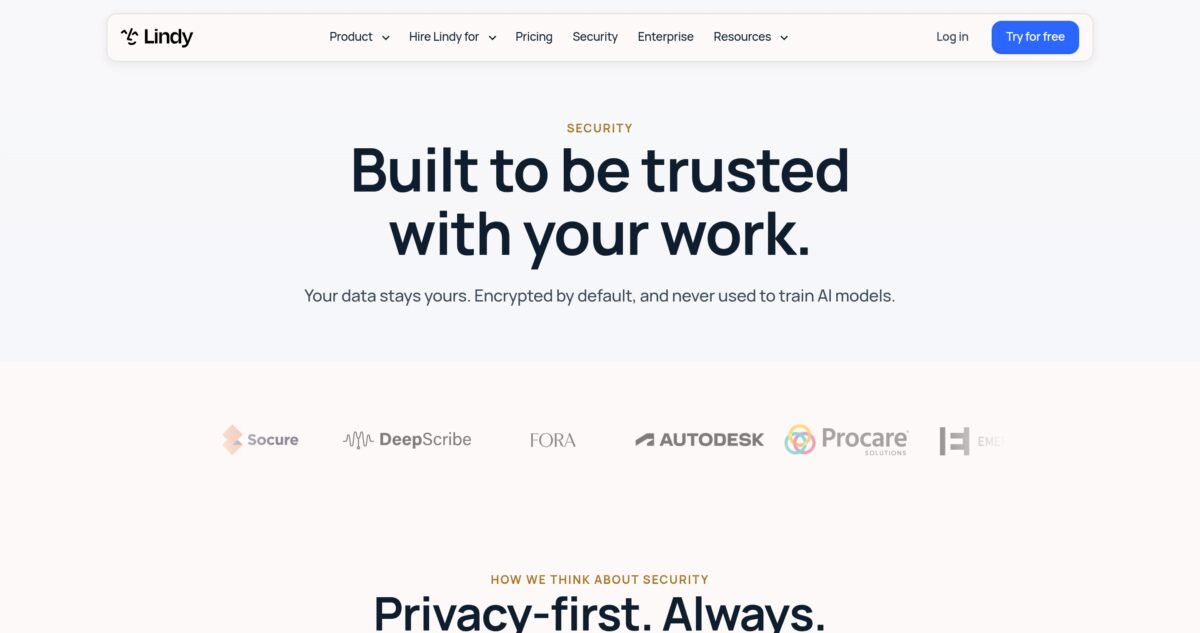
Lindy’s security page promises encryption by default and no training on customer data. Source: lindy.ai, screenshot captured by VeyronIQ on November 7, 2026.
What Lindy says about security
From Lindy’s security page and documentation, checked November 7, 2026:
| Area | Lindy’s stated position |
|---|---|
| Certifications | AICPA SOC 2 Type II; GDPR and PIPEDA compliant; HIPAA compliant |
| HIPAA BAA | Signed BAA available on Enterprise only |
| Encryption | In transit and at rest |
| Model training | Customer data is never used to train models |
| Data sales | Data is never sold or shared |
| Visibility | Every action Lindy takes is logged, according to the security page |
| Access control | You decide what Lindy can access, and can change or revoke permissions at any time |
| SSO and SCIM | Enterprise only |
| Audit logs | Enterprise only |
| Payments | Major cards, processed by Stripe |
| Trust center | trust.lindy.ai |
CloudTalk’s review reported that Lindy’s SOC 2 Type II audit was carried out by Johanson Group. Lindy’s security page also lists customer logos including Autodesk and Procare.
What is not published
Lindy’s public pages do not state a data retention period, a list of subprocessors on the main security page, encryption standards or key management details, or the scope and date of the SOC 2 report. Those details may be in the trust center or available on request. If you handle sensitive client data, ask for the SOC 2 report and subprocessor list before you connect your inbox. Any vendor worth trusting will provide them under NDA.
The permissions question
Lindy is most useful when it can see everything, and that makes some people uncomfortable. CloudTalk quotes a G2 reviewer who found that Lindy asks for access to calendar, drive and email, which “can feel intrusive.” This is a fair concern, not a flaw unique to Lindy. Every capable AI assistant needs broad access to be helpful.
Here is how to limit risk without crippling the product:
- Connect only what you need for your first jobs. You can add more later.
- Use Require approval guardrails for every integration that can contact customers, change records or spend money.
- Keep personal connections personal. Do not share an owner’s email connection with the whole workspace unless you truly mean for everyone’s Lindy to act as that account.
- Use the phone line safeguards: PIN, verified-caller-only mode and a block list.
- Remember where guardrails do not apply. Lindy’s docs say guardrails are applied in shared Slack threads, not in the web app, Slack DMs or text messages. In those private channels, Lindy acts on your instructions with the access you have granted.
- Review the action log regularly in the first month.
Which AI models touch your data?
Lindy lets you choose from most major models for each task, and by default it chooses for you. As noted earlier, the Cognitive Revolution’s August 2026 interview summary reported that Lindy Teammate runs on DeepSeek. Lindy’s no-training commitment covers your data either way, but some businesses have policies on which model providers may process client information. If that applies to you, choose your default model deliberately and ask Lindy how and where each model is hosted.
Reliability and Accuracy
No independent tester has published long-term reliability data for the 2026 version of Lindy, so we can only report the patterns that show up repeatedly in user reviews and hands-on tests.
What works reliably: inbox labeling, email alerts, daily briefs, meeting recording and summaries, and simple drafting. These are the most mature features, and they are also low-risk: a mislabeled email or a slightly off draft costs you little.
What needs supervision: multi-step jobs that involve judgment across several tools, such as research tasks, CRM updates and report generation. Hack’celeration’s verdict was that Lindy is effective for simple, supervised personal workflows but not reliable enough for unsupervised production use, and that agent accuracy is inconsistent on edge cases, with accuracy complaints showing up in 9 G2 reviews. Dupple’s review made a similar point about inconsistent decisions on edge cases.
Known failure patterns reported by users:
- Expired connections breaking routines. Calendar triggers and other scheduled work stop when an OAuth token expires.
- Small data errors, such as labels created with the name “undefined,” reported in CloudTalk’s review.
- Occasional slowness compared with other AI tools, and occasional periods where Lindy “stops working,” per user comments collected by CloudTalk.
- Credit burn during building. One G2 reviewer complained that errors while Lindy builds something cost a lot of credits. In other words, you pay for its mistakes as well as its successes.
Our advice: keep approval required for anything outward facing until a job has run correctly at least ten times in a row. Lindy’s design actually encourages this. The homepage describes a trust ladder where Lindy “asks first” until you are confident enough to let it run end to end.
Customer Support and Onboarding
Support is Lindy’s weakest area for small customers.
- Channels: support@lindy.ai by email, help documentation at docs.lindy.ai, and group onboarding sessions listed on Luma, according to the docs.
- Live onboarding: Pro level and up, per the billing documentation.
- Dedicated support and onboarding: Enterprise.
- Live chat: Hack’celeration found no live chat on a lower-tier account.
- Response times: a G2 reviewer quoted by CloudTalk said the current 48-hour turnaround can be inconvenient, while still rating Lindy 4.5 stars.
Hack’celeration scored Lindy’s support 2.8 out of 5. Our 5.5 out of 10 reflects the same picture: the documentation is good, clearly organized and much better than average for a fast-moving startup, but if something breaks in a routine your business depends on, you may wait a day or two for a human.
There is also a documentation lag to watch for. During our research, Lindy’s help pages, its pricing page and third-party guides used different plan names and, in places, different numbers. CloudTalk noted that a billing page in Lindy’s Academy still showed a retired lineup. When in doubt, trust your in-app billing settings over any article, including this one.
What Real Users Say
Ratings across review sites
| Platform | Rating | Number of reviews | Notes |
|---|---|---|---|
| G2 | 4.9 out of 5 | 171 | Checked November 2026; Lindy has encouraged customers to leave reviews, which can lift scores |
| Capterra | 3.5 out of 5 | 2 | Too few reviews to be meaningful (per CloudTalk) |
| Product Hunt | 4.6 out of 5 | 7 | Small sample (per CloudTalk) |
| Hack’celeration (hands-on test) | 3.4 out of 5 | Expert review | Strong features, weak value and support |
| CloudTalk (competitor review) | 3.4 out of 5 | Expert review | Written by a competing phone platform; read with that in mind |
G2 also reports that Lindy users estimate implementation in under a month and return on investment in about three months, and lists over 60 supported languages for the product.
What users praise
Across G2 themes reported by other reviewers, the most common praise is for:
- The no-code builder and natural-language setup. CloudTalk counted it as tagged on 125 of 171 G2 reviews.
- Email and calendar automation that genuinely reduces inbox time.
- Working inside existing tools like Slack, Gmail and iMessage.
- Meeting notes that are useful without much setup.
- Time savings large enough that customers on Lindy’s homepage report returns several times their cost, such as Ankor’s CEO describing at least a 5x return. Treat vendor-selected testimonials as marketing, but they show what Lindy is optimized for.
What users complain about
- Credit anxiety. The single most repeated complaint. Users struggle to predict usage and dislike paying for credits consumed by Lindy’s own errors.
- Billing issues. CloudTalk mentions a G2 reviewer who reported being charged after deleting their account, while calling it an outlier.
- Slow support, with 48-hour turnarounds mentioned.
- Intrusive permissions when connecting Google accounts.
- Reliability hiccups in scheduled work, often tied to expired connections.
How to read the 4.9 on G2
A 4.9 average from 171 reviews is excellent, but it sits oddly next to independent expert scores around 3.4 out of 5. The gap has a few explanations. G2 reviewers are often enthusiastic early adopters who chose Lindy deliberately and invested time in setup, which is exactly when Lindy shines. Lindy has also asked its community for reviews, which tends to lift scores. Expert reviewers, by contrast, weigh pricing transparency and support heavily and test scenarios where Lindy is weaker. Both views are true: people who commit to Lindy tend to love it, and people evaluating it coldly worry about cost and reliability. Our 7.0 tries to sit honestly between the two.
What Lindy Cannot Do (Yet)
Every honest Lindy AI review should spend some time on limits, because the marketing makes Lindy sound like it can do anything a person can. Based on Lindy’s documentation and independent testing, here is where the edges are today.
It cannot guarantee the same result twice
Rule-based automation does the same thing every time. Lindy uses AI judgment, which means two similar requests can produce slightly different outputs. For most admin work this is fine, and even desirable. For anything that must be exactly right every time, such as invoice amounts, legal wording or regulated disclosures, keep a human check in the loop or use a rule-based tool for that step.
It cannot tell you in advance exactly what a job will cost
Lindy publishes ranges, not a price list, and the same request can cost more or less depending on the model, the length of the thread and how much context Lindy reads. The usage warning and per-person caps help, but there is no per-task quote before you run something. If predictable cost matters more to you than flexibility, this is the biggest reason to look elsewhere.
It does not replace a help desk or a call center
Lindy can triage a modest support inbox and answer a personal phone line. It is not built to manage thousands of tickets with SLAs, queues and agent assignments, or to handle a phone line that rings all day. At that scale, use a dedicated help desk or voice platform and connect Lindy for summaries and owner-level oversight.
It does not support Microsoft Teams as a workspace yet
Lindy can record Teams meetings, but its documentation lists Microsoft Teams chat as coming soon. If your company runs on Teams instead of Slack, you lose the shared-teammate experience and the Slack approval buttons that make team use safe.
Its guardrails do not cover private channels
Integration guardrails, the Always allow, Require approval and Don’t offer settings, apply in shared Slack threads. The documentation says they are not applied in the web app, Slack DMs or iMessage and SMS. Lindy still asks for approval on actions with outside impact by default, but you should not assume team guardrails protect what happens in a private chat.
It cannot separate rules for two accounts on the same integration
A guardrail covers every account under an integration. You cannot yet allow Lindy to write freely to your personal Gmail while requiring approval for your work Gmail. If that distinction matters, keep the sensitive account disconnected or set the whole integration to Require approval.
It cannot fix a broken connection on its own
When an OAuth token expires, routines that depend on it stop until you reconnect. Lindy shows connection health, but you have to act on it.
It cannot give you enterprise controls on the Team plan
SSO, SCIM provisioning, audit logs and a signed HIPAA BAA are Enterprise only. Small businesses with compliance obligations need to budget for a custom plan or choose a different tool for regulated data.
It is not a substitute for clear processes
Lindy is very good at repeating a process you can explain. It is much less good at inventing one. If your business has no consistent way of doing something, Lindy will mirror that inconsistency. Watch and Learn helps here, because recording yourself forces you to make the process explicit, but the thinking still has to come from you.
How to Measure Your Return on Lindy
The question that matters is not “Is Lindy impressive?” but “Is Lindy paying for itself in my business?” Here is a simple method you can use during the trial and after your first paid month.
Step 1: Baseline your admin time
Before you start the trial, write down your five most time-consuming admin jobs and estimate how long each takes per week. Be honest, and include the time spent switching between apps and finding information. A typical service business owner’s list might look like this:
| Job | Minutes per week before Lindy |
|---|---|
| Inbox triage and replies | 300 |
| Meeting prep and follow-up | 150 |
| Chasing invoices and documents | 60 |
| Client status updates | 120 |
| Scheduling | 60 |
| Total | 690 (11.5 hours) |
Step 2: Measure the same jobs after 30 days
After a month with Lindy, estimate the same jobs again. Count the time you spend reviewing, correcting and approving Lindy’s work, because that is real time too. A realistic result for the list above might be a 40 to 60 percent reduction in inbox and follow-up time and a larger reduction in scheduling, with less change in client updates if they need a personal touch.
Step 3: Put a value on the hours
Multiply the hours saved by what your time is worth. For an owner, that might be your billable rate, or the value of the sales and client work you can now do instead. For a team member, use their loaded hourly cost.
Step 4: Compare with the full cost
Add your Lindy seats, any top-ups and phone number fees. Then compare:
| Example | |
|---|---|
| Hours saved per month | 20 |
| Value per hour | $60 |
| Value of time saved | $1,200 |
| Lindy cost (one seat at 15,000 credits) | $99.99 |
| Net monthly value | About $1,100 |
If your numbers look like this, Lindy is an easy decision. If you are saving two or three hours a month, a cheaper chat assistant may serve you just as well, and you should either redesign how you use Lindy or downgrade.
Step 5: Revisit every quarter
Usage patterns change. Routines get added and forgotten, team members join and leave, and Lindy’s own pricing has changed several times this year. A quarterly 30-minute review of credits used, routines running and hours saved keeps your Lindy spend honest.
The hidden return: fewer dropped balls
Time saved is easy to count. Harder to count, but often more valuable, are the things that stop slipping: the proposal follow-up that wins a deal, the invoice reminder that arrives on time, the urgent client email you saw in ten minutes instead of three hours. Several Lindy customers quoted on its homepage describe exactly this, calling it a second brain or an ops teammate who never misses a deadline. Keep a simple note of saves like these during your first month. They are often what justifies the subscription.
Lindy vs the Alternatives
No Lindy AI review is complete without alternatives, because Lindy overlaps with several categories at once: AI assistants, workflow automation, meeting note-takers, scheduling tools and AI phone agents. Below we compare it with the alternatives small businesses most often consider. We have left out competitor prices where they change often or vary by plan; check each vendor’s pricing page, or our linked reviews, before deciding.
Quick comparison
| Tool | What it is best at | Where Lindy wins | Where the alternative wins |
|---|---|---|---|
| Zapier (with Agents) | Rule-based automation across thousands of apps | Judgment-based work, inbox, meetings, phone, plain-English setup | Predictable cost per task, far more integrations, precise control |
| ChatGPT | Conversation, writing, research, analysis | Working proactively inside your tools, routines, phone, team pooling | Lower price for individuals, stronger general chat and writing |
| Claude Tag | Multi-player AI teammate in Slack | Phone calls, iMessage, Gmail extension, meeting recording | Depends on your team’s existing AI stack; compare directly |
| Notion AI | AI inside your docs, wiki and projects | Email, calendar, phone, meetings outside Notion | Best if your work already lives in Notion |
| Make or n8n | Complex, high-volume workflows | Ease of use, no flowchart building | Much cheaper at volume; n8n can be self-hosted |
| Fireflies or similar note-takers | Meeting recording and search | Acting on what was said, not just recording it | Cheaper if notes are all you need |
| Motion or Reclaim | AI calendar and task scheduling | Broader admin coverage | Deeper calendar planning and time-blocking |
| Dedicated AI voice agents and answering services | High-volume inbound calls | Combining calls with email, CRM and meetings | Better per-minute economics and call handling at scale |
Lindy vs Zapier
This is the comparison we get asked about most, and it is really a question about two philosophies of automation.
Zapier connects apps with rules: when this happens, do that. It has the largest integration library in the market, it is very predictable, and once a Zap is built, it does exactly the same thing every time. Zapier has added AI steps and AI agents, and our Zapier review scores it 8.5 out of 10, our highest automation score. We also covered its Next Gen Zaps update.
Lindy starts from the opposite end. You describe the outcome, and it decides the steps, using judgment along the way. That makes Lindy far better at messy work: reading an email and deciding whether it is urgent, writing a reply that depends on the client’s history, or summarizing a meeting and acting on it. It also makes Lindy less predictable, both in output and in cost.
Choose Zapier if: your workflows are well defined, high volume and rule-based (new order, add to spreadsheet, notify the team), or you need an integration Lindy does not have.
Choose Lindy if: the work involves reading, deciding and writing, especially around email, meetings and client communication.
Use both if: you can afford it. Many businesses run predictable plumbing in Zapier and use Lindy for the judgment-heavy work on top. Lindy can even reach Zapier-connected apps through MCP.
Lindy vs ChatGPT
ChatGPT is the most capable general-purpose AI chat assistant for most small businesses, and it is cheaper for an individual than Lindy’s entry seat. Our ChatGPT review gives it 8.0 out of 10. ChatGPT now includes agent features, connectors and scheduled tasks, so the gap has narrowed.
The difference is posture. ChatGPT is primarily a place you go to ask for help. Lindy is designed to sit inside your tools and do work without being asked: labeling mail as it arrives, texting you about urgent messages, joining meetings, answering the phone, posting the Monday pipeline summary in Slack. For an owner who mainly wants a writing and thinking partner, ChatGPT is better value. For an owner who wants delegated admin, Lindy is the more natural fit.
Lindy vs Claude Tag
Anthropic’s Claude Tag is a multi-player, proactive AI agent that lives in team collaboration tools, currently Slack. The Cognitive Revolution’s interview summary framed Lindy Teammate as a direct competitor. Both aim to be a teammate your whole company can @mention.
Lindy’s distinguishing features are its personal assistant layer: iMessage and SMS, a dedicated phone line with inbound and outbound calls, a Gmail extension, booking links and meeting recording. If those matter to you, Lindy covers more ground in a single product. If your team already uses Claude for its main AI work, trial both on the same three jobs and compare quality, approvals and cost before committing.
Lindy vs Notion AI
Notion AI is excellent if your company’s knowledge and projects already live in Notion. Our Notion AI review scores it 7.5 out of 10, and our Notion AI vs ChatGPT comparison explains where it fits. Notion has also added reusable AI skills, covered in our Notion 3.7 update report.
Notion AI’s agents are strongest inside Notion. Lindy’s are strongest across email, calendar, Slack, phone and meetings. They are more complementary than competitive: Lindy connects to Notion, so a business can keep its knowledge base in Notion and let Lindy act on it.
Lindy vs Make and n8n
Make and n8n are workflow builders for people comfortable with visual logic: branches, loops, data mapping and error handling. They are much cheaper than Lindy for high-volume work, and n8n can be self-hosted. Hack’celeration’s review specifically recommended n8n for technical users who want to avoid credit limits.
The trade-off is effort. Building a robust workflow in Make or n8n takes skill and maintenance. Lindy takes a conversation. If you have a technical person on the team, a hybrid approach often works best: heavy data pipelines in n8n or Make, judgment work in Lindy.
Lindy vs dedicated meeting note-takers
If you only need meetings recorded, transcribed and searchable, a dedicated note-taker will usually cost less than a Lindy seat. Our Fireflies.ai review covers one of the most popular options.
Lindy’s case rests on what happens after the meeting. Because it also has access to your email, calendar, CRM and memory, it can draft the follow-up, update the deal and schedule the next call. If your meetings routinely create admin work, that difference is worth paying for.
Lindy vs AI calendar tools
Tools like Motion and Reclaim specialize in planning your time: auto-scheduling tasks, protecting focus time and rearranging your calendar as priorities change. Lindy handles scheduling and booking links well, but it is not a dedicated time-blocking engine. If calendar planning is your core pain, a specialist tool will go deeper. If scheduling is one of many admin jobs, Lindy covers it well enough.
Lindy vs dedicated AI phone agents and answering services
For businesses whose phone is the front door (clinics, trades, restaurants, property managers), purpose-built voice AI platforms and human-backed answering services are designed for volume: call routing, after-hours coverage, integrations with booking systems, and per-minute pricing built for hundreds or thousands of calls.
Lindy’s phone features are best thought of as part of a personal assistant: an owner’s line that takes messages, books from a calendar link, and places calls on the owner’s behalf. At 25 credits a minute on a shared pool, plus a monthly number fee, it gets expensive at volume, and nobody has published a rigorous independent test of its call quality. Use Lindy for light call handling, and look at a specialist if calls are your main channel.
Lindy vs hiring a virtual assistant
This is the comparison that matters most to many owners. A part-time human virtual assistant costs far more per month than a Lindy seat, but brings judgment, accountability and the ability to handle anything new without setup.
Lindy is cheaper, available around the clock and instant, and it never forgets a follow-up. It is weaker on anything novel, sensitive or relationship-heavy. In practice, Lindy works best as a force multiplier for a human: it handles the predictable 70 percent of admin so that your VA, office manager or you can focus on the 30 percent that needs a person.
If you want help working out which tasks to hand to AI and which to keep human, our AI for small business guide walks through the process step by step, and our AI tools buyer’s guide compares every tool we have reviewed.
Lindy Pricing History and Product Timeline
Because so much outdated information about Lindy circulates online, here is a timeline of the major changes we could document. Dates for older events come from the third-party reviews named in each row.
| When | What changed | Source |
|---|---|---|
| 2023 | Lindy founded in San Francisco by Flo Crivello as an AI agent builder | CloudTalk review |
| 2024 to 2025 | Plans included a free tier with 400 credits, a $49.99 Pro plan with included phone calls, and a $299 Business plan | Dupple and Hack’celeration reviews |
| October 2, 2025 | Gaia voice agent launched for inbound and outbound calling | CloudTalk review |
| Early 2026 | Permanent free plan retired; replaced by a time-limited trial | CloudTalk and Layer3Labs |
| Mid 2026 | Plans listed as Plus ($29.99, 3,000 credits), Pro ($99.99, 15,000) and Max ($199.99, 35,000) in several pricing guides | Layer3Labs and CloudTalk |
| August 2026 | Lindy Teammate discussed as a multiplayer AI employee in Slack | Cognitive Revolution |
| November 2026 | Pricing page shows Free trial with $50 in credits, Team from $49.99 per user for 5,000 credits, and Enterprise | lindy.ai/pricing, checked November 7, 2026 |
Two practical lessons come from this history. First, Lindy changes pricing often, so check your billing settings before relying on any figure, including ours. Second, the entry price has moved around: a $29.99 Plus plan appeared in mid-2026 guides, while the current pricing page starts at $49.99 for 5,000 credits. If you signed up on an older plan, compare it carefully before switching, because older plans may be better or worse value depending on your use.
Lindy Glossary
Lindy uses a few terms in specific ways. This glossary will make the help docs, and the rest of this review, easier to follow.
| Term | What it means |
|---|---|
| Lindy | Both the company and your AI assistant. Older versions called individual agents “Lindies.” |
| Teammate | The shared Lindy your team uses in Slack channels, as opposed to your private DM Lindy |
| Credit | The unit Lindy uses to measure work. One credit costs 1 cent at the entry level, less at higher levels |
| Credit pool | The shared balance for your workspace. Each seat adds its allowance, plus any top-ups |
| Top-up | Extra credits bought at $10 per 1,000. They do not expire |
| Seat | A paid user. Anyone who uses Lindy, including by @mentioning it in Slack, needs one |
| Skill | A saved playbook in a SKILL.md file that tells Lindy how to do a kind of work |
| Routine | A job that runs on a schedule or when something happens |
| Memory | A versioned file system of what Lindy knows, with personal, team and system scopes |
| Watch and Learn | A feature that turns a screen recording or SOP into a skill and routine |
| Guardrail | A per-integration rule: Always allow, Require approval, or Don’t offer |
| Approval | A one-time OK for a specific action, given with buttons in Slack |
| Artifact | A hosted live page Lindy builds, like a dashboard or report |
| App | A small internal tool Lindy builds and maintains through chat |
| Computer use | Lindy operating a web browser like a person, for tools without integrations |
| MCP | Model Context Protocol, an open standard for connecting AI assistants to tools; Lindy can connect to any MCP server |
| Booking link | A personal scheduling page for others to book time with you |
Common Mistakes New Lindy Users Make
Most of the frustration in Lindy reviews comes from a handful of avoidable mistakes. Here they are, with the fix for each.
1. Connecting everything on day one
It is tempting to connect every tool you use in the first hour. But connecting a tool turns on all of its actions at once, and every extra source gives Lindy more to search on every request, which can raise credit use. Fix: connect only the tools your first three jobs need, then expand.
2. Giving vague instructions
“Help me with my inbox” produces generic results. “Label anything from a client in the Active list as Priority, text me if it mentions a deadline, and draft replies to document requests using the template in memory” produces useful ones. Fix: describe the outcome, the format, the destination and what is off limits.
3. Skipping memory
Lindy cannot write in your voice or quote your prices if it does not know them. Fix: spend 30 minutes loading your business basics, FAQs, price list and tone guide into memory before judging the results.
4. Running everything in one long thread
Lindy’s docs warn that every message re-reads the whole thread above it. A month-long “assistant” thread gets slower and more expensive with every message. Fix: start a new thread for each unrelated topic.
5. Using the most powerful model for everything
Top reasoning models are expensive and unnecessary for summaries, drafts and lookups. Fix: set a cheaper default model and switch up only for analysis or complex research.
6. Letting the team discover Lindy in Slack
Every first @mention creates a seat that becomes billed after a 7-day trial. Fix: decide who gets a seat before installing, tell the team, and watch the admin emails.
7. Removing approvals too early
The trust ladder exists for a reason. Fix: keep Require approval on for anything client-facing until the job has worked correctly at least ten times in a row.
8. Forgetting about routines
Routines run whether or not anyone reads the result. Fix: review routines once a month and switch off anything that is not being used.
9. Buying the wrong credit level
The 8,000, 20,000 and 45,000 levels cost more per credit than cheaper levels. Fix: use the table in our pricing section, and run the calculator above with your real usage after the trial week.
10. Never checking connection health
Expired OAuth tokens quietly break scheduled work. Fix: check the integrations page weekly for anything marked “needs reconnecting.”
Expert Tips to Get More From Lindy
These go beyond avoiding mistakes and into getting outsized value.
- Write your top five skills in week one. The quality jump from saved skills is bigger than any model upgrade. Good candidates: client update email, meeting recap, proposal draft, lead reply, weekly report.
- Record Watch and Learn videos for your messiest processes. Narrate the why, not just the clicks. You will end up with a reusable SOP for human staff too.
- Create a “house style” file in team memory. Include tone, words to avoid, signature formats and formatting rules. Every draft improves.
- Use Slack channels as job queues. A #lindy-reports channel where anyone can @mention Lindy keeps shared work visible and makes approvals easy.
- Put guardrails on before you invite the team, not after something goes wrong.
- Let Lindy suggest jobs. The homepage says Lindy looks at how you work and suggests jobs it can take on. Ask it directly: “Based on my last two weeks of email and calendar, what three jobs could you take off my plate?”
- Use text alerts to stop checking email. Combine labels with alerts for genuinely urgent mail, then batch the rest twice a day.
- Keep a top-up buffer. Top-up credits never expire, so a small buffer protects you from a mid-month pause during a busy week.
- Pair Lindy with a rule-based tool for heavy lifting. Let Zapier, Make or n8n move data at volume, and let Lindy handle reading, deciding and writing.
- Measure the time you save. Before you start, note how long your top five admin jobs take each week. After a month, compare. That number, not the subscription price, tells you whether Lindy is worth it.
Want help setting it up?
If you would rather not spend your first month configuring an AI assistant, VeyronIQ’s AI Setup service can map your admin work, choose the right tools (Lindy or otherwise) and build your first skills and routines with you. We recommend tools based on fit, not commissions.
Which Lindy Level Should You Choose?
| If you are… | Start with | Why |
|---|---|---|
| Curious, not sure yet | Free trial ($50 credits, 7 days) | Enough to test three real jobs |
| A solo owner who mainly wants inbox help and briefs | 5,000 credits, $49.99 | Low-credit jobs fit comfortably |
| A solo professional using Lindy all day | 15,000 credits, $99.99 | Best value step up; skip 8,000 |
| A power user building reports and dashboards | 35,000 credits, $199.99 | Best rate per credit |
| A team of light users | 5,000 credits per seat | The pool adds up quickly |
| A team with a few heavy users | Mixed levels per person (admins choose a level for each invite), plus per-person caps | Keeps cost in line with use |
| Regulated, needs SSO, audit logs or HIPAA | Enterprise | Those controls are Enterprise only |
Before You Buy: A Checklist
Run through these questions before you put in a card. If you cannot answer most of them with a yes, start with a cheaper tool or spend longer in the trial.
- ☐ I can name at least three admin jobs that take me more than an hour a week combined.
- ☐ My work happens mostly in email, Slack, my calendar and meetings.
- ☐ I am comfortable giving an AI assistant read access to my email, calendar and files.
- ☐ I have, or can write in 30 minutes, a short guide to my business, prices and tone.
- ☐ I know who on my team actually needs a seat.
- ☐ I have checked that my essential tools are among Lindy’s integrations or offer an MCP server.
- ☐ I have used the trial for a week and know roughly how many credits my use takes.
- ☐ I have chosen a credit level that avoids the poor-value 8,000, 20,000 and 45,000 options.
- ☐ I have set guardrails and credit caps before inviting anyone else.
- ☐ I know my compliance needs, and they do not require SSO, audit logs or a BAA (or I am talking to Enterprise sales).
- ☐ I have a plan to measure the time Lindy saves after 30 days.
Final Verdict: Is Lindy Worth It in 2026?
7.0
out of 10
VeyronIQ verdict
A powerful AI employee for service businesses and small teams buried in email, meetings and follow-ups. Worth it for daily users; too pricey for light ones.
Best for: agencies, consultants, sales-led teams. Skip if: you only need chat, or run a high-volume phone line. Pricing checked November 7, 2026.
The bottom line of this Lindy AI review: Lindy is one of the clearest examples of where AI assistants are heading: away from chat windows you visit and toward teammates that live in your tools, remember how your business works, and take on jobs without being asked. In that sense it is ahead of most of the market. Inbox management, meeting follow-ups, daily briefs and routine client communication are genuinely good, and features like Watch and Learn and a visible, versioned memory solve real problems that most AI tools ignore.
It is not perfect. Credits are fair in principle but hard to predict in practice, and the price only makes sense if you use Lindy every day. Support is thin below Enterprise, important controls like SSO, audit logs and HIPAA are locked to custom plans, and the product changed so much in 2026 that much of what you will read about it online is out of date. Phone features are capable, but too expensive per minute at the entry level, and too little tested independently, to replace a dedicated receptionist.
Buy Lindy if you run a service business, agency or small sales team, you spend more than five hours a week on email, meetings and follow-ups, and you are willing to invest a few hours teaching it your processes. Start with the free trial, measure your credit use for a week, and choose your level from real data.
Skip Lindy if you mainly want a chat assistant, you need a high-volume phone agent, your workflows are strictly rule-based, or you need enterprise controls on a small budget.
Our final score is 7.0 out of 10: a powerful, well-designed AI employee that is worth it for heavy users, with pricing and support that still need to catch up with the product.
More AI tool reviews
- Zapier review: 8.5/10, our top automation pick
- ChatGPT review: 8.0/10, best general AI assistant for most businesses
- HubSpot CRM review: 8.0/10, the CRM Lindy integrates with most deeply
- Notion AI review: 7.5/10, AI for your docs and projects
- Fireflies.ai review, a dedicated meeting note-taker
- AI Tools for Small Business: The Complete 2026 Buyer’s Guide
Lindy AI Review FAQ
Quick answers to the questions small business owners ask most about Lindy.
For heavy users, yes. If you spend more than five hours a week on email, meetings, follow-ups and client updates, Lindy can save several times its cost. For light users who mainly want a chat assistant, a cheaper tool like ChatGPT is better value. We score Lindy 7.0 out of 10 overall.
As of November 7, 2026, Lindy offers a free trial with $50 in credits for 7 days (no card needed), a Team plan from $49.99 per user per month for 5,000 credits, larger credit levels up to 1,750,000 credits for $9,999.50, and custom Enterprise pricing. Top-ups cost $10 per 1,000 credits. Phone numbers carry a separate monthly fee.
Not a permanent one. Lindy retired its ongoing free plan in early 2026. New users get $50 in free credits that last 7 days, with no credit card required. Teammates who join through Slack get a one-time 7-day trial before their seat is billed.
One credit costs 1 cent at the entry level ($49.99 for 5,000). At the 15,000-credit level it drops to about 0.67 cents, and at 35,000 credits and above to about 0.57 cents. Top-up credits cost 1 cent each.
Lindy’s pricing page gives ranges: everyday asks such as answers, summaries, lookups and drafted replies use 2 to 250 credits; deep work such as competitor research or turning a week of calls into a proposal uses 250 to 1,000; big builds such as complex dashboards or internal tools use 1,000 to 2,500. Daily briefs and email alerts are described as very low.
Monthly plan credits do not roll over; they reset at the start of each billing cycle. Credits you buy as top-ups do carry over and do not expire.
Lindy pauses credit-using work and tells you. There is no surprise overage bill in the current documentation. Work resumes when an admin buys a top-up, upgrades, or the next cycle starts.
Lindy’s usage documentation says calls cost from 25 credits per minute, which is about 25 cents a minute at the entry level and about 14 cents at the 35,000-credit level. A phone number has a separate monthly fee billed with your plan.
Yes. Lindy can answer calls to its number, greet callers with your instructions, take their name, reason and contact details, and let them book from your booking link. It can also place outbound calls, navigate phone menus, wait on hold and leave voicemail. US and Canadian area codes are available.
It is good for light inbound traffic, such as an owner’s line or after-hours messages. For businesses taking hundreds of calls a month, the per-minute credit cost adds up, and no rigorous independent test of call quality has been published. A dedicated AI voice agent or answering service is often a better fit for high volume.
Yes, Slack is Lindy’s main team interface in 2026. You can DM Lindy for private work or @mention it in channels for shared work, and approvals happen with buttons in Slack threads. Note that each person who mentions Lindy for the first time takes a seat.
Lindy can record Microsoft Teams meetings. As a chat interface, its documentation lists Microsoft Teams as coming soon at the time of writing, so Slack is the main team workspace today.
Yes. Lindy connects to Gmail and Outlook among its 1,500+ integrations, and offers a Chrome extension that works inside Gmail with triage, a morning brief, drafts and a sidebar chat. You can connect two to five inboxes depending on plan.
Lindy lists 1,500+ integrations, including Gmail, Outlook, Slack, Notion, HubSpot, Salesforce, Google Drive and GitHub, and can connect to any MCP server. For tools without an integration, it can use computer use to operate a browser.
Lindy states it is SOC 2 Type II, GDPR, PIPEDA and HIPAA compliant, encrypts data in transit and at rest, never sells data and never uses it to train models. SSO, SCIM, audit logs and a signed HIPAA BAA are available only on Enterprise. Ask for the SOC 2 report if you handle sensitive data.
No. Lindy’s documentation and security page say customer data is never used to train models.
Lindy states HIPAA compliance, but a signed Business Associate Agreement is only available on Enterprise plans. Healthcare businesses handling patient information should not use the standard Team plan for that data.
Lindy is model agnostic: most major models are available, and you can choose a model for each task or set a default. By default Lindy chooses for you. An August 2026 interview summary reported that Lindy Teammate runs on DeepSeek; confirm the current default with Lindy if model provider matters to your business.
Watch and Learn lets you teach Lindy a task by recording your screen while narrating, or by uploading a recording or SOP. Lindy breaks the work into steps, checks what it can do with your connected tools, and saves it as a skill and a routine. Videos can total up to an hour, and analysis uses credits.
A skill describes how to do a kind of work, like writing a client report. A routine decides when work happens, like every Friday at 2 p.m. or whenever a new lead arrives. Most useful automations combine one of each.
Only if you allow it. Actions with outside impact, like sending email or updating a ticket, require approval by default. In shared Slack threads, guardrails per integration can be set to Always allow, Require approval or Don’t offer. In private DMs, the web app and text messages, Lindy acts on your direct instructions.
No. Every active user needs a paid seat. The good news is that every seat adds its credits to one shared pool, so light users effectively subsidize heavy ones, and admins can set per-person credit caps.
They are good at different things. Zapier is better for predictable, rule-based, high-volume automation and has far more integrations. Lindy is better for judgment-based work around email, meetings and client communication. Many businesses use both.
For conversation, writing and analysis, ChatGPT is usually better value. For proactive admin work inside your tools, such as inbox triage, meeting follow-ups, phone calls and scheduled routines, Lindy is the more natural fit.
Yes. If you cancel, the workspace stays active through the current paid cycle, then credit-using actions stop. Downgrades take effect at the end of the term, and removed seats are not prorated mid-cycle.
Lindy was founded in 2023 in San Francisco by Flo Crivello, who previously founded Teamflow. Investors named in company and press profiles include Battery Ventures, Coatue and Menlo Ventures.
The basic sign-up takes a couple of minutes, and Lindy advertises setup in 2 minutes. Connecting email, calendar, phone and your main tools, and loading your business context into memory, takes closer to an hour. Hack’celeration timed a meeting-notes workflow from a template at under 15 minutes. Expect a week of corrections before your routines run smoothly.
Yes. After you verify your mobile number, you can text Lindy by SMS or iMessage, receive alerts and daily briefs by text, and call Lindy’s phone number to talk to your assistant. You can also ask Lindy to call you.
G2 lists more than 60 supported languages for Lindy. For phone calls specifically, earlier reviews reported that multilingual voice support depended on plan level, and Lindy’s current phone documentation does not list supported languages. If you need non-English calls, test them during the free trial.
Team is self-serve, billed per user from $49.99 a month with a choice of credit levels. Enterprise has custom credits and billing and adds HIPAA compliance with a signed BAA, SSO and SCIM, audit logs, shared usage with bonus credits, dedicated support, and onboarding and enablement.
It can be, if you use it every day. A solo owner who spends hours on email, scheduling and follow-ups can easily save more than the $49.99 to $99.99 a month it costs. A solo owner who mainly wants help writing or brainstorming will usually get better value from a general AI chat subscription.
Yes. Lindy connects to CRMs such as HubSpot and Salesforce and can update deals, contacts and notes after meetings or emails. CloudTalk’s review confirmed two-way HubSpot support with write actions and more than 20 read triggers. By default, updates with outside impact need your approval until you choose to allow them.
Sources and References
All pricing and feature details were checked against Lindy’s own pages and documentation on November 7, 2026, unless another source is named. Third-party figures are attributed in the text. Screenshots of lindy.ai were captured by VeyronIQ.
- Lindy pricing page (checked November 7, 2026)
- Lindy homepage
- Lindy security page
- Lindy docs: What is Lindy?
- Lindy docs: Quickstart
- Lindy docs: Team setup
- Lindy docs: Pricing
- Lindy docs: Understanding your usage
- Lindy docs: Billing (Lindy Teammate)
- Lindy docs: Phone calls
- Lindy docs: Memory
- Lindy docs: Watch and Learn
- Lindy docs: Integrations
- Lindy docs: Security
- Lindy on G2
- Hack'celeration: Lindy review (hands-on)
- CloudTalk: Lindy AI review (competitor-written)
- Dupple: Lindy review
- Layer3Labs: Lindy AI pricing guide
- Cognitive Revolution: Lindy Teammate interview with Flo Crivello (August 2026)
Lindy did not pay for, review or approve this article. Read our editorial policy and how we score tools.
Free newsletter
Get new AI reviews in your inbox
One email when we publish a new honest review or practical guide. No spam, unsubscribe in one click.



Start the discussion