ChatGPT Images 2.6 is here: image generation is 50% faster, and ChatGPT can now turn a prompt, a photo or even a sketch into an animated GIF, on every plan including Free. Here is what is new in ChatGPT Images 2.6, what the API costs, and practical ways small businesses can use it for social posts, mascots and product visuals.
Released
Nov 4, 2026
Plans
All, incl. Free
Speed
50% faster
New
GIFs in ChatGPT
OpenAI released Images 2.6 on November 4, 2026. Image: OpenAI.
What Happened
On November 4, 2026, OpenAI released ChatGPT Images 2.6, an update to the image generator built into ChatGPT, Codex and its developer API. The two headline changes are simple: images now generate 50% faster, and ChatGPT can now make animated GIFs from a text prompt, a photo or even a rough sketch.
OpenAI says Images 2.6 is available globally “across all subscription tiers on desktop, mobile, and web”, which includes the free plan. For developers, it comes as two new API models: GPT-Image-2.6 Flare, built for speed, and GPT-Image-2.6 Sunburst, built for quality and consistent edits.
OpenAI also shared a usage figure that shows how mainstream AI images have become: people now create 4 billion images a week across ChatGPT, Codex and the API, or more than half a billion a day.
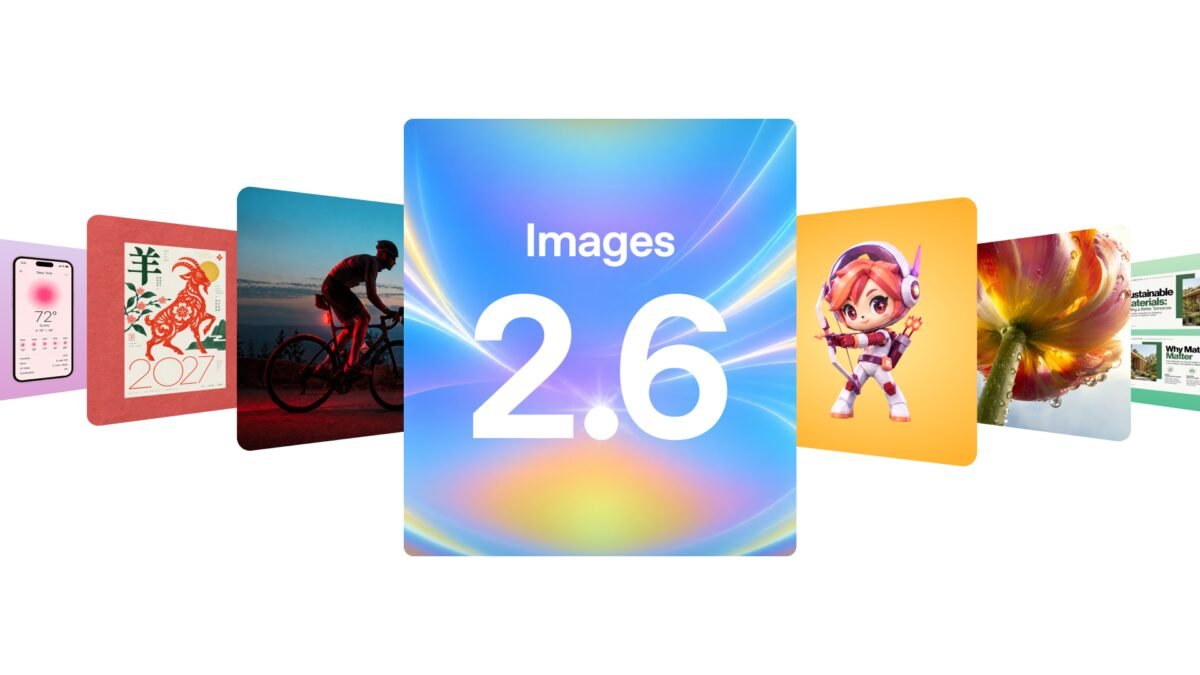
OpenAI’s official launch image for Images 2.6. Source: OpenAI, November 4, 2026.
Key facts at a glance
| Released | November 4, 2026 |
| Where | ChatGPT, Codex and the OpenAI API |
| Who gets it | All ChatGPT plans, including Free, on web, desktop and mobile |
| Speed | 50% faster image generation, according to OpenAI |
| New in ChatGPT | GIF creation from prompts, photos or sketches, with frame and speed editing |
| API models | GPT-Image-2.6 Flare (speed) and GPT-Image-2.6 Sunburst (quality) |
| API price | $8 per million image input tokens, $30 per million output tokens, $2 cached input |
| New API tools | Image markup, SVG export, a complexity setting |
What’s New in ChatGPT Images 2.6
1. GIFs from a prompt, photo or sketch
This is the feature most people will notice. You can now ask ChatGPT for a short animated loop instead of a still image. According to coverage from The Next Web and DataNorth, you can start from a written prompt or an uploaded photo, then change the playback speed, view and edit individual frames, and share the result.
OpenAI’s own examples are aimed squarely at marketers: animating a brand mascot for a campaign, creating reactions and memes for social media, and turning a product shot into “an eye-catching loop”. It also shows a simple hand-drawn owl sketch turned into an animated character, so you do not need a finished design to start.
The OpenAI examples were made using a “sprite sheet” approach: the prompt asks for a fixed number of frames (six, in a three by two grid) with the same character, camera angle and background, where the last frame flows back into the first. That is a useful trick to copy if your first GIF attempts look jumpy.
2. Images are 50% faster
OpenAI says Images 2.6 generates images 50% faster than before. In the API, the speed-focused Flare model can produce an image in as little as six seconds at low quality. For a small business making a batch of social graphics or product mockups, that turns a coffee break of waiting into a few minutes.
3. Better consistency across edits
OpenAI says Images 2.6 keeps “characters, products, and brand details consistent as you edit”. This has been one of the most frustrating parts of AI image tools: you ask for one small change and the logo shifts, the product changes color or your mascot gets a different face. Sunburst, the quality model, is designed for “even greater image consistency across edits” at medium or high quality.
Several outlets, including TestingCatalog, also report a reusable references feature in ChatGPT that lets you save reference images of yourself, pets or characters to reuse without uploading them again. OpenAI’s announcement page does not describe this feature in detail, and DataNorth notes that OpenAI has not said where saved references are stored or how to delete them. Treat it as promising but check how it works in your account before relying on it for brand work.
4. More professional layouts
OpenAI says the Flare model “improves layout quality for posters, product imagery, and other professional visuals”. Layout, meaning where text, products and space sit on a design, is exactly where earlier AI images often looked amateur.
5. New tools for developers
If you or your web developer use OpenAI’s API, three additions matter:
- Image markup lets you mark the exact area of an image to change, as you already can in ChatGPT.
- SVG export produces scalable vector files for websites, apps and print. DataNorth reports this is an API capability, not a ChatGPT feature.
- A complexity setting controls how much planning the model does. OpenAI recommends low complexity for most quick edits and medium or high for busy scenes with many constraints.
What It Costs
In ChatGPT: Images 2.6 is included in every plan, Free included. OpenAI has not published separate GIF limits per plan, such as how many GIFs you can make or how long they can be. Free users have always had tighter image limits than paid users, so expect the same here. Our ChatGPT review covers what each plan includes.
In the API: OpenAI’s pricing page, checked November 9, 2026, lists both models at the same token prices:
| API model | Best for | Input (per 1M image tokens) | Output (per 1M image tokens) | Cached input |
|---|---|---|---|---|
| GPT-Image-2.6 Flare | Speed, posters, product imagery | $8.00 | $30.00 | $2.00 |
| GPT-Image-2.6 Sunburst | Detail and consistent edits | $8.00 | $30.00 | $2.00 |
DataNorth reports these match the previous 2.5 models, but warns that the cost per image may still rise: one developer’s forum test found a medium-quality image used more than three times as many output tokens as before. If you generate images at volume through the API, test your own costs before switching.
How Small Businesses Can Use It
Here are practical ways to put Images 2.6 to work this week.
| Use | How | Watch out for |
|---|---|---|
| Social posts that stop the scroll | Turn a product photo into a short looping GIF for Instagram, Facebook or LinkedIn | Some platforms convert GIFs to video; check how each one displays them |
| A simple brand mascot | Sketch or describe a character once, then animate it for announcements, sales and reactions | Keep a saved prompt with the exact description so it stays consistent |
| Product mockups | Use Flare-speed images to test packaging, labels or flyers before paying a designer | AI text on products can still have errors; proofread every word |
| Email visuals | A small animated header can lift attention in newsletters | Keep GIF file sizes small so emails load quickly |
| Website graphics | Through the API, export SVG icons and illustrations for your site | SVG export is an API feature, not in the ChatGPT app |
| Storyboards | Rough out a video ad as animated frames before filming | Good for planning, not a replacement for real video |
Lindy instructionA GIF prompt you can copy
Our tip
Keep GIFs short and simple. A single, clear motion (a product turning, a mascot waving, a price tag flipping) works far better than a busy scene, and it keeps the file small enough to load fast on phones and in email.
If social media is a big part of your marketing, our guide to marketing a small business on social media explains how often to post and what formats work on each platform.
Images 2.6 vs Canva, Midjourney and the Rest
| Tool | Strength | When to choose it |
|---|---|---|
| ChatGPT Images 2.6 | Fast, conversational, now does GIFs, free tier included | Quick social graphics, mascots and edits by describing what you want |
| Canva AI | Templates, brand kits, easy layouts and scheduling | When you need finished, on-brand designs with your fonts and colors |
| Midjourney | Artistic, high-end image quality | Hero images and creative concepts where look matters most |
| Dedicated GIF and video tools | Longer animation and video | Anything beyond a short loop |
ChatGPT now covers a lot of everyday image work for free, but it is not a design system. If your business has brand colors, fonts and templates, Canva still does that job better; read our Canva AI review and our report on Canva’s own image model, Craft. For pure image quality, our Midjourney review explains where it still leads.
Things to Know Before You Use It
- Rollout may be staged. OpenAI says the update is live globally, but Decrypt reported the GIF maker missing from some accounts on launch day. If you do not see it yet, it should arrive soon.
- Your data. DataNorth points out that conversations on Free, Go, Plus and Pro plans may be used to train models unless you opt out in settings. Business and Enterprise plans include a data processing agreement. Avoid uploading client photos or confidential product images on personal plans unless you have opted out.
- Real people. Only animate photos of people who have agreed to it, and do not create GIFs of real people saying or doing things they did not. OpenAI has not said whether GIFs of real people carry a watermark.
- Check text and claims. AI images can still misspell words or invent details. Proofread anything with your prices, offers or product names on it.
- Ads in images. The Next Web notes OpenAI began testing ads inside image generation in the US last month. If that expands, expect sponsored suggestions in some image workflows.
What This Means for Small Businesses
Images 2.6 is a quiet but useful upgrade. Animated content used to need a designer, an animation tool or a stock GIF library. Now anyone with a ChatGPT account, even a free one, can make a simple brand animation in a few minutes. Combined with faster generation and better consistency, it makes ChatGPT a more serious everyday design assistant for owners who handle their own marketing.
It does not replace a designer for your logo, brand identity or important campaigns, and it does not replace Canva for finished, on-brand layouts. But for social posts, quick promotions, email headers and testing ideas before you spend money, it is now one of the fastest and cheapest options available.
Our advice: try one GIF this week for something you already post about, such as a new product, a sale or a holiday message, and compare its engagement with your usual still image.
ChatGPT Images 2.6 FAQ
ChatGPT Images 2.6 is OpenAI’s latest image generation update, released November 4, 2026. It makes images 50% faster, adds animated GIF creation in ChatGPT, improves consistency across edits, and adds two API models: GPT-Image-2.6 Flare for speed and GPT-Image-2.6 Sunburst for quality.
Yes. OpenAI says Images 2.6 is available in ChatGPT across all subscription tiers, including the free plan, on web, desktop and mobile. Free accounts usually have tighter image limits than paid plans, and OpenAI has not published separate GIF limits.
Ask ChatGPT for an animated GIF or looping animation, or upload a photo or sketch and ask it to animate it. After it is created, you can change the playback speed, edit individual frames and share it. Describing a fixed number of frames, one camera angle and a loop back to the first frame gives smoother results.
OpenAI’s pricing page lists both GPT-Image-2.6 Flare and Sunburst at $8 per million image input tokens, $30 per million image output tokens and $2 per million cached input tokens. Cost per image depends on quality, size and complexity settings.
Flare is built for speed and professional layouts such as posters and product images, generating images in as little as six seconds at low quality. Sunburst is built for detail and keeping edits consistent at medium or high quality.
SVG export is available through the API, according to OpenAI’s announcement and developer coverage. It is not described as a feature of the ChatGPT app itself.
Sources and References
Facts are taken from OpenAI’s announcement and API pricing page unless another source is named in the text.
- OpenAI: Introducing Images 2.6 (Nov 4, 2026)
- OpenAI API pricing (checked Nov 9, 2026)
- The Next Web: ChatGPT can now make animated GIFs with Images 2.6
- TestingCatalog: OpenAI launches Images 2.6 with GIFs and image reference
- DataNorth: ChatGPT Images 2.6 GIFs
- Digital Trends: Images 2.6 adds GIF support and faster generation
Free newsletter
Get new AI reviews in your inbox
One email when we publish a new honest review or practical guide. No spam, unsubscribe in one click.

Start the discussion